
> Java > Core Java Programming > Decipher Java Loops: CPU Performance Impact Across For, While, Do-While
Decipher Java Loops: CPU Performance Impact Across For, While, Do-While
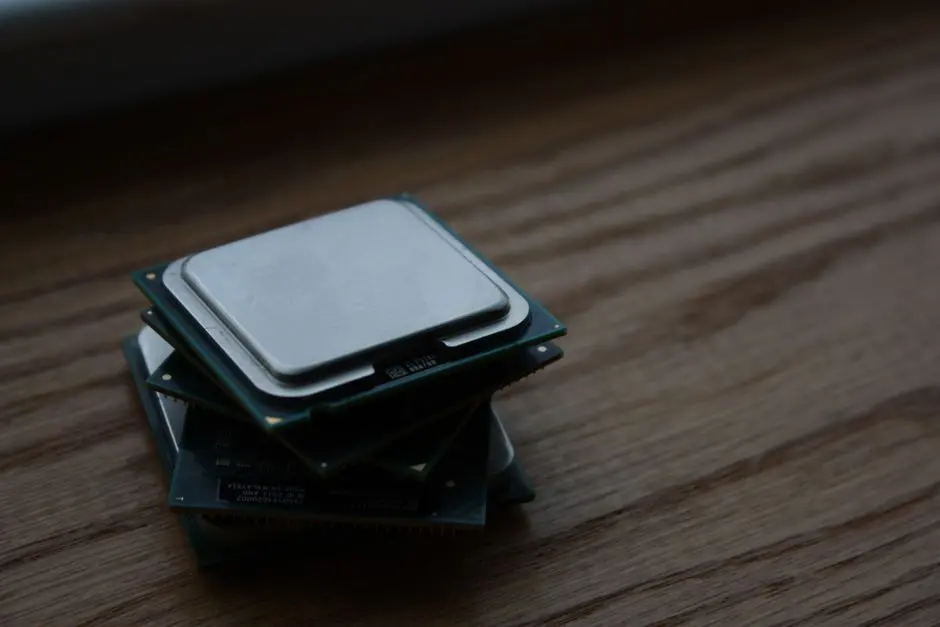
We stand at a critical juncture in software development, where micro-optimizations yield macroscopic performance gains. Java loops—for, while, and do-while—constitute the fundamental machinery of iteration, driving countless operations within our applications. Yet, their subtle differences often conceal significant implications for CPU performance. Do we fully grasp how each loop construct engages the processor, caches, and JIT compiler? Unlocking peak application speed demands a surgical understanding of these core constructs.
This deep dive forges a path through the intricate relationship between Java's iterative structures and CPU efficiency. We dissect the underlying mechanisms, benchmark execution speeds, and reveal expert strategies to engineer high-performance code. Prepare to transcend conventional wisdom, moving beyond mere syntax to master the performance nuances essential for effective programming. By decoding the CPU's interaction with each loop type, we empower ourselves to make informed architectural decisions. Cultivating this foundational knowledge is key to truly mastering Java language fundamentals and core syntax, laying a bedrock for robust and blazing-fast applications. We commit to transforming theoretical understanding into actionable optimization, propelling our development prowess to new frontiers.
Deconstruct Loop Fundamentals: CPU Interaction and JIT Compilation
We initiate our exploration by dissecting the core mechanics of Java loops and their intrinsic dance with the Central Processing Unit (CPU). Every iterative construct—for, while, do-while—translates into a sequence of machine instructions. The CPU, our computational engine, executes these instructions, managing registers, memory access, and arithmetic logic units (ALUs).
A critical player in this performance equation is the Java Virtual Machine's (JVM) Just-In-Time (JIT) compiler. The JIT dynamically transforms frequently executed bytecode into optimized native machine code during runtime. This process involves sophisticated techniques like
Consider the cost model: Each iteration involves fetching instructions, loading data (variables, array elements), performing calculations, storing results, and evaluating loop conditions. Memory access patterns, particularly
/**
 * DeconstructLoopFundamentals.java
 * Purpose: Illustrates a basic for loop and its conceptual interaction with the CPU.
 */
public class DeconstructLoopFundamentals {

    public static void main(String[] args) {
        long startTime = System.nanoTime(); // Record start time for basic benchmark
        int sum = 0;
        int iterations = 1_000_000_000; // Define a large number of iterations

        // Basic 'for' loop: The CPU executes initialization, condition check, and increment repeatedly.
        // The JIT compiler optimizes this sequence for efficiency.
        for (int i = 0; i < iterations; i++) {
            sum += i; // Simple arithmetic operation within the loop body
        }

        long endTime = System.nanoTime();   // Record end time
        long duration = (endTime - startTime) / 1_000_000; // Calculate duration in milliseconds

        System.out.println("Sum calculated: " + sum);
        System.out.println("For loop duration: " + duration + " ms");

        // Additional conceptual points for discussion:
        // - CPU fetches instructions and data (sum, i) from memory/cache.
        // - JIT compiles this bytecode into optimized machine code during runtime.
        // - Branch prediction helps the CPU guess the loop condition outcome.
    }
}
Benchmark 'for' Loops: The Iteration Workhorse's Performance Blueprint
The for loop reigns as Java's most conventional iterative construct. Its tripartite structure—initialization, condition, and increment/decrement—provides a clear, concise declaration of iteration boundaries. From a CPU performance perspective, we observe several key advantages. The predictable nature of the for loop, especially when iterating over arrays or collections with known sizes, allows the JIT compiler to perform aggressive optimizations.
When we iterate sequentially through data structures like arrays, the for loop naturally leverages data[i], it will likely need data[i+1] next. This spatial locality pre-fetches subsequent elements into cache, ensuring data is readily available when required. This mechanism drastically reduces memory latency, which is often a more significant bottleneck than raw CPU instruction execution speed.
However, we must also identify potential pitfalls. Complex conditions within the for loop's middle section, or non-trivial operations in its increment part, introduce additional computational burden per iteration. Calling methods inside the loop condition, for instance, can prevent certain JIT optimizations. Furthermore, modifying the loop variable within the loop body in unexpected ways can confuse the JIT, hindering its ability to apply advanced optimizations. We engineer optimal for loop performance by keeping conditions simple, increments direct, and data access sequential.
/**
 * ForLoopPerformanceBenchmark.java
 * Purpose: Benchmarks the execution speed of a 'for' loop for array processing.
 * We measure the time taken to iterate over a large array and perform a simple operation.
 * Note: Microbenchmarking in Java requires careful handling (warm-up, multiple runs) to get reliable results.
 * This example provides a basic demonstration, not a production-ready benchmark.
 */

public class ForLoopPerformanceBenchmark {

    private static final int ARRAY_SIZE = 100_000_000; // Large array size for noticeable execution time
    private static int[] data;

    public static void main(String[] args) {
        // Initialize array once before warm-up and actual benchmark
        data = new int[ARRAY_SIZE];
        for (int i = 0; i < ARRAY_SIZE; i++) {
            data[i] = i % 100; // Populate with some data
        }

        // --- Warm-up phase for JIT compilation ---
        // Run the loop several times to allow the JIT compiler to optimize the code.
        System.out.println("Starting warm-up phase...");
        for (int i = 0; i < 5; i++) { // Perform warm-up iterations
            runForLoopBenchmark();
        }
        System.out.println("Warm-up complete. Starting actual benchmark...");

        // --- Actual benchmark phase ---
        long totalDurationMillis = 0;
        int runs = 10; // Number of benchmark runs

        for (int i = 0; i < runs; i++) {
            totalDurationMillis += runForLoopBenchmark();
        }

        long averageDuration = totalDurationMillis / runs;
        System.out.println("Average 'for' loop execution time: " + averageDuration + " ms");
    }

    /**
     * Executes the 'for' loop and measures its duration.
     * @return The duration of the loop execution in milliseconds.
     */
    private static long runForLoopBenchmark() {
        long startTime = System.nanoTime();
        long sum = 0;

        // The 'for' loop structure: initialization, condition, increment.
        // Condition check (i < ARRAY_SIZE) and increment (i++) are overhead per iteration.
        for (int i = 0; i < ARRAY_SIZE; i++) {
            sum += data[i]; // Accessing array elements sequentially benefits from cache locality.
        }

        long endTime = System.nanoTime();
        return (endTime - startTime) / 1_000_000; // Convert nanoseconds to milliseconds
    }
}
Analyze 'while' and 'do-while' Loops: Conditional Execution Dynamics and CPU Impact
We now shift our focus to the while and do-while loops, dissecting their unique conditional execution dynamics and their subsequent CPU impact. The primary distinction lies in when the loop condition evaluates. A while loop checks its condition do-while loop guarantees
From a CPU perspective, both while and do-while loops involve repeated
While syntactically different, in many simple iterative scenarios, modern JIT compilers often optimize for, while, and do-while loops to generate very similar, if not identical, machine code. The JIT identifies patterns and transforms them into the most efficient sequence of operations, often blurring the lines between these constructs at the machine level. Performance divergence primarily arises when a loop's structure intrinsically limits JIT optimizations (e.g., highly dynamic conditions) or when the chosen loop type is semantically mismatched with the task, leading to less elegant or more error-prone code that indirectly impacts performance by hindering maintainability and future optimization efforts. Our strategic choice of loop type should always align with the logical flow of execution, prioritizing clarity, then optimizing based on profiling data.
/**
 * WhileDoWhilePerformanceBenchmark.java
 * Purpose: Benchmarks 'while' and 'do-while' loops, comparing their execution speeds.
 * We simulate scenarios where their conditional nature might show differences.
 * Note: As with 'for' loop, this is a basic demonstration. For rigorous benchmarking, use JMH.
 */

public class WhileDoWhilePerformanceBenchmark {

    private static final int ITERATIONS = 100_000_000; // Large number of iterations

    public static void main(String[] args) {
        // Warm-up phase for JIT compilation
        System.out.println("Starting warm-up phase...");
        for (int i = 0; i < 5; i++) {
            runWhileLoopBenchmark();
            runDoWhileLoopBenchmark();
        }
        System.out.println("Warm-up complete. Starting actual benchmark...");

        // Benchmark 'while' loop
        long totalWhileDuration = 0;
        int runs = 10;
        for (int i = 0; i < runs; i++) {
            totalWhileDuration += runWhileLoopBenchmark();
        }
        System.out.println("Average 'while' loop execution time: " + (totalWhileDuration / runs) + " ms");

        // Benchmark 'do-while' loop
        long totalDoWhileDuration = 0;
        for (int i = 0; i < runs; i++) {
            totalDoWhileDuration += runDoWhileLoopBenchmark();
        }
        System.out.println("Average 'do-while' loop execution time: " + (totalDoWhileDuration / runs) + " ms");
    }

    /**
     * Executes a 'while' loop and measures its duration.
     * @return The duration of the loop execution in milliseconds.
     */
    private static long runWhileLoopBenchmark() {
        long startTime = System.nanoTime();
        int count = 0;
        long sum = 0;

        // 'while' loop: Condition checked BEFORE the first iteration.
        // If condition is false initially, loop body never executes.
        while (count < ITERATIONS) {
            sum += count;
            count++;
        }

        long endTime = System.nanoTime();
        return (endTime - startTime) / 1_000_000;
    }

    /**
     * Executes a 'do-while' loop and measures its duration.
     * @return The duration of the loop execution in milliseconds.
     */
    private static long runDoWhileLoopBenchmark() {
        long startTime = System.nanoTime();
        int count = 0;
        long sum = 0;

        // 'do-while' loop: Loop body executes AT LEAST ONCE, then condition is checked.
        // This structure implies a slightly different bytecode generation in some cases.
        do {
            sum += count;
            count++;
        } while (count < ITERATIONS);

        long endTime = System.nanoTime();
        return (endTime - startTime) / 1_000_000;
    }
}
Architecting for Optimal Loop Performance: Advanced Strategies and System Thinking
Forging truly optimal loop performance transcends mere syntax; it demands a holistic system-thinking approach. We engineer efficiency by addressing factors beyond the loop construct itself. First, list.size() in a for loop condition if the size is static) and object allocations. Each additional instruction or memory allocation within the hot path of a loop contributes directly to CPU cycles and garbage collection overhead.
Leverage for, while, or do-while loops.
Consider modern Java constructs. While traditional loops are often faster for simple, sequential processing, Java's
/**
 * OptimizedLoopStrategies.java
 * Purpose: Demonstrates advanced strategies for optimizing loop performance,
 * including minimizing operations, leveraging Stream API, and parallel processing.
 * This highlights moving from simple iteration to system-level optimization.
 */

import java.util.Arrays;
import java.util.concurrent.ThreadLocalRandom;
import java.util.stream.IntStream;

public class OptimizedLoopStrategies {

    private static final int DATA_SIZE = 50_000_000; // Large dataset
    private static int[] largeData;

    public static void main(String[] args) {
        // Initialize data
        largeData = new int[DATA_SIZE];
        ThreadLocalRandom.current().ints(DATA_SIZE, 0, 1000).forEach(i -> largeData[i] = i);

        // Warm-up
        System.out.println("Starting warm-up phase...");
        for (int i = 0; i < 3; i++) {
            benchmarkClassicLoop();
            benchmarkStreamAPI();
            benchmarkParallelStream();
        }
        System.out.println("Warm-up complete. Starting actual benchmarks...");

        // Benchmark classic loop
        long totalClassicDuration = 0;
        int runs = 5;
        for (int i = 0; i < runs; i++) {
            totalClassicDuration += benchmarkClassicLoop();
        }
        System.out.println("Average Classic For Loop duration: " + (totalClassicDuration / runs) + " ms");

        // Benchmark Stream API
        long totalStreamDuration = 0;
        for (int i = 0; i < runs; i++) {
            totalStreamDuration += benchmarkStreamAPI();
        }
        System.out.println("Average Stream API duration: " + (totalStreamDuration / runs) + " ms");

        // Benchmark Parallel Stream API
        long totalParallelStreamDuration = 0;
        for (int i = 0; i < runs; i++) {
            totalParallelStreamDuration += benchmarkParallelStream();
        }
        System.out.println("Average Parallel Stream API duration: " + (totalParallelStreamDuration / runs) + " ms");
    }

    /**
     * Benchmarks a classic for loop with minimized operations.
     * @return Duration in milliseconds.
     */
    private static long benchmarkClassicLoop() {
        long startTime = System.nanoTime();
        long sum = 0;
        // Minimize operations inside the loop. Calculate length once.
        int len = largeData.length;
        for (int i = 0; i < len; i++) {
            sum += largeData[i]; // Simple, cache-friendly operation
        }
        long endTime = System.nanoTime();
        return (endTime - startTime) / 1_000_000;
    }

    /**
     * Benchmarks Stream API for aggregation.
     * @return Duration in milliseconds.
     */
    private static long benchmarkStreamAPI() {
        long startTime = System.nanoTime();
        long sum = IntStream.of(largeData).sum(); // Stream API for aggregation
        long endTime = System.nanoTime();
        return (endTime - startTime) / 1_000_000;
    }

    /**
     * Benchmarks Parallel Stream API for aggregation.
     * @return Duration in milliseconds.
     */
    private static long benchmarkParallelStream() {
        long startTime = System.nanoTime();
        long sum = IntStream.of(largeData).parallel().sum(); // Parallel Stream for concurrency
        long endTime = System.nanoTime();
        return (endTime - startTime) / 1_000_000;
    }
}
Profiling and Practical Application: Verifying Loop Performance in Real-World Scenarios
We culminate our analysis by emphasizing the critical role of profiling and practical application. Theoretical performance discussions, while foundational, must always converge with real-world empirical validation. The subtle differences in CPU performance between for, while, and do-while loops often become negligible when juxtaposed against the cost of operations executed within the loop body. A single database call, network request, or complex object allocation can easily dwarf the overhead of a million loop iterations.
To effectively identify performance bottlenecks, we arm ourselves with
Furthermore, the performance characteristics of loops can vary significantly across different JVM versions, operating systems, and underlying hardware architectures. The JIT compiler continuously evolves, and optimizations applied in one environment may not precisely replicate in another. Therefore, we establish a disciplined practice of
/**
 * LoopProfilingExample.java
 * Purpose: Demonstrates the need for profiling and highlights a common pitfall:
 * an expensive operation inside a loop, which can overshadow loop type differences.
 * We simulate an I/O operation (Thread.sleep) to show significant impact.
 */

public class LoopProfilingExample {

    private static final int ITERATIONS = 100; // Fewer iterations for simulated slow operation

    public static void main(String[] args) {
        System.out.println("Starting loop with expensive operation...");

        long startTime = System.nanoTime();
        for (int i = 0; i < ITERATIONS; i++) {
            performExpensiveOperation(i); // Simulate a slow operation (e.g., I/O, complex calculation)
        }
        long endTime = System.nanoTime();
        long duration = (endTime - startTime) / 1_000_000;

        System.out.println("For loop with expensive operation duration: " + duration + " ms");

        // In a real application, a profiler (like VisualVM, JProfiler) would pinpoint 'performExpensiveOperation'
        // as the bottleneck, not the 'for' loop overhead itself.
    }

    /**
     * Simulates an expensive operation, potentially I/O or a complex algorithm.
     * @param iteration Current iteration number.
     */
    private static void performExpensiveOperation(int iteration) {
        try {
            // Simulate a network call, database query, or heavy computation
            Thread.sleep(10); // Sleep for 10 milliseconds
            if (iteration % 20 == 0) {
                // System.out.println("Performing expensive op at iteration: " + iteration); // Optional: to see progress
            }
        } catch (InterruptedException e) {
            Thread.currentThread().interrupt();
            System.err.println("Operation interrupted.");
        }
    }
}
Key Takeaways
JIT Compiler and CPU Interaction
Java loops translate into machine instructions executed by the CPU. The JIT compiler is pivotal, transforming bytecode into optimized native machine code at runtime. It employs techniques like loop unrolling and register allocation. Cache locality significantly impacts performance; data in CPU caches yields faster access, while cache misses from slower main memory incur latency. Loop design directly influences memory access patterns and subsequent JIT optimizations.
'For' Loop Strengths and Weaknesses
The for loop is robust, especially for iterating over known-size structures like arrays. Its predictable nature enables aggressive JIT optimizations, particularly loop unrolling. Sequential data access naturally leverages CPU cache locality, reducing memory latency. However, complex conditions or operations within the loop body can hinder JIT optimization. Keeping conditions simple and data access sequential maximizes for loop efficiency.
'While' and 'Do-While' Loop Dynamics
While loops check conditions before any iteration (potentially zero runs), while do-while loops guarantee at least one execution before condition evaluation. Both involve CPU branch prediction, where mispredictions cause performance penalties. In many common scenarios, JIT compilers optimize these loops to similar machine code as for loops. Performance differences typically arise when a loop's specific structure prevents JIT optimizations or when the loop type is semantically misaligned, affecting code clarity and future optimization.
Advanced Optimization Strategies
Optimize loop performance by minimizing operations within the loop body (e.g., extract constants, avoid repeated method calls/object allocations). Leverage data locality through sequential memory access patterns. Consider Java's Stream API, especially parallel streams, for large datasets to utilize multiple CPU cores, but always profile to confirm gains. Use profiling tools like JMH, VisualVM, JProfiler to identify actual bottlenecks, prioritizing optimization of expensive operations over micro-optimizing loop constructs themselves.
FAQ
-
Which Java loop (for, while, do-while) is inherently the fastest?
In most modern Java Virtual Machine (JVM) implementations, especially after Just-In-Time (JIT) compilation, the performance differences between
for,while, anddo-whileloops are negligible for simple iterations. The JIT compiler is highly adept at optimizing common loop patterns, often generating very similar machine code regardless of the specific construct. The choice typically boils down to readability and semantic appropriateness for the task. -
How does the JIT compiler optimize Java loops?
The JIT compiler employs several advanced techniques to optimize loops. Key among these are:
- Loop Unrolling: Replicating the loop body to reduce overhead from condition checks and increment operations.
- Branch Prediction: Predicting the outcome of loop conditions to prevent CPU pipeline stalls.
- Instruction Reordering: Changing the order of instructions to maximize CPU utilization.
- Register Allocation: Storing frequently used loop variables in fast CPU registers instead of main memory.
- Escape Analysis: Determining if objects created inside a loop can be allocated on the stack instead of the heap, reducing GC pressure.
-
Does iterating over a collection (e.g., ArrayList) using an enhanced for-loop have performance implications?
The enhanced
forloop (for-each) forArrayListis typically desugared by the compiler into a standardforloop using an index. For other collections (likeLinkedList), it uses anIterator. ForArrayList, the performance is generally equivalent to an indexedforloop due to direct access and cache locality. For collections requiring anIterator, the overhead is minimal and rarely a bottleneck unless the iteration is extremely heavy and unoptimized. Always prioritize readability unless profiling indicates a specific bottleneck. -
What are common pitfalls that degrade loop performance?
- Expensive operations inside the loop: Repeated I/O, database calls, or complex object creations.
- Poor cache locality: Accessing memory in non-sequential or random patterns.
- Frequent object allocation: Creating new objects in each iteration, leading to increased garbage collection activity.
- Complex loop conditions or increments: Inhibiting JIT compiler optimizations.
- Unnecessary method calls: Invoking methods repeatedly that return constant values.