
Engineer Database Evolution: Laravel Migrations & Schema Best Practices
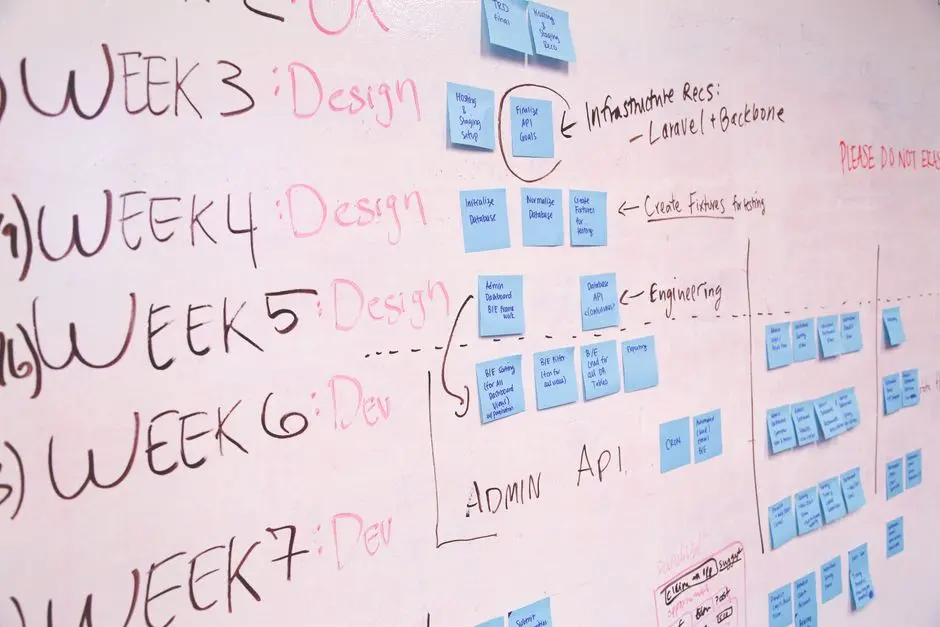
Database drift cripples applications. Uncontrolled schema changes erode stability, introduce bugs, and derail development velocity. In the fast-paced realm of modern software, where agility dictates success, mastering robust database version control is as critical as safeguarding your codebase. We embark on a journey to transform your understanding of Laravel Migrations and the Schema Builder, elevating them from mere utilities to powerful strategic instruments. This resource forges a definitive pathway to maintain database integrity, facilitate seamless team collaboration, and execute complex data transformations with unwavering confidence. Prepare to unlock unparalleled efficiency and scalability, essential for any project focused on constructing high-performance, future-proof Laravel applications. Activate these practices and ensure your database evolves with surgical precision, mirroring the dynamic needs of your software.
Activate Database Version Control: Core Migration Principles
We initiate our mastery by establishing migrations as the bedrock of versioned database schemas. These vital scripts, residing within your application's codebase, dictate the precise evolution of your database structure. Their primary role involves orchestrating schema changes in a trackable, reversible manner, eliminating database drift and ensuring team consistency. Every team member operates on an identical database state, fostering seamless collaboration and preventing environment-specific bugs. Forge the understanding that migrations are code; they demand the same rigor, testing, and review processes as your application logic. The foundational commands, php artisan make:migration <name> --create=<table> or --table=<table>, generate the blueprint. Within each migration, the up() method builds new structures or alters existing ones, while the down() method meticulously reverses those changes. Crucially, we design down() for reversibility, safeguarding against irreversible operations that could compromise data integrity or prevent smooth rollbacks. Embrace migrations to ensure your database structure remains synchronized, robust, and predictably stable across all development stages.
To generate a migration for creating a new table:
- Command:
php artisan make:migration create_products_table --create=products - This command generates a migration file that automatically includes a
create()schema builder method within itsup()function, pre-populated withid()andtimestamps().
For altering an existing table:
- Command:
php artisan make:migration add_category_to_products_table --table=products - This generates a migration with a
table()schema builder method, ready for you to add, modify, or drop columns.
Always ensure your down() methods precisely reverse the operations performed in up(). If up() creates a table, down() must drop it. If up() adds a column, down() must remove it. This symmetry is non-negotiable for reliable database version control.
<?php

use Illuminate\Database\Migrations\Migration;
use Illuminate\Database\Schema\Blueprint;
use Illuminate\Support\Facades\Schema;

return new class extends Migration
{
    /**
     * Run the migrations.
     *
     * @return void
     */
    public function up(): void
    {
        // Create the 'users' table if it doesn't exist
        Schema::create('users', function (Blueprint $table) {
            $table->id(); // Auto-incrementing primary key
            $table->string('name'); // Varchar(255) column for name
            $table->string('email')->unique(); // Unique varchar(255) for email
            $table->timestamp('email_verified_at')->nullable(); // Datetime for email verification
            $table->string('password'); // Varchar(255) for password
            $table->rememberToken(); // Varchar(100) for 'remember me' token
            $table->timestamps(); // Created_at and updated_at datetime columns
        });
    }

    /**
     * Reverse the migrations.
     *
     * @return void
     */
    public function down(): void
    {
        // Drop the 'users' table if it exists during rollback
        Schema::dropIfExists('users');
    }
};
Decode Schema Builder: Crafting Resilient Database Structures
We decode the potent capabilities of Laravel's Schema Builder, your primary interface for crafting resilient and performant database structures. The Schema Builder offers a fluent API to define tables, add columns, set data types, and enforce constraints with precision. It abstracts away database-specific SQL syntax, allowing us to focus on logical structure. Utilize common data types like string(), integer(), bigIncrements(), boolean(), timestamps(), and json(). Engineer robustness by applying modifiers such as nullable(), default(), and unique() to enforce data integrity at the database level, preventing application-level inconsistencies. Crucially, optimize performance by strategically employing indexes: index() for single-column lookups, unique() for ensuring uniqueness and accelerating searches, and fulltext() for text-based searches. Implement foreign key constraints using foreignId(), constrained(), onDelete(), and onUpdate() to maintain referential integrity across related tables. This prevents orphaned records and cascading issues, ensuring your data relationships remain sound. Be surgical when modifying existing columns using change(); this operation often requires the doctrine/dbal package and necessitates careful consideration of existing data. Always design your schema to reflect business logic accurately, preparing for future growth and evolving requirements. This proactive approach minimizes refactoring and maximizes long-term stability.
When defining foreign keys, we engineer explicit relationships to prevent data inconsistencies. The foreignId('column_name') method provides a convenient way to define a foreign key column following Laravel's conventions (e.g., category_id). The constrained() method then automatically infers the table and column it references (e.g., categories table, id column). For more complex scenarios, you can explicitly define the referenced table and column: foreign('user_id')->references('id')->on('users').
Consider the performance implications of indexes. While they accelerate read operations, they add overhead to write operations. Apply them judiciously to columns frequently used in WHERE clauses, JOIN operations, or ORDER BY clauses. Avoid over-indexing, which can degrade overall database performance. We activate an optimized balance between read speed and write efficiency, ensuring every structural choice serves a clear performance or integrity objective.
<?php

use Illuminate\Database\Migrations\Migration;
use Illuminate\Database\Schema\Blueprint;
use Illuminate\Support\Facades\Schema;
use Illuminate\Support\Facades\DB;

return new class extends Migration
{
    /**
     * Run the migrations.
     *
     * @return void
     */
    public function up(): void
    {
        // Add new columns to the 'products' table
        Schema::table('products', function (Blueprint $table) {
            // Add a string column 'sku' after 'name' and ensure it's unique
            $table->string('sku')->unique()->after('name');
            // Add an integer column 'stock' with a default value of 0
            $table->integer('stock')->default(0);
            // Add a foreign key to 'categories' table
            // This assumes a 'categories' table with an 'id' column already exists
            $table->foreignId('category_id')
                  ->nullable()
                  ->constrained('categories') // Constrain to 'id' on 'categories' table
                  ->onUpdate('cascade')    // Update related records on category ID change
                  ->onDelete('set null');  // Set category_id to NULL if category is deleted
            // Add an index for faster lookups on stock
            $table->index('stock');
        });

        // Example of modifying an existing column (requires 'doctrine/dbal')
        // Ensure 'composer require doctrine/dbal' is run if not already installed
        Schema::table('users', function (Blueprint $table) {
            $table->string('name', 100)->change(); // Change name column length to 100
        });
    }

    /**
     * Reverse the migrations.
     *
     * @return void
     */
    public function down(): void
    {
        // Reverse the changes made in the 'up' method
        Schema::table('products', function (Blueprint $table) {
            $table->dropForeign(['category_id']); // Drop the foreign key constraint first
            $table->dropColumn(['sku', 'stock', 'category_id']); // Then drop the columns
            $table->dropIndex(['stock']); // Drop the index
        });

        // Revert user name column if it was changed
        Schema::table('users', function (Blueprint $table) {
            // Assuming original length was 255. Adjust as per your original schema.
            $table->string('name', 255)->change();
        });
    }
};
Optimize Data Evolution: Complex Migrations & Large Transformations
We elevate our migration strategy to tackle complex scenarios, including renaming tables or columns, and executing large-scale data transformations. Renaming operations, while seemingly simple, demand careful execution to maintain application integrity. Utilize Schema::rename() for tables and $table->renameColumn() for columns, ensuring your code remains compatible with the new naming conventions. The true frontier lies in managing data transformations. When evolving your schema requires migrating existing data—say, combining two columns into one or changing data types—we activate a multi-step, zero-downtime approach. First, introduce new columns (nullable) without immediately dropping old ones. Second, perform data migration in batches using chunkById() or dedicated artisan commands to prevent memory exhaustion and database lock contention, especially for millions of records. Third, update your application code to read from the new columns. Fourth, once confidence is established, drop the old columns. This surgical process minimizes disruption and maintains application availability. We also decode the utility of migration commands like php artisan migrate:rollback to revert the last batch, migrate:reset to undo all migrations, migrate:refresh to reset and re-run all, and migrate:fresh to drop all tables and then run migrations. Understand their destructive nature and apply them judiciously. Finally, integrate seeders (php artisan make:seeder) to populate your database with initial or test data, ensuring a consistent baseline across environments. These tools empower us to navigate intricate database evolutions with strategic precision.
For large data transformations, the chunkById method on Eloquent models or the DB facade is indispensable. It processes records in manageable blocks, preventing memory overloads and maintaining database responsiveness. If a transformation is too complex or time-consuming to run within a standard migration, consider deferring it to a dedicated artisan command or a queueable job. This decouples the schema change from the data processing, allowing for asynchronous execution and better resource management. When planning a transformation, always analyze the data volume and the potential impact on read/write operations. A strategic approach involves carefully testing these transformations on staging environments that mirror production data volumes before activating them in a live system.
Remember that complex data changes often require a nuanced down() method. While dropping a column is straightforward, fully reversing a data transformation (e.g., splitting a combined full_name back into first_name and last_name) might be impossible or require significant effort, highlighting the importance of robust testing and backups before deploying such changes to production. We engineer for foresight, anticipating potential rollbacks and preparing for data integrity challenges.
<?php

use Illuminate\Database\Migrations\Migration;
use Illuminate\Database\Schema\Blueprint;
use Illuminate\Support\Facades\Schema;
use Illuminate\Support\Facades\DB;

return new class extends Migration
{
    /**
     * Run the migrations.
     *
     * @return void
     */
    public function up(): void
    {
        // 1. Add a temporary column for transformation
        Schema::table('users', function (Blueprint $table) {
            $table->string('full_name')->nullable();
        });

        // 2. Perform data transformation in chunks to avoid memory issues and timeouts
        // This is a simplified example; for very large datasets, consider a dedicated command or job.
        DB::table('users')->chunkById(1000, function ($users) {
            foreach ($users as $user) {
                // Assuming 'first_name' and 'last_name' columns exist prior to this migration
                DB::table('users')
                    ->where('id', $user->id)
                    ->update(['full_name' => trim($user->first_name . ' ' . $user->last_name)]);
            }
        });

        // 3. Drop old columns after data has been moved/transformed
        Schema::table('users', function (Blueprint $table) {
            $table->dropColumn(['first_name', 'last_name']);
        });

        // Example of renaming a table
        // Schema::rename('old_table_name', 'new_table_name');
        // Example of renaming a column
        // Schema::table('users', function (Blueprint $table) {
        //     $table->renameColumn('name', 'user_name');
        // });
    }

    /**
     * Reverse the migrations.
     *
     * @return void
     */
    public function down(): void
    {
        // Revert the table rename (if applied)
        // Schema::rename('new_table_name', 'old_table_name');

        // Revert column rename (if applied)
        // Schema::table('users', function (Blueprint $table) {
        //     $table->renameColumn('user_name', 'name');
        // });

        // Reverse the data transformation
        Schema::table('users', function (Blueprint $table) {
            // Re-add original columns
            $table->string('first_name')->nullable();
            $table->string('last_name')->nullable();
        });

        // Attempt to reverse the data (might be complex or impossible without prior backup)
        // This part is illustrative; often complex data transformations are one-way in practice.
        // If you need to revert data, a robust backup strategy or more complex undo logic is required.
        DB::table('users')->chunkById(1000, function ($users) {
            foreach ($users as $user) {
                $parts = explode(' ', $user->full_name, 2); // Split into first and last
                DB::table('users')
                    ->where('id', $user->id)
                    ->update([
                        'first_name' => $parts[0] ?? null,
                        'last_name' => $parts[1] ?? null
                    ]);
            }
        });

        // Drop the new column after reverse transformation
        Schema::table('users', function (Blueprint $table) {
            $table->dropColumn('full_name');
        });
    }
};

class UserSeeder extends \Illuminate\Database\Seeder
{
    public function run(): void
    {
        // Example of populating initial data
        DB::table('users')->insert([
            'name' => 'John Doe',
            'email' => 'john@example.com',
            'password' => bcrypt('secret'), // Always hash passwords!
            'created_at' => now(),
            'updated_at' => now(),
        ]);

        DB::table('users')->insert([
            'name' => 'Jane Smith',
            'email' => 'jane@example.com',
            'password' => bcrypt('secret'),
            'created_at' => now(),
            'updated_at' => now(),
        ]);
    }
}
Engineer Seamless Deployments: Mitigating Migration Risks
We engineer a strategy for seamless deployment of database migrations, focusing on mitigating risks in production environments. Running migrations directly on a live system without explicit controls invites disaster. Activate practices such as deploying new code that *supports both old and new schema* temporarily, allowing your application to function while data transformations occur. This requires meticulous planning of your application logic. Consider using a blue/green deployment strategy or activating a brief maintenance mode (php artisan down) for critical schema changes to ensure atomicity. Never run migrations on production without thorough testing on an environment that replicates production data volume and configuration. One common pitfall is the unintentional creation of non-reversible migrations; always validate that your down() method flawlessly reverses up() operations. Another error is assuming change() operations are always safe; data truncation or type coercion can lead to irreversible data loss. We decode the importance of continuous integration/continuous deployment (CI/CD) pipelines that automatically test migrations against various database states before reaching production. Avoid mixing schema changes with significant data manipulation in a single migration file, as this can lead to long-running transactions, database locks, and deployment timeouts. Instead, split these into distinct migrations or use dedicated artisan commands for data processing. Furthermore, ensure your deployment process includes composer dump-autoload if you've added new classes (e.g., custom migration helpers or new models that are affected by schema changes). By adopting these proactive measures, we eliminate deployment anxiety and guarantee database integrity.
Managing multiple environments (development, staging, production) demands consistent migration application. Use environment-specific configuration for database connections, but ensure the migration files themselves are identical across all environments. Test migration scripts on staging with realistic data sets to identify performance bottlenecks or unexpected side effects before deploying to production. This pre-emptive testing drastically reduces the risk of production incidents.
For critical applications requiring zero downtime, investigate advanced deployment techniques. This might involve running migrations in several stages, updating the application code to work with both schema versions concurrently, or leveraging database replication to switch traffic between instances seamlessly. These strategies demand a deep understanding of your database and application architecture but are indispensable for high-availability systems. We empower ourselves to choose the most appropriate deployment strategy based on the application's tolerance for downtime and data consistency requirements, mastering the art of controlled database evolution.
Key Takeaways
Core Migration Principles
Laravel Migrations are the definitive mechanism for database version control. They standardize schema changes across development teams, ensuring consistency and preventing 'database drift.' Every migration must define both an up() method to apply changes and a corresponding down() method for precise reversal, crucial for robust rollbacks and maintaining data integrity. Treat migrations as essential application code, subject to rigorous testing and review.
Schema Builder Mastery
The Schema Builder provides a fluent API for defining and modifying database structures. It allows us to specify data types, modifiers (e.g., nullable(), unique()), and constraints (indexes, foreign keys) to enforce data integrity and optimize performance. Strategically apply indexes to columns frequently used in queries, and use foreign keys to maintain referential integrity. Surgical use of change() requires the doctrine/dbal package and careful consideration.
Advanced Data Evolution Strategies
Complex database evolutions, including table/column renames and large data transformations, demand a multi-step approach. Introduce new columns, perform data migration in batches (e.g., chunkById()), update application code, then remove old columns. Utilize migration commands (migrate:rollback, migrate:refresh) judiciously, understanding their impact. Seeders are vital for consistent data population across environments, facilitating development and testing.
Risk Mitigation in Deployments
Deploying migrations to production requires strategic planning to minimize risks. Implement zero-downtime techniques like staged deployments and blue/green strategies. Rigorously test migrations on staging environments mimicking production data. Avoid non-reversible migrations and overly complex data/schema changes within a single migration. Ensure composer dump-autoload runs post-deployment if new classes are introduced. Proactive measures guarantee database integrity and application stability.
FAQ
-
Can I revert any Laravel migration at any time?
Not all migrations are inherently reversible. While Laravel's migration system provides thedown()method for rollback, certain operations like dropping a column with data, or complex data transformations, can lead to irreversible data loss or make logical reversal impossible. Always design yourdown()method to precisely reverse yourup(), but recognize that data-altering changes often require a backup strategy rather than a simple rollback. -
What's the best approach for handling large data migrations in a live production environment to minimize downtime?
For large data migrations in production, adopt a multi-phase, zero-downtime strategy. First, add new columns as nullable without immediately dropping old ones. Second, use batch processing (e.g.,chunkById()) to transform and move data gradually, perhaps within a dedicated artisan command or queued job. Third, update your application code to use the new columns while still being compatible with the old. Fourth, once data migration is complete and verified, deploy a final migration to drop the old columns. This staged approach minimizes database locking and application disruption. -
When should I use
Schema::tableversus creating a new migration file for every change?
You always create a new migration file for every distinct schema change.Schema::table()is a method called *inside* your migration file'sup()anddown()methods when you need to modify an existing table (add columns, drop columns, change types). You never directly modify an old migration file after it has been run on any environment. Each logical schema modification gets its own timestamped migration file.