
Engineer Periodic Background Tasks with Python
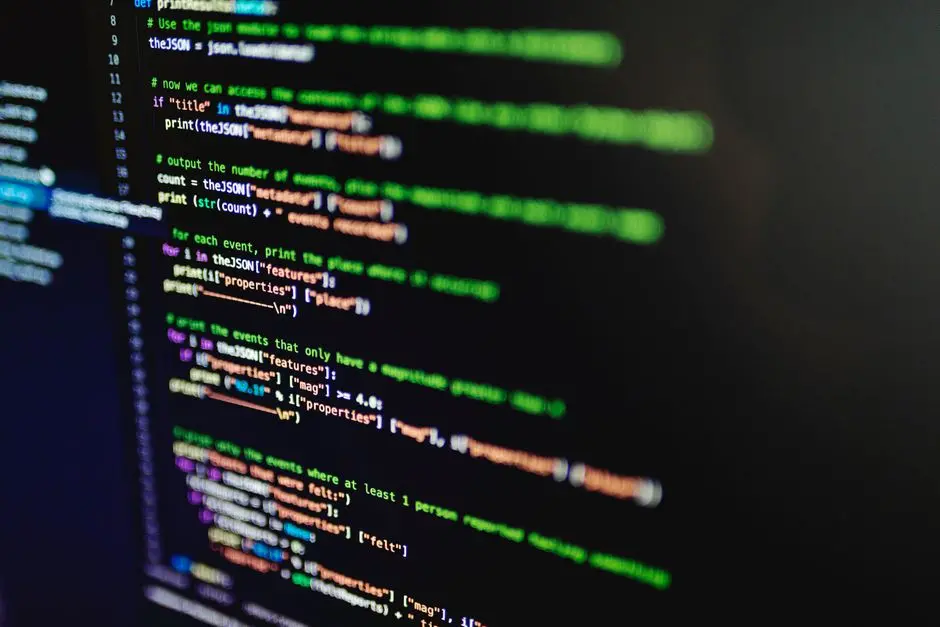
In the expansive landscape of modern software development, the ability to execute tasks automatically and reliably in the background emerges as a critical leverage point. We confront scenarios demanding repetitive operations, from data synchronization and report generation to system monitoring and user notifications. Mastering periodic task execution is not merely a convenience; it's a foundational skill that elevates application robustness and efficiency.
This deep dive equips us to navigate the core complexities of Python's concurrency models—threading and asyncio—to forge resilient background processes. We will dissect the architectural choices, reveal common pitfalls, and engineer solutions that stand the test of time. Prepare to activate a new level of control over your Python applications, ensuring they operate with precision and autonomy. We are building systems that don't just respond, but anticipate and perform, driving the vital capability to Automate tasks, workflows, and repetitive operations across diverse platforms. Unlock the strategic advantage of self-sufficient software components and propel your development mastery.
Forge Foundational Understanding: Periodic Tasks & Python's Core
We initiate our journey by establishing a clear definition of periodic background tasks. These are operations designed to run automatically at predefined intervals or specific times without direct user interaction, often in parallel to a main application flow. Consider web scrapers fetching data every hour, analytics pipelines processing logs daily, or system health checks running every few minutes. The strategic deployment of such tasks dramatically enhances system autonomy and responsiveness. Python, with its rich ecosystem, offers robust primitives to manage these requirements, yet demands a surgical approach to concurrency.
Historically, developers might rely on simple time.sleep() within a loop. While functional for rudimentary scripts, this approach is fundamentally blocking, halting the entire program's execution until the sleep duration concludes. For any application requiring responsiveness or multiple concurrent operations, this becomes an immediate bottleneck. We must transition beyond sequential execution. Understanding this limitation compels us to explore Python's more sophisticated concurrency constructs. We activate a paradigm shift from synchronous, blocking operations to asynchronous, non-blocking paradigms, forming the bedrock for scalable and efficient background processing.
The critical distinction lies in how Python manages the execution flow. Traditional sequential execution processes one task completely before starting the next. Concurrency, however, allows tasks to make progress independently, appearing to run simultaneously. Python offers two primary native models for achieving this: threading for CPU-bound or I/O-bound tasks that benefit from OS-level scheduling, and asyncio for highly efficient I/O-bound tasks leveraging cooperative multitasking. We decode these fundamental distinctions, preparing us to select the optimal tool for each specific periodic task challenge. This foundational understanding is crucial before we engineer practical solutions.
Activate Concurrency with Threading for Periodic Execution
We activate threading as a potent mechanism for concurrent periodic tasks in Python. The threading module allows us to run multiple functions seemingly at the same time within a single process. Each independent flow of control becomes a "thread." For periodic execution, we typically engineer a custom thread class that encapsulates the task logic and its scheduling interval. A core strategy involves using threading.Event() to manage graceful shutdown, preventing abrupt termination that could corrupt data or leave processes in an inconsistent state.
Consider the architecture: our custom PeriodicTask class inherits from threading.Thread. The run method orchestrates the task's loop. Instead of a simple time.sleep(), we leverage self.stopped.wait(self.interval). This decisive action causes the thread to sleep for the specified interval, but crucially, it can be interrupted if the stopped event is set by another thread (e.g., the main application thread). This pattern ensures that when our application signals for shutdown, background threads can terminate cleanly after their current cycle or at the next interval check. This is a critical best practice for robust system design.
While threading offers impressive concurrency, we must navigate the Python Global Interpreter Lock (GIL). The GIL ensures only one thread executes Python bytecode at any given time within a single process. For CPU-bound tasks, this limits true parallelism. However, for I/O-bound tasks (like network requests or file operations), threads are highly effective because the GIL is released during these blocking I/O calls, allowing other threads to execute. We manage shared state carefully, employing threading.Lock or other synchronization primitives to prevent race conditions when multiple threads access the same data. By embracing these principles, we architect reliable, concurrent periodic operations that optimize resource utilization and elevate application performance.
import threading
import time
import logging

# Configure logging for better visibility
logging.basicConfig(level=logging.INFO, format='%(asctime)s - %(threadName)s - %(levelname)s - %(message)s')

class PeriodicTask(threading.Thread):
    def __init__(self, interval, target_function, *args, **kwargs):
        super().__init__()
        self.interval = interval
        self.target_function = target_function
        self.args = args
        self.kwargs = kwargs
        self.stopped = threading.Event() # Event to signal termination
        self.name = f"PeriodicWorker-{target_function.__name__}"

    def run(self):
        logging.info(f"Starting periodic task: {self.target_function.__name__} every {self.interval} seconds")
        while not self.stopped.wait(self.interval): # Wait for interval or stop event
            try:
                logging.info(f"Executing task: {self.target_function.__name__}")
                self.target_function(*self.args, **self.kwargs)
                logging.info(f"Task {self.target_function.__name__} completed.")
            except Exception as e:
                logging.error(f"Error executing task {self.target_function.__name__}: {e}", exc_info=True)
        logging.info(f"Stopping periodic task: {self.target_function.__name__}")

    def stop(self):
        self.stopped.set() # Signal the thread to stop

# Example target functions
def fetch_data(source):
    logging.info(f"Fetching data from {source}...")
    time.sleep(2) # Simulate I/O bound operation
    logging.info(f"Data from {source} fetched.")

def generate_report(report_name):
    logging.info(f"Generating report '{report_name}'...")
    time.sleep(3) # Simulate CPU bound operation
    logging.info(f"Report '{report_name}' generated.")

if __name__ == "__main__":
    logging.info("Main application starting...")

    # Engineer two periodic tasks
    data_fetcher = PeriodicTask(interval=5, target_function=fetch_data, source="API_Service_X")
    report_generator = PeriodicTask(interval=10, target_function=generate_report, report_name="Daily_Summary")

    # Start the threads
    data_fetcher.start()
    report_generator.start()

    logging.info("Periodic tasks activated. Press Ctrl+C to stop.")

    try:
        # Keep the main thread alive, allowing background threads to run
        while True:
            time.sleep(1)
    except KeyboardInterrupt:
        logging.info("KeyboardInterrupt detected. Stopping tasks...")
        data_fetcher.stop()
        report_generator.stop()
        data_fetcher.join() # Wait for threads to finish their current cycle and exit
        report_generator.join()
        logging.info("All periodic tasks stopped. Main application exiting.")
Engineer Asynchronous Efficiency: Asyncio for Periodic Operations
We engineer highly efficient periodic operations by embracing Python's asyncio framework. This paradigm shift from multi-threading to single-threaded, cooperative concurrency offers significant advantages, particularly for I/O-bound applications. At its core, asyncio operates on an event loop, which manages and switches between multiple tasks (coroutines) when one task awaits an I/O operation. This non-blocking nature allows a single thread to manage thousands of concurrent operations, surpassing the scalability limitations imposed by threading's GIL for many workloads.
To implement periodic tasks with asyncio, we define asynchronous functions (coroutines) using async def. Inside these coroutines, we leverage await asyncio.sleep(interval) to pause execution without blocking the event loop. The event loop can then switch to other ready tasks. For a truly periodic task, we must meticulously calculate the sleep duration. If a task takes X seconds to complete and we desire an interval of Y seconds, the subsequent sleep should be max(0, Y - X). This ensures the task maintains its target frequency, irrespective of its internal execution time, a crucial detail for precise scheduling.
Graceful shutdown in asyncio environments is paramount. When the application needs to terminate, we must explicitly cancel the running tasks using task.cancel(). A well-designed coroutine includes a try...except asyncio.CancelledError block to perform cleanup before exiting. The asyncio.gather() function then awaits the completion of these cancellation routines, ensuring all background operations conclude cleanly. This strategic use of asyncio not only optimizes resource utilization by avoiding thread overhead but also simplifies the management of concurrent state, as typically only one coroutine modifies data at a given time within the single thread of execution. We forge robust, high-performance periodic services.
import asyncio
import datetime
import logging

# Configure logging for better visibility
logging.basicConfig(level=logging.INFO, format='%(asctime)s - %(levelname)s - %(message)s')

async def periodic_task_async(interval_seconds, task_name):
    """An asynchronous periodic task that runs indefinitely."""
    logging.info(f"Starting async periodic task: {task_name} every {interval_seconds} seconds")
    try:
        while True:
            start_time = datetime.datetime.now()
            logging.info(f"Executing async task: {task_name} at {start_time.strftime('%H:%M:%S')}")

            # Simulate an I/O-bound operation, e.g., fetching data from a web service
            await asyncio.sleep(1) # Simulate actual work within the task

            end_time = datetime.datetime.now()
            logging.info(f"Async task {task_name} completed in {(end_time - start_time).total_seconds():.2f}s")

            # Calculate remaining time to sleep to maintain interval
            elapsed = (end_time - start_time).total_seconds()
            sleep_duration = max(0, interval_seconds - elapsed)
            await asyncio.sleep(sleep_duration)
    except asyncio.CancelledError:
        logging.info(f"Async task {task_name} cancelled gracefully.")
    except Exception as e:
        logging.error(f"Error in async task {task_name}: {e}", exc_info=True)

async def main():
    logging.info("Main application starting in async mode...")

    # Engineer and activate two periodic tasks
    task1_interval = 3
    task2_interval = 5

    # Create asyncio tasks that will run concurrently in the event loop
    task1 = asyncio.create_task(periodic_task_async(task1_interval, "DataSyncAgent"))
    task2 = asyncio.create_task(periodic_task_async(task2_interval, "CacheRefresher"))

    logging.info(f"Async periodic tasks activated: DataSyncAgent (every {task1_interval}s), CacheRefresher (every {task2_interval}s).")
    logging.info("Press Ctrl+C to stop.")

    try:
        # Keep the event loop running indefinitely until cancelled
        # We wait for a future that never resolves, so tasks keep running
        await asyncio.Future()
    except KeyboardInterrupt:
        logging.info("KeyboardInterrupt detected. Stopping async tasks...")
    finally:
        # Graceful shutdown: cancel tasks and wait for them to complete cancellation
        task1.cancel()
        task2.cancel()

        # Gather ensures all tasks complete their cancellation handling
        # We use suppress to avoid a CancelledError propagating to the main function
        await asyncio.gather(task1, task2, return_exceptions=True)
        logging.info("All async periodic tasks stopped. Main application exiting.")

if __name__ == "__main__":
    asyncio.run(main())
Optimize & Extend: Advanced Scheduling with Libraries and System Tools
To optimize and extend our periodic task capabilities beyond native Python constructs, we integrate specialized libraries. APScheduler emerges as a powerful, flexible choice for complex scheduling needs. It offers various schedulers (BlockingScheduler, BackgroundScheduler, AsyncIOScheduler) and trigger types (IntervalTrigger, DateTrigger, CronTrigger), allowing us to define tasks that run at fixed intervals, specific dates, or using cron-like expressions. We can dynamically add, modify, or remove jobs at runtime, providing unparalleled control. For web applications, BackgroundScheduler runs in a separate thread, letting the main application thread remain responsive, while AsyncIOScheduler integrates seamlessly with asyncio event loops. Decisive action here involves choosing the right scheduler type to align with the application's concurrency model.
For distributed environments or tasks requiring robust queuing, retries, and worker management, Celery stands as the industry standard. Celery is a robust, distributed task queue that allows us to offload tasks to separate worker processes, even across different machines. This separation decouples task execution from the main application, enhancing scalability and fault tolerance. It integrates with various message brokers like RabbitMQ or Redis to manage task queues. We define periodic tasks (called "periodic tasks" in Celery) using its Beat scheduler, which sends tasks to the queue at specified intervals. Engineering with Celery elevates our architecture to handle high-volume, mission-critical background processing.
Beyond Python libraries, we must consider system-level tools for ultimate robustness and independence. Cron (on Unix-like systems) or Task Scheduler (on Windows) can directly invoke Python scripts at scheduled times. This approach offers process isolation, ensuring that a failing Python script does not bring down the entire application. It also provides system-level monitoring and guarantees task execution even if the Python application itself restarts. For critical tasks, a hybrid approach—using Python libraries for in-application scheduling and system cron for triggering wrapper scripts—can offer the best of both worlds, providing layers of resilience and control. We decode these external levers to further stabilize and secure our periodic operations.
from apscheduler.schedulers.background import BackgroundScheduler
from apscheduler.triggers.interval import IntervalTrigger
from apscheduler.triggers.date import DateTrigger
import time
import datetime
import logging

# Configure logging
logging.basicConfig(level=logging.INFO, format='%(asctime)s - %(levelname)s - %(message)s')

def simple_job(name):
    logging.info(f"Running APScheduler job: {name} at {datetime.datetime.now().strftime('%H:%M:%S')}")
    time.sleep(1) # Simulate work
    logging.info(f"Job {name} completed.")

# Initialize the scheduler
scheduler = BackgroundScheduler()

# Add a job to run every 3 seconds
scheduler.add_job(
    simple_job,
    IntervalTrigger(seconds=3),
    args=['Interval Job'],
    id='interval_job_id',
    name='My Interval Job'
)

# Add a job to run once at a specific future time
# Calculate a future time (e.g., 10 seconds from now)
future_time = datetime.datetime.now() + datetime.timedelta(seconds=10)
scheduler.add_job(
    simple_job,
    DateTrigger(run_date=future_time),
    args=['One-time Future Job'],
    id='date_job_id',
    name='My Date Job'
)

# Add a job using a cron-like expression (every minute)
# This job will start at the next full minute after the scheduler starts
scheduler.add_job(
    simple_job,
    'cron',
    minute='*',
    args=['Cron Job'],
    id='cron_job_id',
    name='My Cron Job'
)

logging.info("Starting APScheduler...")
scheduler.start()

logging.info("APScheduler activated. Press Ctrl+C to stop.")

try:
    # Keep the main thread alive, but APScheduler runs in background threads
    while True:
        time.sleep(1)
except (KeyboardInterrupt, SystemExit):
    logging.info("KeyboardInterrupt/SystemExit detected. Shutting down scheduler...")
    scheduler.shutdown()
    logging.info("Scheduler shut down. Main application exiting.")
Key Takeaways
Mastering Concurrency for Periodic Tasks
We strategically choose between threading for I/O-bound tasks within a single process and asyncio for highly scalable, non-blocking I/O operations. Each model demands careful implementation for efficiency and responsiveness.
Robust Implementation & Graceful Shutdown
For both threading and asyncio, we engineer mechanisms like threading.Event or asyncio.CancelledError handling to ensure tasks terminate cleanly, preventing data corruption and resource leaks. This is paramount for application stability.
Leveraging Advanced Scheduling Libraries
We activate powerful external libraries like APScheduler for flexible in-application scheduling (cron-like, interval, date) and Celery for distributed, fault-tolerant task queuing across multiple processes or machines. These tools optimize complex scheduling needs.
Strategic External System Integration
For ultimate resilience, we consider integrating system-level schedulers (cron, Windows Task Scheduler) to invoke Python scripts. This provides process isolation and ensures task execution independently of the Python application's lifecycle, adding layers of redundancy and control.
FAQ
-
What are the primary considerations when choosing between threading and asyncio for periodic tasks?
When selecting between threading and asyncio, we primarily evaluate the nature of the tasks. For I/O-bound tasks (e.g., network requests, file operations, database queries), asyncio is generally superior due to its single-threaded, non-blocking nature, which efficiently manages many concurrent operations without the overhead of threads or the GIL's impact on CPU-bound code. It offers higher scalability and simpler state management. For CPU-bound tasks (e.g., heavy computations, data processing), threading may appear suitable, but the Python GIL limits true parallel execution to one thread at a time. In such cases, for actual parallelism, we would lean towards
multiprocessing, or offloading CPU-intensive parts to compiled extensions. However, for mixed workloads or simpler I/O concurrency where asyncio's overhead is not justified, threading remains a pragmatic choice. -
How do we ensure graceful shutdown for periodic background tasks to prevent data corruption?
Ensuring graceful shutdown is a critical aspect of robust background task design. For threading-based tasks, we typically employ a shared flag or
threading.Event. The main application signals this event (e.g., onKeyboardInterrupt), and the periodic task's loop checks this flag. The loop should exit cleanly after finishing its current iteration. Usingthread.join()in the main thread ensures the main process waits for background threads to complete their shutdown logic. For asyncio tasks, we usetask.cancel()on the individual coroutines. The coroutines must handleasyncio.CancelledErrorwithin atry...exceptblock to perform any necessary cleanup before exiting. Subsequently,asyncio.gather(tasks, return_exceptions=True)ensures all tasks process their cancellation and terminate without errors propagating. -
What are the benefits of using external scheduling libraries like APScheduler or Celery over native Python solutions?
External scheduling libraries significantly enhance the capabilities beyond native Python constructs. APScheduler provides a more feature-rich and flexible scheduling mechanism, allowing cron-like expressions, one-off jobs, persistence of jobs, and integration with various web frameworks and concurrency models (threading, asyncio). It simplifies complex scheduling logic that would be cumbersome to implement manually. Celery extends this further by introducing a distributed task queue, crucial for high-volume, fault-tolerant, and geographically distributed applications. It handles message brokering, worker management, retries, task prioritization, and monitoring, effectively decoupling task execution from the main application. These libraries offer robustness, scalability, and maintainability that native Python loops or simple threading often cannot match for production-grade systems.