
Decode Python Data Types: Master Structure & Conversion
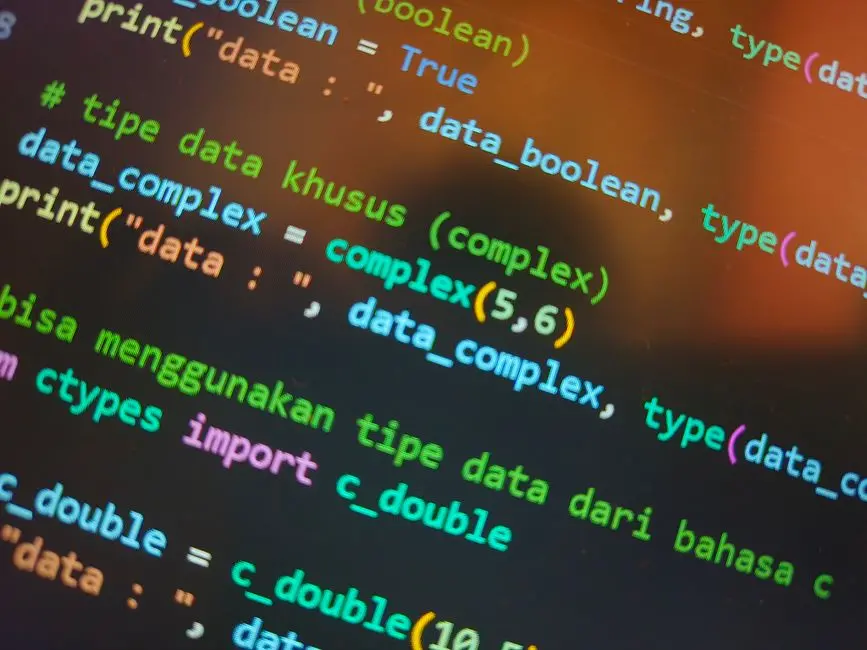
Every line of code you forge, every system you engineer, fundamentally relies on how you structure and manipulate data. Without a profound comprehension of data types, your computational explorations remain superficial. Python, a language celebrated for its readability and versatility, empowers developers with a rich array of built-in data types, each serving a unique purpose in crafting robust applications.
This resource acts as your specialist consultant, guiding you through the essential Python data types—from the foundational numeric forms to the intricate collection structures—and equipping you with the critical skill of type conversion. We decode their intrinsic behaviors, unveil common pitfalls, and demonstrate best practices to leverage their full potential. Prepare to transform abstract concepts into actionable development strategies, solidifying your foundation. This deep dive is integral to mastering the core basics of Python programming and advancing your journey from coder to computational architect.
We embark on an electrifying expedition, revealing how to select the optimal data type for every scenario, perform seamless conversions, and ultimately elevate your code's efficiency and reliability. Forge ahead to unlock the hidden development leverage points within Python's type system.
Architecting Primitives: Numerics & Booleans
We initiate our exploration by examining Python's fundamental primitive data types: numerics and booleans. These are the bedrock upon which all more complex data structures are built. Understanding their distinct characteristics is paramount for precise computation and logical control flow.
Python offers three core numeric types:
- Integers (
int): These represent whole numbers, positive or negative, without decimal points. A critical advantage in Python is the arbitrary precision of integers; they automatically adjust to accommodate any size, limited only by available memory. This feature eliminates concerns about overflow errors common in other languages with fixed-size integer types. We leverage integers for counting, indexing, and discrete measurements. - Floats (
float): These represent real numbers, possessing a decimal point or expressed in scientific notation. Python implements floats using a double-precision (64-bit) floating-point format, adhering to IEEE 754 standards. While highly versatile for continuous measurements, financial calculations, or scientific data, remember the inherent precision limitations of floating-point arithmetic. Small inaccuracies can accumulate, demanding strategic handling for critical applications. - Complex Numbers (
complex): Designed for advanced mathematical and engineering applications, complex numbers comprise a real and an imaginary part, with the imaginary component denoted by 'j' (e.g.,3 + 4j). Python's native support for complex numbers streamlines computations in domains like signal processing and electrical engineering.
Beyond numerical representation, Booleans (bool) are indispensable for decision-making. They embody one of two truth values: True or False. Crucially, Python's booleans are a subclass of integers, where True evaluates to 1 and False to 0. This hierarchy enables flexible integration into arithmetic operations and provides foundational control for conditional statements and loops. Activating logical expressions with and, or, and not operators directly manipulates these boolean states, directing program execution pathways.
# Python's Numeric and Boolean Data Types

# 1. Integer (int): Represents whole numbers, positive or negative.
# Python's integers have arbitrary precision, meaning they can be as large as memory allows.
int_example_positive = 42
int_example_negative = -100
int_example_large = 12345678901234567890

print(f"Integer Examples: {int_example_positive}, {int_example_negative}, {int_example_large}")
print(f"Type of int_example_positive: {type(int_example_positive)}\n")

# 2. Float (float): Represents real numbers with a decimal point.
# Implemented using a double-precision floating-point format (usually 64-bit).
float_example_positive = 3.14159
float_example_negative = -0.5
float_example_scientific = 1.23e-5  # Represents 1.23 * 10^-5

print(f"Float Examples: {float_example_positive}, {float_example_negative}, {float_example_scientific}")
print(f"Type of float_example_positive: {type(float_example_positive)}\n")

# 3. Complex (complex): Represents numbers with a real and an imaginary part.
# Denoted by 'j' or 'J' for the imaginary part.
complex_example_basic = 3 + 4j
complex_example_pure_imaginary = -7j
complex_example_from_floats = 1.5 + 2.5j

print(f"Complex Examples: {complex_example_basic}, {complex_example_pure_imaginary}, {complex_example_from_floats}")
print(f"Type of complex_example_basic: {type(complex_example_basic)}\n")

# Accessing real and imaginary parts of a complex number
print(f"Real part of {complex_example_basic}: {complex_example_basic.real}")
print(f"Imaginary part of {complex_example_basic}: {complex_example_basic.imag}\n")

# 4. Boolean (bool): Represents truth values: True or False.
# Booleans are a subclass of integers, where True is 1 and False is 0.
is_active = True
is_finished = False

print(f"Boolean Examples: {is_active}, {is_finished}")
print(f"Type of is_active: {type(is_active)}\n")

# Demonstrate boolean as integer subclass
print(f"True as int: {int(True)}")
print(f"False as int: {int(False)}\n")

# Logical operations with Booleans
result_and = is_active and is_finished
result_or = is_active or is_finished
result_not = not is_active

print(f"True AND False: {result_and}")
print(f"True OR False: {result_or}")
print(f"NOT True: {result_not}")
Navigating Sequences: Strings, Lists, Tuples
We advance our understanding by exploring Python's sequence data types: strings, lists, and tuples. These ordered collections are fundamental for organizing related data, offering distinct behaviors that dictate their optimal use cases. Grasping their mutability—or lack thereof—is critical for engineering predictable and robust systems.
- Strings (
str): A string represents an immutable sequence of Unicode characters. This immutability implies that once a string is created, its content cannot be altered directly. Operations that appear to modify a string, such asreplace()or concatenation, actually generate an entirely new string in memory. We activate strings for textual data, employing robust methods for manipulation, parsing, and formatting. Indexing and slicing allow precise access to individual characters or sub-sequences, enabling powerful text processing capabilities. - Lists (
list): As Python's most versatile and widely used sequence, lists are mutable, ordered collections of items. Their mutability allows for dynamic modification: elements can be added, removed, or changed after creation. Lists can contain items of different data types, offering immense flexibility. We engineer lists for dynamic collections of data, such as records from a database, items in a shopping cart, or a sequence of sensor readings. Their extensive repertoire of methods (e.g.,append(),insert(),pop(),sort()) empowers developers to manage data with surgical precision. - Tuples (
tuple): Similar to lists, tuples are ordered sequences of items. However, a pivotal distinction defines tuples: they are immutable. Once a tuple is created, its elements cannot be modified, added, or removed. This immutability confers several advantages: tuples are generally faster than lists for iteration, they can be used as dictionary keys (unlike lists), and they provide data integrity for collections that should not change. We optimize tuples for representing fixed collections of related data, such as coordinate pairs (latitude, longitude), RGB color values, or database records where the order and content should remain constant. Their immutability safeguards critical data from accidental alteration, ensuring system stability.
# Python's Sequence Data Types

# 1. String (str): An immutable sequence of Unicode characters.
# Use single, double, or triple quotes for definition.
string_single = 'Hello Python'
string_double = "World Data"
string_multiline = """This is a
multi-line string."""

print(f"String Examples: {string_single}, {string_double}, {string_multiline}")
print(f"Type of string_single: {type(string_single)}\n")

# Accessing characters by index (0-based indexing)
print(f"First character of '{string_single}': {string_single[0]}")
print(f"Last character of '{string_single}': {string_single[-1]}")

# Slicing strings (start:end:step)
print(f"Slice of '{string_single}' (1:5): {string_single[1:5]}") # 'ello'
print(f"Reverse of '{string_single}': {string_single[::-1]}\n")

# String methods (e.g., upper(), lower(), replace(), split())
print(f"'{string_single}'.upper(): {string_single.upper()}")
print(f"'{string_double}'.replace('Data', 'Universe'): {string_double.replace('Data', 'Universe')}\n")

# 2. List (list): A mutable, ordered sequence of items.
# Items can be of different data types.
list_example_numbers = [1, 2, 3, 4, 5]
list_example_mixed = ['apple', 10, True, 3.14]

print(f"List Examples: {list_example_numbers}, {list_example_mixed}")
print(f"Type of list_example_numbers: {type(list_example_numbers)}\n")

# Accessing and modifying elements
print(f"Element at index 2 of {list_example_numbers}: {list_example_numbers[2]}")
list_example_numbers[2] = 99 # Lists are mutable
print(f"List after modification: {list_example_numbers}")

# List methods (e.g., append(), insert(), remove(), pop())
list_example_numbers.append(6)
print(f"List after append: {list_example_numbers}")
list_example_numbers.insert(0, 0)
print(f"List after insert: {list_example_numbers}\n")

# 3. Tuple (tuple): An immutable, ordered sequence of items.
# Defined with parentheses, but commas are key.
tuple_example_numbers = (10, 20, 30)
tuple_example_mixed = ('banana', False, 2.71)
tuple_single_item = (50,) # Comma is essential for single-item tuples

print(f"Tuple Examples: {tuple_example_numbers}, {tuple_example_mixed}, {tuple_single_item}")
print(f"Type of tuple_example_numbers: {type(tuple_example_numbers)}\n")

# Accessing elements (similar to lists)
print(f"Element at index 1 of {tuple_example_numbers}: {tuple_example_numbers[1]}")

# Attempting to modify a tuple will result in a TypeError (demonstrate but comment out)
# tuple_example_numbers[0] = 5 # Uncommenting this line will raise a TypeError
# print(f"Attempted tuple modification (will fail): {tuple_example_numbers}")
print("Tuples are immutable; direct element assignment will raise TypeError.")
Structuring Collections: Dictionaries & Sets
We decode further layers of Python's data structuring capabilities by examining dictionaries and sets. These non-sequential collection types offer powerful mechanisms for organizing and accessing data, critical for building efficient applications where unique identifiers or mathematical set logic are paramount.
- Dictionaries (
dict): Python's dictionary type is a mutable collection of key-value pairs. Each key must be unique and immutable (e.g., strings, numbers, tuples), while values can be of any data type. This structure allows for highly efficient data retrieval, as access is performed directly via the key, rather than by sequential indexing. Since Python 3.7, dictionaries maintain insertion order, a subtle but significant enhancement for predictability. We engineer dictionaries for scenarios requiring fast lookups and associations, such as user profiles, configuration settings, or mapping identifiers to complex objects. Methods likekeys(),values(), anditems()provide dynamic views into the dictionary's contents, whileget()safely retrieves values, offering a default if the key is absent, preventing costlyKeyErrorexceptions. The ability to dynamically add, modify, and delete entries makes dictionaries exceptionally flexible for managing evolving data models. - Sets (
set): A set is an unordered, mutable collection of unique, immutable elements. Sets automatically eliminate duplicate entries, making them ideal for tasks requiring uniqueness constraints, like filtering distinct items from a list or tracking visited nodes in an algorithm. Their unordered nature means elements do not retain a specific position, and indexing is not supported. We activate sets for efficient membership testing (checking if an item exists in the set), removing duplicates from collections, and performing mathematical set operations such such as union, intersection, difference, and symmetric difference. Python also providesfrozenset, an immutable version of a set. Frozensets can be used where immutability is required, such as keys in a dictionary or elements within another set, ensuring data integrity in complex structures. Leveraging sets can dramatically optimize algorithms requiring unique element management and high-speed lookups, transforming complex logic into elegant, efficient operations.
# Python's Mapping and Set Data Types

# 1. Dictionary (dict): An unordered (since Python 3.7, insertion-ordered), mutable collection of key-value pairs.
# Keys must be unique and immutable (e.g., strings, numbers, tuples).
# Values can be of any data type.
dict_example_user = {
    "username": "codexplorer",
    "email": "explorer@example.com",
    "age": 30,
    "is_active": True
}

dict_example_settings = {
    "theme": "dark",
    "notifications": {"email": True, "sms": False},
    "languages": ["en", "fr"]
}

print(f"Dictionary Examples: {dict_example_user}, {dict_example_settings}")
print(f"Type of dict_example_user: {type(dict_example_user)}\n")

# Accessing values by key
print(f"Username: {dict_example_user['username']}")
print(f"Email notifications: {dict_example_settings['notifications']['email']}\n")

# Modifying or adding values
dict_example_user['age'] = 31
dict_example_user['location'] = 'Cyber City'
print(f"Dictionary after modification: {dict_example_user}\n")

# Removing key-value pairs
del dict_example_user['is_active']
print(f"Dictionary after deleting 'is_active': {dict_example_user}\n")

# Dictionary methods (e.g., keys(), values(), items(), get())
print(f"Keys: {dict_example_user.keys()}")
print(f"Values: {dict_example_user.values()}")
print(f"Items: {dict_example_user.items()}\n")
print(f"Get 'non_existent_key' with default: {dict_example_user.get('non_existent_key', 'N/A')}\n")

# 2. Set (set): An unordered, mutable collection of unique, immutable items.
# Sets are useful for membership testing, removing duplicates, and mathematical set operations.
set_example_numbers = {1, 2, 3, 4, 5, 5, 1} # Duplicates are automatically removed
set_example_strings = {'apple', 'banana', 'orange'}

print(f"Set Examples: {set_example_numbers}, {set_example_strings}")
print(f"Type of set_example_numbers: {type(set_example_numbers)}\n")

# Adding and removing elements
set_example_numbers.add(6)
set_example_numbers.remove(1)
print(f"Set after add and remove: {set_example_numbers}\n")

# Set operations (union, intersection, difference, symmetric_difference)
set_A = {1, 2, 3, 4}
set_B = {3, 4, 5, 6}

print(f"Set A: {set_A}, Set B: {set_B}")
print(f"Union (A | B): {set_A.union(set_B)}")
print(f"Intersection (A & B): {set_A.intersection(set_B)}")
print(f"Difference (A - B): {set_A.difference(set_B)}")
print(f"Symmetric Difference (A ^ B): {set_A.symmetric_difference(set_B)}\n")

# Frozenset (frozenset): An immutable version of a set.
# Can be used as dictionary keys or elements in another set.
frozenset_example = frozenset([10, 20, 30])
print(f"Frozenset Example: {frozenset_example}")
print(f"Type of frozenset_example: {type(frozenset_example)}")
Forging Type Transitions: Implicit & Explicit Conversions
We delve into a critical aspect of dynamic programming: type conversion. The ability to transform data from one type to another is indispensable for integrating diverse data sources and ensuring compatibility across operations. Python facilitates this through both implicit and explicit conversion mechanisms, each with distinct implications for your code's behavior.
Implicit Type Conversion (Coercion): Python autonomously performs implicit conversions when mixing different data types in an operation. This mechanism, known as coercion, is designed to prevent data loss by converting the 'smaller' or less precise type to the 'larger' or more precise type. For instance, adding an integer to a float will implicitly convert the integer to a float, ensuring the result retains floating-point precision. Similarly, booleans are implicitly converted to their integer equivalents (True to 1, False to 0) in arithmetic contexts. We must understand that while convenient, relying solely on implicit conversion demands awareness of potential precision changes, particularly in numerical computations where exactness is paramount.
Explicit Type Conversion (Type Casting): For precise control over data type transformations, Python provides a suite of built-in functions for explicit conversion, often referred to as type casting. These functions empower us to compel data into a specific type, even if it entails potential data loss (e.g., truncating decimals when converting a float to an integer) or transformation of structure.
int(),float(),str(): These functions convert values to integer, float, or string types, respectively. When converting strings, they must contain a valid representation of the target numeric type; otherwise, aValueErrorwill be raised.list(),tuple(),set(): These functions convert iterables (like strings, lists, or tuples) into their respective collection types. Converting an iterable to a list or tuple maintains order and allows duplicates. Converting to a set, however, processes each element, ensuring uniqueness and discarding any duplicates.dict(): This function converts an iterable of key-value pairs (e.g., a list of two-item tuples) into a dictionary. It's crucial that the input iterable adheres to this structure to avoid conversion errors.
We must strategically apply explicit conversion when data formats diverge. A common pitfall involves attempting to convert an invalid string to a numeric type, leading to a ValueError. Activating input validation before casting mitigates such runtime errors, fortifying your code against unexpected data. Understanding and mastering both implicit and explicit conversions optimizes data flow and fortifies application logic.
# Python's Type Conversion Mechanisms

# 1. Implicit Type Conversion (Coercion)
# Python automatically converts one data type to another to avoid data loss or during mixed-type operations.
# Generally from a 'smaller' or less precise type to a 'larger' or more precise type.

# Example: int to float
int_val = 10
float_val = 5.5
result_float_add = int_val + float_val # int_val (10) is implicitly converted to 10.0
print(f"Implicit conversion (int + float): {int_val} + {float_val} = {result_float_add} (Type: {type(result_float_add)})\n")

# Example: bool to int
bool_true = True
bool_false = False
result_bool_add = bool_true + 5 # True (1) is implicitly converted to int 1
result_bool_add_false = bool_false + 5 # False (0) is implicitly converted to int 0
print(f"Implicit conversion (True + 5): {bool_true} + 5 = {result_bool_add} (Type: {type(result_bool_add)})")
print(f"Implicit conversion (False + 5): {bool_false} + 5 = {result_bool_add_false} (Type: {type(result_bool_add_false)})\n")

# Note: Implicit conversions are generally safe, but be aware of how they affect precision.

# 2. Explicit Type Conversion (Type Casting)
# We explicitly convert data types using built-in functions.

# Convert to Integer: int()
str_to_int = "123"
float_to_int = 456.78
print(f"String '{str_to_int}' to int: {int(str_to_int)} (Type: {type(int(str_to_int))})")
print(f"Float {float_to_int} to int: {int(float_to_int)} (Type: {type(int(float_to_int))}) -- Note: Truncates decimal\n")

# Convert to Float: float()
str_to_float = "98.76"
int_to_float = 100
print(f"String '{str_to_float}' to float: {float(str_to_float)} (Type: {type(float(str_to_float))})")
print(f"Int {int_to_float} to float: {float(int_to_float)} (Type: {type(float(int_to_float))})\n")

# Convert to String: str()
int_to_str = 789
float_to_str = 12.34
list_to_str = [1, 2, 3]
print(f"Int {int_to_str} to str: '{str(int_to_str)}' (Type: {type(str(int_to_str))})")
print(f"Float {float_to_str} to str: '{str(float_to_str)}' (Type: {type(str(float_to_str))})")
print(f"List {list_to_str} to str: '{str(list_to_str)}' (Type: {type(str(list_to_str))})\n")

# Convert to List: list()
tuple_to_list = (10, 20, 30)
str_to_list = "Python"
print(f"Tuple {tuple_to_list} to list: {list(tuple_to_list)} (Type: {type(list(tuple_to_list))})")
print(f"String '{str_to_list}' to list: {list(str_to_list)} (Type: {type(list(str_to_list))}) -- Note: converts chars to elements\n")

# Convert to Tuple: tuple()
list_to_tuple = [40, 50, 60]
str_to_tuple = "Code"
print(f"List {list_to_tuple} to tuple: {tuple(list_to_tuple)} (Type: {type(tuple(list_to_tuple))})")
print(f"String '{str_to_tuple}' to tuple: {tuple(str_to_tuple)} (Type: {type(tuple(str_to_tuple))})\n")

# Convert to Set: set()
list_to_set = [1, 2, 2, 3, 4]
str_to_set = "hello"
print(f"List {list_to_set} to set: {set(list_to_set)} (Type: {type(set(list_to_set))}) -- Note: Removes duplicates\n")
print(f"String '{str_to_set}' to set: {set(str_to_set)} (Type: {type(set(str_to_set))}) -- Note: unique characters\n")

# Convert to Dictionary: dict()
# Requires an iterable of key-value pairs (e.g., list of tuples or list of lists)
list_of_tuples_to_dict = [('a', 1), ('b', 2), ('c', 3)]
print(f"List of tuples to dict: {dict(list_of_tuples_to_dict)} (Type: {type(dict(list_of_tuples_to_dict))})\n")

# Common Pitfall: ValueError for invalid conversions
# invalid_int_str = "hello"
# try:
#     int(invalid_int_str)
# except ValueError as e:
#     print(f"Error converting '{invalid_int_str}' to int: {e}\n")

# Best Practice: Validate input before conversion, especially from user input.
Optimizing Data Integrity: Type Mastery & Best Practices
We culminate our data type exploration by optimizing data integrity through strategic type mastery and adherence to best practices. Python's dynamic typing, while offering unparalleled flexibility, necessitates a proactive approach to prevent runtime errors and ensure code predictability. Mastering these concepts transforms potential vulnerabilities into robust system behaviors.
Dynamic Typing and its Implications: Python is a dynamically typed language, meaning variable types are determined and checked at runtime, not during compilation. This grants immense flexibility, allowing a single variable to hold different data types throughout its lifecycle. However, this flexibility also presents a potential challenge: unintended type mismatches can lead to runtime errors (TypeError, ValueError) if operations are performed on incompatible data. We must compensate for this by either rigorous input validation or, more elegantly, by adopting type hints.
Activating Type Hints for Clarity: Introduced in Python 3.5, type hints (via the typing module) allow developers to declare the expected data types for function arguments, return values, and variables. These hints are entirely optional and do not affect runtime behavior (Python remains dynamically typed). However, they profoundly enhance code readability, making intentions explicit and improving maintainability, especially in larger codebases. Crucially, static analysis tools (linters like MyPy, IDEs) leverage type hints to identify potential type-related errors before execution, functioning as an invaluable early warning system. We optimize our development workflow by integrating type hints, fostering a culture of clarity and pre-emptive error detection.
Strategic Type Selection: The choice of data type fundamentally impacts performance, memory consumption, and the correctness of your logic. We forge robust applications by making informed decisions: use lists when mutability and dynamic resizing are required; opt for tuples when representing fixed, immutable collections of related items (like database records); deploy sets for managing unique items and performing efficient membership tests; and leverage dictionaries for key-value associations and rapid data retrieval. Misusing data types can lead to inefficient code or subtle bugs that are challenging to debug. For example, using a list when a set is appropriate for uniqueness checking can drastically degrade performance on large datasets. Engineer your data structures with purpose.
Common Pitfalls and Error Handling: Two prevalent errors during type manipulation are ValueError and TypeError. A ValueError emerges when attempting to convert a string to a numeric type that it cannot represent (e.g., int('abc')). A TypeError arises when an operation is applied to incompatible data types (e.g., trying to add a number to a list directly). We decode these errors by implementing defensive programming strategies. Always anticipate invalid inputs, especially from external sources. Employ try-except blocks to gracefully handle conversion failures, providing informative error messages or fallback logic. This proactive error management fortifies your code against unexpected data, ensuring computational resilience and a superior user experience.
# Python's Type Mastery and Best Practices

# 1. Dynamic Typing Implications
# Python is dynamically typed, meaning variable types are determined at runtime.
# This offers flexibility but demands developer vigilance.

def process_data(data):
    # Without type hints, we might not know the expected type
    # if isinstance(data, (int, float)):
    #     print(f"Processing numeric data: {data * 2}")
    # elif isinstance(data, str):
    #     print(f"Processing string data: {data.upper()}")
    # else:
    #     print(f"Unsupported data type: {type(data)}")
    print(f"Raw data received: {data}, Type: {type(data)}")

# process_data(10)
# process_data("hello")
# process_data([1, 2]) # Will run, but behavior is undefined without specific checks
print("Dynamic typing requires careful handling, consider type checks or type hints.\n")

# 2. Type Hints for Clarity and Maintainability (since Python 3.5)
# Enhance code readability and enable static analysis tools (linters, IDEs) to catch errors early.

from typing import List, Union, Dict, Tuple

def calculate_average(numbers: List[Union[int, float]]) -> float:
    """Calculates the average of a list of numbers."""
    if not numbers:
        return 0.0
    return sum(numbers) / len(numbers)

def format_user_info(user: Dict[str, Union[str, int, bool]]) -> str:
    """Formats user information into a string."""
    return f"User: {user['name']} (Age: {user['age']}), Active: {user['is_active']}"

# Example usage with type hints
project_scores: List[float] = [85.5, 92.0, 78.5]
print(f"Average project score: {calculate_average(project_scores)}")

user_profile: Dict[str, Union[str, int, bool]] = {
    "name": "Alice",
    "age": 28,
    "is_active": True
}
print(f"Formatted user info: {format_user_info(user_profile)}\n")

# 3. Strategic Type Selection
# Choose the right data type for the job to optimize performance and prevent errors.

# Use tuples for fixed collections of heterogeneous data (e.g., coordinates)
coordinates: Tuple[float, float] = (40.7128, -74.0060)
print(f"Coordinates (tuple for fixed data): {coordinates}\n")

# Use sets for unique elements and fast membership testing
user_ids_in_session: set[int] = {101, 203, 101, 405}
print(f"Unique user IDs (set for uniqueness): {user_ids_in_session}\n")

# 4. Common Pitfalls and Error Handling during Conversion

# A. ValueError: Occurs when a string cannot be converted to a numeric type.
malformed_number_str = "abc"
try:
    # Attempt conversion that will fail
    numeric_value = int(malformed_number_str)
    print(f"Converted: {numeric_value}")
except ValueError as e:
    print(f"Error converting '{malformed_number_str}' to int: {e}")

# B. TypeError: Occurs when an operation is performed on incompatible types.
# For example, adding a string to an integer without explicit conversion.
num = 5
text = "items"
try:
    result = num + text
    print(f"Result: {result}")
except TypeError as e:
    print(f"Error adding incompatible types: {e}\n")

# Best practice: Utilize try-except blocks for robust type conversion.
Key Takeaways
Numeric Types (int, float, complex)
Integers (int): Whole numbers, arbitrary precision. Use for counts, indexing.
Floats (float): Decimal numbers, double-precision. Use for continuous values, scientific data (be aware of precision).
Complex (complex): Numbers with real + imaginary parts. Specialized for math/engineering.
All are immutable.
Boolean Type (bool)
Booleans (bool): True or False. Subclass of int (True=1, False=0). Fundamental for logical operations and control flow. Immutable.
Sequence Types (str, list, tuple)
Strings (str): Ordered sequence of characters. Immutable. Use for text manipulation.
Lists (list): Ordered, mutable sequence of items (can be mixed types). Use for dynamic collections.
Tuples (tuple): Ordered, immutable sequence of items (can be mixed types). Use for fixed collections, data integrity, dictionary keys.
Mapping and Set Types (dict, set, frozenset)
Dictionaries (dict): Mutable, insertion-ordered collection of unique key-value pairs. Keys must be immutable. Use for fast lookups and associative data.
Sets (set): Mutable, unordered collection of unique, immutable elements. Use for membership testing, removing duplicates, set operations.
Frozensets (frozenset): Immutable version of a set. Can be used as dictionary keys.
Type Conversion Principles
Implicit Conversion (Coercion): Python automatically converts types during mixed-type operations to avoid data loss (e.g., int to float).
Explicit Conversion (Type Casting): Use functions like int(), float(), str(), list(), tuple(), set(), dict() for deliberate type changes. Be aware of potential ValueError or TypeError with invalid data or incompatible types. Always validate input, especially from external sources, using try-except blocks for robust code.
FAQ
-
Why are Python strings and tuples considered immutable?
Strings and tuples are immutable because their content cannot be changed after creation. Any operation that appears to modify them (e.g., concatenation or slicing for strings) actually generates a completely new object in memory. This characteristic ensures data integrity, makes them safe for use as dictionary keys (which require hashable, immutable objects), and can offer minor performance benefits in certain scenarios. Immutable objects guarantee that their state will not change unexpectedly during program execution, simplifying reasoning about code.
-
When should I choose a list over a tuple, and vice-versa?
Choose a list: When you need a mutable collection whose size or content can change after creation. Lists are ideal for dynamic data collections where elements will be added, removed, or modified. Think shopping cart items, a queue of tasks, or a sequence of sensor readings that evolve over time.
Choose a tuple: When you need an immutable, fixed-size collection whose contents should not change. Tuples are perfect for representing records where order and content are constant, like geographical coordinates (latitude, longitude), RGB color values, or a fixed set of configuration parameters. Their immutability protects data integrity and allows them to be used as dictionary keys.
-
What is the primary difference between implicit and explicit type conversion?
Implicit type conversion (coercion) occurs automatically by Python when performing operations on different data types, typically converting the 'smaller' type to the 'larger' or more precise type to prevent data loss. For example, adding an integer to a float results in a float. Python handles this without requiring explicit instructions.
Explicit type conversion (type casting) is initiated by the programmer using built-in functions like
int(),float(),str(). This grants direct control over the conversion process, even if it means potential data loss (e.g., converting a float to an int truncates the decimal). Explicit conversion is used when you specifically require a value to be of a certain type for an operation or data structure.