
Engineer React Tests in GitHub Actions CI/CD
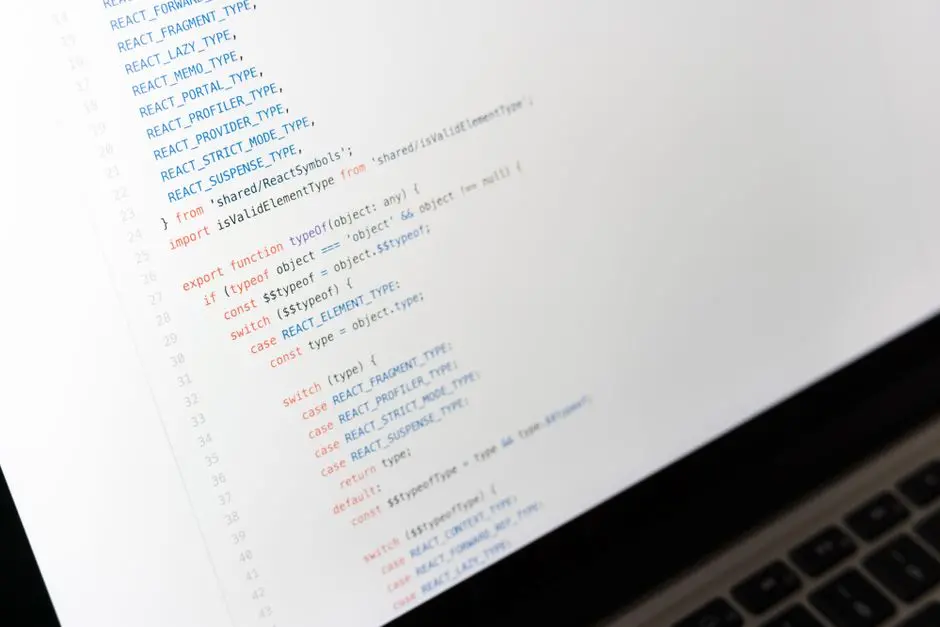
We stand at a critical juncture in software development, where application stability defines user trust and development velocity. The manual execution of React test suites, while essential, represents a significant bottleneck, impeding the rapid iteration cycles demanded by modern engineering. This article deciphers the strategic integration of React testing with GitHub Actions, transforming a reactive quality assurance process into a proactive, automated stability pipeline. We decode how to leverage this potent CI/CD mechanism to validate every code change, ensuring your React applications maintain unparalleled robustness. Prepare to activate a robust testing culture on every pull request, safeguarding your codebase from regressions and elevating the overall quality paradigm. Forge ahead to
forge a path toward building reliable and bug-free React applications through the relentless pursuit of automated testing. This isn't merely about running tests; it's about engineering an unwavering commitment to quality that propels your projects forward.
The Imperative for Automated React Testing in CI/CD
In the high-stakes arena of software development, the reliability of our React applications directly correlates with our market credibility. Manual testing, while thorough in isolated instances, fails to scale with the dynamic demands of contemporary development cycles. Each new feature, every refactor, and every bug fix introduces potential for unintended side effects, creating a constant threat to application integrity. We must acknowledge that human oversight is fallible and time-consuming, making it an unsustainable cornerstone for quality assurance.
This is where Continuous Integration (CI) and Continuous Delivery (CD) emerge as non-negotiable architectural principles. CI mandates that developers integrate code into a shared repository frequently, ideally multiple times a day. Each integration is then verified by an automated build and automated tests, designed to detect integration errors as quickly as possible. When coupled with React's component-driven architecture, this approach ensures that individual units and their interactions are rigorously validated. GitHub Actions, a powerful and flexible CI/CD platform native to GitHub, stands ready to serve as the engine for this validation process. It empowers us to define intricate workflows that trigger upon specific events, such as a pull request, automatically spinning up an environment, installing dependencies, and executing our comprehensive React test suite. This strategic shift transforms quality assurance from an end-of-cycle bottleneck into an intrinsic, continuous element of the development pipeline, activating early detection of defects and dramatically reducing the cost and effort of remediation.
Activating automated testing within GitHub Actions directly contributes to a culture of unwavering confidence. Developers push code knowing that an objective, machine-driven gatekeeper will immediately assess its stability. This immediate feedback loop is invaluable, accelerating development velocity by minimizing the time spent debugging issues discovered late in the cycle. Furthermore, it liberates developers from repetitive manual tasks, allowing them to focus on innovation and complex problem-solving. We engineer a system where stability is not merely hoped for, but systematically enforced.
Engineering Your GitHub Actions Workflow for React Tests
To instantiate automated React testing, we must first forge a dedicated GitHub Actions workflow. This journey begins within your project's root directory, by establishing a `.github/workflows` folder. Within this directory, we architect a YAML file—for instance, `react-tests.yml`—that serves as the blueprint for our CI process. This YAML file orchestrates a sequence of steps that GitHub Actions will execute upon predefined events. The foundational elements of this blueprint include the workflow's name, the trigger events, and the jobs to be performed.
The `on` keyword defines the events that activate the workflow. Common practice dictates triggering tests on `push` to critical branches (like `main` or `develop`) and, crucially, on `pull_request` events targeting these branches. This ensures every proposed code change undergoes rigorous validation before integration. Next, we define `jobs`, which are collections of steps executed on a runner. For React tests, a single job, often named `build-and-test`, suffices. This job specifies the operating system of the runner—`runs-on: ubuntu-latest` is a standard and robust choice.
Within the `steps` of our job, we meticulously define the execution order. The first step, `actions/checkout@v4`, clones your repository onto the runner, making your code accessible. Subsequently, we activate the Node.js environment using `actions/setup-node@v4`, specifying a stable `node-version` (e.g., '20'). Crucially, we introduce caching for `node_modules` to accelerate subsequent runs, a vital optimization for larger projects. Following Node.js setup, we install project dependencies. While `npm install` is common locally, `npm ci` is the superior command for CI environments; it performs a clean install directly from `package-lock.json` or `yarn.lock`, guaranteeing consistent builds. Finally, we execute our React test suite using `npm test`. Append `-- --coverage --watchAll=false` to collect code coverage metrics and prevent Jest from entering watch mode, which is inappropriate for automated CI runs. This meticulously engineered workflow ensures a reproducible and robust testing environment for every code modification.
name: React Tests Workflow

on:
  push:
    branches:
      - main
      - develop
  pull_request:
    branches:
      - main
      - develop

jobs:
  build-and-test:
    runs-on: ubuntu-latest

    steps:
    - name: Checkout code
      uses: actions/checkout@v4

    - name: Setup Node.js environment
      uses: actions/setup-node@v4
      with:
        node-version: '20'
        cache: 'npm' # Cache node_modules to speed up subsequent runs

    - name: Install dependencies
      run: npm ci # Use npm ci for clean installs in CI environments

    - name: Run React tests
      run: npm test -- --coverage --watchAll=false # Execute Jest tests, collect coverage, disable watch mode for CI
Optimizing React Test Execution and Reporting
Optimizing the execution of React tests within GitHub Actions is paramount for maintaining a rapid feedback loop and minimizing resource consumption. The most significant leverage point for speed is caching. The `actions/cache@v4` action allows us to persist `node_modules` between workflow runs. By generating a unique cache key based on the operating system and the hash of your `package-lock.json` (or `yarn.lock`), we ensure that dependencies are re-downloaded only when they change. This strategy can slash installation times from minutes to mere seconds, dramatically accelerating your CI pipeline. We activate this by first determining the npm cache directory, then configuring the cache action to store and retrieve its contents. This engineering refinement transforms a potentially sluggish setup into an agile, responsive system.
Beyond speed, comprehensive test reporting is indispensable for actionable insights. While Jest provides excellent console output, integrating dedicated reporters can elevate visibility. Tools like `jest-junit` generate XML reports compatible with various CI platforms, including GitHub Actions. These reports can be parsed to display test results directly within the GitHub UI, enhancing the developer experience and streamlining debugging. We can also leverage GitHub Actions' native annotation capabilities to highlight specific test failures directly on the pull request, guiding developers to precise lines of code requiring attention. This proactive approach to reporting transforms abstract test results into concrete, contextualized feedback.
Handling failures within the workflow demands a surgical approach. By default, any failing step terminates the job, which is often desirable for failing fast. However, there are scenarios where we might want certain steps to `continue-on-error`, perhaps to ensure that a cleanup step always runs or to gather more comprehensive diagnostics even if a test fails. For instance, uploading coverage reports should ideally occur regardless of test outcomes to provide a full picture. Furthermore, GitHub Actions provides powerful `if` conditions that allow steps to execute only under specific circumstances, such as when a previous step has failed. This granular control over workflow execution empowers us to engineer robust recovery and reporting mechanisms, even in the face of unexpected issues, ensuring that our CI pipeline provides maximum value regardless of the test outcome.
name: React Tests Workflow with Caching and Reporting

on:
  push:
    branches:
      - main
      - develop
  pull_request:
    branches:
      - main
      - develop

jobs:
  build-and-test:
    runs-on: ubuntu-latest

    steps:
    - name: Checkout code
      uses: actions/checkout@v4

    - name: Setup Node.js environment
      uses: actions/setup-node@v4
      with:
        node-version: '20'
        cache: 'npm'

    - name: Get npm cache directory
      id: npm-cache-dir
      run: echo "::set-output name=dir::$(npm config get cache)"

    - name: Restore npm cache
      uses: actions/cache@v4
      id: npm-cache
      with:
        path: ${{ steps.npm-cache-dir.outputs.dir }}
        key: ${{ runner.os }}-node-${{ hashFiles('**/package-lock.json') }}
        restore-keys: |
          ${{ runner.os }}-node-

    - name: Install dependencies
      run: npm ci

    - name: Run React tests
      run: npm test -- --coverage --watchAll=false
      # Example of a custom reporter (install 'jest-junit' or similar first)
      # run: npm test -- --coverage --watchAll=false --reporters=default --reporters=jest-junit

    - name: Upload code coverage report
      uses: actions/upload-artifact@v4
      with:
        name: code-coverage-report
        path: coverage/

    - name: Publish Test Results (if using a reporter like jest-junit)
      # Example: uses: dorny/test-reporter@v1
      #   if: always()
      #   with:
      #     name: Jest Tests
      #     path: junit.xml
      #     reporter: jest-junit
Advanced Strategies and Best Practices for Production Readiness
Elevating our React testing strategy to production readiness demands the integration of advanced CI/CD techniques. One critical aspect is the management of environment variables. Production applications frequently interact with different APIs or configurations based on the deployment environment. GitHub Actions allows us to define environment variables at the workflow, job, or step level, ensuring that tests execute against the correct settings without hardcoding sensitive data. For secrets (API keys, tokens), we leverage GitHub Secrets, which encrypts values and injects them securely at runtime. This practice is foundational for both security and environmental consistency, preventing sensitive information from being exposed in your repository.
Another powerful strategy for ensuring robustness is matrix builds. By defining a `strategy.matrix` in your job, we can instruct GitHub Actions to run the same set of tests across multiple Node.js versions, different operating systems, or even varying dependency sets. This proactively identifies compatibility issues that might arise in diverse deployment environments, broadening our test coverage beyond a single configuration. For a React application, testing against Node.js LTS versions is a common and highly recommended practice. This computational exploration validates our application's resilience across the version spectrum, fortifying its stability.
True production readiness extends beyond just unit and integration tests. We must also integrate other quality gates into our CI pipeline. Linting with ESLint enforces coding standards and detects potential issues statically. Formatting checks with Prettier ensure code consistency, reducing cognitive load during code reviews. Code coverage tools, such as Codecov or Coveralls, provide visual insights into the extent of our test suites, helping us identify untested areas. By integrating these tools into our GitHub Actions workflow, we establish a multi-layered defense mechanism, catching a wider array of defects before they impact the live application. We must engineer a holistic quality ecosystem where every facet of the codebase is scrutinized.
Finally, cultivating a mastery of common pitfalls is crucial. Slow-running tests can bottleneck PR merges; optimize them by isolating components or leveraging mocking effectively. Address flaky tests by ensuring test isolation and deterministic setups. Debugging failed CI runs requires a systematic approach: scrutinize action logs, inspect generated artifacts (like coverage reports), and consider adding verbose logging to specific test steps. By anticipating these challenges and applying strategic countermeasures, we transform potential roadblocks into opportunities for refining our CI/CD pipeline, ensuring it remains an efficient, reliable guardian of our React application's integrity.
name: Advanced React Tests Workflow

on:
  push:
    branches:
      - main
  pull_request:
    branches:
      - main

env:
  REACT_APP_API_URL: https://api.production.com # Define global environment variables

jobs:
  build-and-test:
    runs-on: ubuntu-latest
    strategy:
      matrix:
        node-version: ['18', '20'] # Test across multiple Node.js versions

    steps:
    - name: Checkout code
      uses: actions/checkout@v4

    - name: Setup Node.js ${{ matrix.node-version }}
      uses: actions/setup-node@v4
      with:
        node-version: ${{ matrix.node-version }}
        cache: 'npm'

    - name: Install dependencies
      run: npm ci

    - name: Run React tests
      run: npm test -- --coverage --watchAll=false

    - name: Run ESLint
      run: npm run lint # Assuming you have a 'lint' script in package.json

    - name: Run Prettier check
      run: npm run format-check # Assuming 'format-check' script

    - name: Upload coverage report to Codecov (example)
      uses: codecov/codecov-action@v4 # Integrate with third-party tools
      with:
        token: ${{ secrets.CODECOV_TOKEN }}
        directory: ./coverage
        fail_ci_if_error: true

    - name: Ensure test results are passed to GitHub Annotations
      if: failure() # Only run if previous steps failed
      run: echo '::error file=package.json::React tests failed. Check logs for details.'
Key Takeaways
Automated React Testing: A Core Strategy for Stability
We must integrate automated React testing into CI/CD pipelines as a foundational practice. Manual testing is unsustainable for modern development. GitHub Actions provides the robust platform to automate test execution on every code push or pull request, ensuring early defect detection and fostering developer confidence. This shift transforms quality assurance from a reactive bottleneck into a proactive, continuous process, accelerating development velocity and enhancing application integrity.
Engineering GitHub Actions Workflows for React
Forge a .github/workflows YAML file to orchestrate your React test execution. Define triggers on push and pull_request events for key branches. Utilize actions/checkout@v4 and actions/setup-node@v4 (specifying Node.js version and caching npm) as initial steps. Employ npm ci for consistent dependency installation in CI. Execute tests with npm test -- --coverage --watchAll=false to collect coverage and disable interactive modes. This structured approach guarantees a reproducible and efficient testing environment.
Optimizing Execution and Actionable Reporting
Activate significant speedups by implementing caching for node_modules using actions/cache@v4, drastically reducing build times. Enhance visibility with comprehensive test reporting; integrate Jest reporters (e.g., jest-junit) and leverage GitHub Actions annotations to surface failures directly in the UI. Engineer failure handling with continue-on-error and conditional steps to ensure critical diagnostics are always collected, maintaining a robust and informative CI pipeline.
Advanced Strategies for Production Readiness
Elevate your CI/CD by securely managing environment variables with GitHub Secrets. Implement matrix builds to test across multiple Node.js versions, identifying compatibility issues proactively. Integrate additional quality gates like ESLint for linting, Prettier for formatting, and code coverage tools (Codecov) to create a multi-layered defense. Master debugging failed runs by scrutinizing logs and artifacts, transforming potential roadblocks into opportunities for pipeline refinement, ensuring enduring application stability.
FAQ
-
How do I securely manage sensitive data (e.g., API keys) in GitHub Actions for React tests?
We leverage GitHub Secrets for secure management of sensitive data. Navigate to your repository settings > Secrets and variables > Actions. Here, you define environment variables that GitHub encrypts and makes available to your workflow at runtime. In your workflow YAML, access these secrets using the syntax
${{ secrets.YOUR_SECRET_NAME }}. This prevents exposure of sensitive information in your repository history or logs, ensuring your React application's tests run securely without compromising credentials. -
My React tests are too slow in GitHub Actions. How can I speed them up?
To accelerate slow React tests, we must activate several optimization strategies. First, ensure effective caching of
node_modulesusingactions/cache@v4, which dramatically reduces installation times. Second, optimize your Jest configuration: disablewatchAllmode (--watchAll=false), consider using--runInBandfor specific cases if parallelization causes issues, or leverage Jest's built-in parallelization effectively. Third, refine your test suite itself: isolate tests, mock external dependencies heavily (API calls, localStorage, etc.) to prevent actual network requests, and avoid expensive setup operations within individual tests. Finally, consider splitting large test suites into multiple jobs if appropriate, although caching often provides the most immediate gains. -
How can I get detailed test reports and code coverage directly in GitHub's UI?
To achieve detailed test reports and code coverage in GitHub's UI, we integrate specific tools and actions. For test results, utilize Jest reporters that generate Junit XML files (e.g.,
jest-junit). Then, an action likedorny/test-reporter@v1can parse this XML and display the results as annotations and checks in your pull requests. For code coverage, configure Jest to output a coverage report (e.g., in Cobertura or LCOV format) to acoverage/directory. Then, integrate with a third-party service like Codecov or Coveralls using their respective GitHub Actions (e.g.,codecov/codecov-action@v4). These services process your coverage reports and provide detailed dashboards and PR comments, linking back to your GitHub repository and directly enhancing code review visibility.