
Architecting C#: Foresight into .NET 10 Innovations
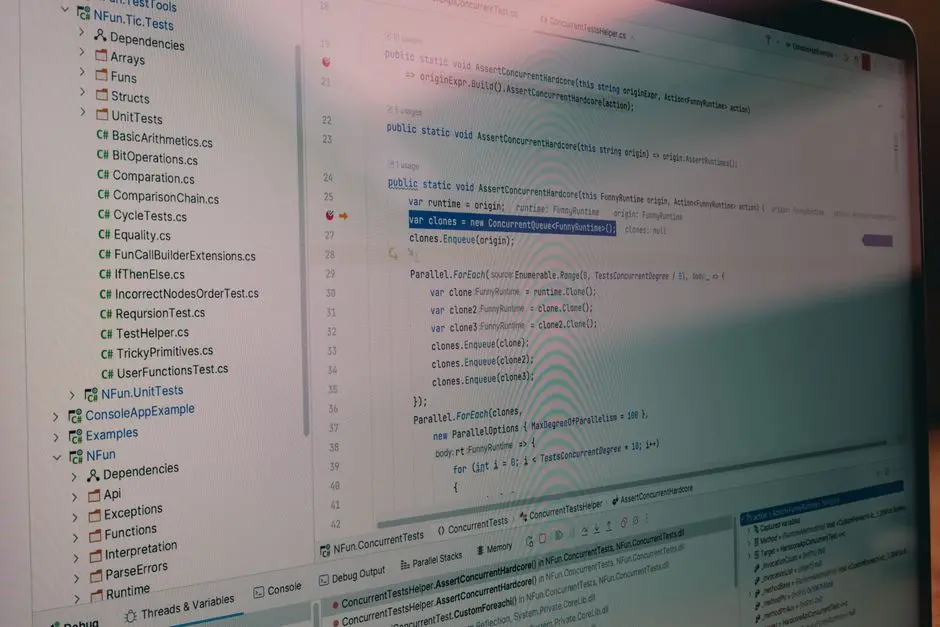
The C# language consistently evolves, propelling developers into new frontiers of efficiency and power. As .NET 10 looms on the horizon, we anticipate a monumental leap forward, redefining how we engineer robust, high-performance applications. This iteration promises not just incremental enhancements but a strategic recalibration, aligning C# with the most demanding computational challenges of tomorrow. We decode the forthcoming architectural shifts and language innovations, preparing you to master the next generation of software development.
This guide activates your foresight, detailing the strategic roadmap for C# in .NET 10. We dissect the impending language features, runtime optimizations, and ecosystem advancements designed to elevate developer productivity and application performance. Understanding these changes now is paramount for any C# professional committed to staying current with the latest C# language versions and trends. Forge ahead with us as we explore the essential predictions, preparing you to innovate with unparalleled precision in the evolving .NET landscape. This is not merely an update; it is an architectural directive, signaling a new era for C# development.
Optimize Core Performance: Harnessing .NET 10 Runtime Advancements
We anticipate .NET 10 will solidify its position as a performance powerhouse, pushing the boundaries of what C# applications can achieve. A key driver remains the continued maturation of Native AOT (Ahead-of-Time) compilation. While present in earlier versions, .NET 10 is poised to deliver a more seamless and universally applicable AOT experience, particularly for client-side applications like Blazor WebAssembly and desktop apps, potentially extending to server-side deployment for reduced startup times and memory footprints. This strategic shift transforms application deployment, enabling smaller, faster executables with minimal dependencies, a critical advantage in cloud-native and serverless environments.
Further, the runtime itself undergoes surgical refinements. Expect enhancements in the garbage collector (GC), potentially offering new modes or heuristics tailored for specific workloads, ensuring consistent low-latency performance for high-throughput services. We decode advancements in SIMD (Single Instruction, Multiple Data) intrinsics and hardware acceleration, empowering developers to engineer highly optimized numerical computations directly within C#. This demands a strategic mindset, leveraging these low-level capabilities when absolute performance is paramount. .NET 10 will activate new opportunities for micro-optimizations, making every CPU cycle count.
Beyond the core runtime, the framework libraries evolve to support these performance ambitions. Expect new APIs or refinements to existing ones that expose low-level system capabilities more safely and efficiently. This could involve direct memory manipulation constructs or highly optimized collections designed for specific scenarios, moving beyond the traditional generic collections when performance bottlenecks emerge. We must adopt a proactive approach, integrating these performance-centric tools to forge applications that run with unparalleled speed and resource efficiency. This is a directive: prioritize performance, and .NET 10 provides the arsenal.
<!-- To run this benchmark: -->
<!-- 1. Add NuGet package BenchmarkDotNet to your project. -->
<!-- 2. Ensure your project is compiled in 'Release' mode. -->
<!-- 3. Run the executable from the command line. -->
<!-- This provides concrete data on performance differences between Span<T> and Substring. -->

using System;
using System.Text;
using BenchmarkDotNet.Attributes;
using BenchmarkDotNet.Running;

namespace DotNet10Performance
{
    public class PerformanceExample
    {
        private const string Data = "This is a long string that we will process efficiently using Span<T> without allocations.";

        public static void Main(string[] args)
        {
            // Execute benchmarks to compare approaches. This will print detailed performance results.
            var summary = BenchmarkRunner.Run<PerformanceExample>();
        }

        [Benchmark]
        public ReadOnlySpan<char> ProcessStringWithSpan()
        {
            // Create a Span from the string (no memory allocation for the Span itself, just a view).
            ReadOnlySpan<char> span = Data.AsSpan();

            // Simulate extracting a part of the string (e.g., "long string")
            // This operation creates a new Span, not a new string object, avoiding heap allocation.
            ReadOnlySpan<char> targetSpan = span.Slice(10, 11); // Extracts "long string"

            // Simulate further processing on the span, e.g., checking content.
            if (targetSpan.StartsWith("long".AsSpan()))
            {
                // Perform operations directly on the span.
            }

            return targetSpan; // Returns a Span, still no new string allocation.
        }

        [Benchmark]
        public string ProcessStringWithSubstring()
        {
            // Traditional Substring approach (creates a new string allocation on the heap).
            string targetString = Data.Substring(10, 11); // Allocates a new string object.

            // Simulate further processing.
            if (targetString.StartsWith("long"))
            {
                // Perform operations on the newly allocated string.
            }

            return targetString; // Returns the newly allocated string.
        }

        // Best Practice: Utilize Span<T> for high-performance, low-allocation string and memory operations.
        // Common Error: Overlooking `Span<T>` and relying solely on `string.Substring` in performance-critical loops.
    }
}
Engineer C# Productivity: Unleashing Next-Gen Language Features
C# 13, anticipated alongside .NET 10, will undoubtedly forge new pathways for developer productivity through strategic language enhancements. We expect the evolution of pattern matching to continue, offering even more succinct and powerful ways to deconstruct and analyze data. Imagine expanded capabilities for matching against collection elements, object properties, or even specific states, simplifying complex conditional logic into elegant, readable expressions. This reduces boilerplate, elevates code clarity, and minimizes cognitive load, enabling developers to focus on core business logic rather than syntactic overhead.
The language team consistently explores avenues for concise syntax and enhanced type safety. We anticipate innovations that might further streamline object initialization, introduce new ways to express immutable data structures, or even provide more robust compile-time checks for common programming pitfalls. Concepts like more expressive params modifiers, allowing for direct Span<T> usage, could emerge, pushing performance gains directly into the language syntax. This empowers developers to write high-performance code with less ceremony, activating new levels of efficiency.
Furthermore, .NET 10's C# will likely address the growing demand for improved developer experience in areas like asynchronous programming and resource management. While async/await is mature, diagnostics and performance profiling for async operations continue to evolve. We might see language constructs or compiler optimizations that make async code even more efficient or easier to debug. Expect potential for advanced using declarations or resource scopes that enhance deterministic finalization, strengthening application reliability. These enhancements are not mere cosmetic changes; they are engineering directives, empowering us to build more resilient and performant systems with fewer lines of code and greater confidence.
// Example: Advanced Pattern Matching in C# (Illustrative of future possibilities in C# 13+)
// C# 13 might expand pattern matching to simplify complex data extraction and validation,
// combining property patterns, collection patterns, and relational patterns for concise logic.

using System;
using System.Collections.Generic;
using System.Linq;

namespace DotNet10LanguageFeatures
{
    // Define records for immutable data, enhancing clarity and reducing boilerplate.
    public record Order(int Id, List<OrderItem> Items, decimal TotalAmount, string Status);
    public record OrderItem(string ProductId, int Quantity, decimal Price);

    public class OrderProcessor
    {
        public static void Main(string[] args)
        {
            var order1 = new Order(101,
                new List<OrderItem> { new("SKU001", 2, 50m), new("SKU002", 1, 100m) },
                200m, "Pending");

            var order2 = new Order(102,
                new List<OrderItem> { new("SKU003", 5, 10m) },
                50m, "Completed");

            var order3 = new Order(103,
                new List<OrderItem>(),
                0m, "Cancelled");

            ProcessOrder(order1); // Expected: "Processing a large pending order."
            ProcessOrder(order2); // Expected: "Processing a completed small order."
            ProcessOrder(order3); // Expected: "Order cancelled or empty."
            ProcessOrder(new Order(104, new List<OrderItem> { new("SKU004", 1, 75m) }, 75m, "Pending")); // Expected: "Processing generic order 104."
        }

        public static void ProcessOrder(Order order)
        {
            string message = order switch
            {
                // Match a pending order with multiple items and a total amount > 150
                // This pattern combines property patterns (`Status`, `TotalAmount`) with a collection count pattern (`Items.Count`).
                { Status: "Pending", Items.Count: > 1, TotalAmount: > 150m } => "Processing a large pending order.",

                // Match a completed order with a single item (any quantity > 0) and a total amount < 100
                // This pattern uses a list pattern to check for a single item, and a property pattern within that item.
                { Status: "Completed", Items: [{ Quantity: > 0 }], TotalAmount: < 100m } => "Processing a completed small order.",

                // Match any order that is cancelled or has no items
                // This combines an 'or' pattern for Status with a collection count pattern for empty items.
                { Status: "Cancelled" or "Pending", Items.Count: 0 } => "Order cancelled or empty.",

                // Default case for any other order not explicitly matched by the above patterns.
                _ => $"Processing generic order {order.Id}."
            };

            Console.WriteLine(message);
        }

        // Best Practice: Employ pattern matching to simplify complex conditional logic and data extraction.
        // Common Error: Writing verbose `if/else if` chains when pattern matching offers a more concise and readable alternative.
    }
}
Activate Modern Paradigms: C# in the AI and Cloud-Native Era
As the computational frontier expands, C# in .NET 10 will fortify its position as a dominant force in AI/ML and cloud-native development. We project enhanced integration capabilities for machine learning workloads, extending beyond current ML.NET offerings. This might involve tighter native bindings to popular AI runtimes like ONNX, allowing C# developers to deploy and execute complex models with greater efficiency directly within their applications. Expect language features or library improvements that simplify data pipeline construction, model serving, and real-time inference, transforming C# into a prime choice for AI-powered solutions. We decode this convergence, equipping developers to embed intelligence seamlessly.
For cloud-native architectures, .NET 10 will activate even more robust support for building resilient, scalable microservices. Anticipate deeper integration with foundational cloud technologies such as Kubernetes, Dapr, and serverless platforms. This translates into refined SDKs, optimized templates, and potential language-level constructs that simplify distributed tracing, state management, and service invocation across heterogeneous environments. Developers must embrace system thinking, designing applications that are inherently distributed and observable. .NET 10 provides the scaffolding to engineer these complex systems with clarity and control, minimizing operational friction.
Furthermore, the cross-platform story for C# continues its trajectory. We foresee significant advancements in .NET MAUI, pushing it closer to a truly unified development experience across mobile, desktop, and potentially even web (via Blazor Hybrid). These enhancements will streamline development workflows, improve performance, and expand UI capabilities, enabling a single codebase to target a broader array of devices. We are empowered to conquer diverse platforms with C#, forging applications that deliver consistent experiences everywhere. This strategic evolution confirms C#'s commitment to adaptability and pervasive presence in the modern software ecosystem.
// Example: Conceptual Dapr Integration for Cloud-Native Microservices (Illustrative)
// .NET 10 is expected to deepen integration with tools like Dapr,
// simplifying distributed systems challenges for C# developers by providing building blocks.

using System;
using System.Collections.Generic;
using System.Net.Http;
using System.Text;
using System.Text.Json;
using System.Threading.Tasks;
using Dapr.Client; // Requires Dapr.Client NuGet package

namespace DotNet10CloudNative
{
    // Records for simplified data transfer objects (DTOs).
    public record OrderData(string Item, int Quantity, decimal Price);
    public record MessageData(string Text);

    public class DaprMicroserviceExample
    {
        // Default Dapr sidecar HTTP port. Ensure Dapr is running.
        private const string DAPR_HTTP_PORT = "3500";
        // Example Dapr state store component name (e.g., 'statestore' configured via Dapr components YAML).
        private const string STORE_NAME = "statestore";
        // Example Dapr pub/sub component name (e.g., 'pubsub' configured via Dapr components YAML).
        private const string PUBSUB_NAME = "pubsub";
        // Example topic name for publishing/subscribing messages.
        private const string TOPIC_NAME = "orders";

        public static async Task Main(string[] args)
        {
            Console.WriteLine("Starting Dapr microservice example...");
            await SaveAndRetrieveState();
            await PublishAndSubscribeMessage();
            Console.WriteLine("Dapr example completed.");
        }

        // Simulates saving and retrieving application state using Dapr's state management building block.
        public static async Task SaveAndRetrieveState()
        {
            Console.WriteLine("\n--- State Management Example ---");
            // DaprClient provides a convenient way to interact with Dapr building blocks.
            using var daprClient = new DaprClientBuilder().Build();

            string orderId = "order_abc_123";
            var orderData = new OrderData("Laptop", 1, 1200.00m);

            try
            {
                // Save state to the configured Dapr state store.
                await daprClient.SaveStateAsync(STORE_NAME, orderId, orderData);
                Console.WriteLine($"State for order '{orderId}' saved successfully: {JsonSerializer.Serialize(orderData)}.");

                // Retrieve state from the Dapr state store.
                var retrievedOrder = await daprClient.GetStateAsync<OrderData>(STORE_NAME, orderId);
                Console.WriteLine($"Retrieved state for order '{orderId}': {JsonSerializer.Serialize(retrievedOrder)}.");
            }
            catch (Exception ex)
            {
                Console.WriteLine($"Error during Dapr state management: {ex.Message}. Is Dapr sidecar running and state store configured?");
            }
        }

        // Simulates publishing and subscribing to messages using Dapr's Pub/Sub building block.
        public static async Task PublishAndSubscribeMessage()
        {
            Console.WriteLine("\n--- Pub/Sub Example ---");
            using var daprClient = new DaprClientBuilder().Build();

            var messageData = new MessageData("New order received for processing!");

            try
            {
                // Publish a message to the configured Dapr pub/sub component and topic.
                await daprClient.PublishEventAsync(PUBSUB_NAME, TOPIC_NAME, messageData);
                Console.WriteLine($"Message published to topic '{TOPIC_NAME}': {JsonSerializer.Serialize(messageData)}.");

                // In a real microservices scenario, another service (with its own Dapr sidecar)
                // would subscribe to this topic (e.g., via a Dapr HTTP endpoint like app.MapPost("/dapr-pubsub/{pubsubname}/{topicname}", ...))
                Console.WriteLine("A subscriber (another microservice) would now process this message.");
            }
            catch (Exception ex)
            {
                Console.WriteLine($"Error during Dapr pub/sub: {ex.Message}. Is Dapr sidecar running and pub/sub component configured?");
            }
        }

        // To run this code:
        // 1. Ensure Dapr CLI is installed: `dapr init`
        // 2. Ensure Dapr components are configured (e.g., default `statestore` and `pubsub` components).
        // 3. Run your .NET application with a Dapr sidecar:
        //    `dapr run --app-id myapp --dapr-http-port 3500 --app-port [YOUR_APP_PORT] dotnet run`
        //    Replace `[YOUR_APP_PORT]` with the actual port your console app might expose if it were a web API.

        // Common error: Forgetting to run Dapr sidecar, or misconfiguring state store/pub/sub components.
        // Best practice: Clearly define Dapr component YAMLs and ensure they are applied to your Dapr environment.
    }
}
Decode Tooling Mastery: Evolving the .NET 10 Developer Ecosystem
The developer experience in .NET 10 will transcend mere language features, extending into a significantly enhanced tooling ecosystem. We anticipate surgical improvements across Visual Studio, Visual Studio Code, and the .NET CLI, making development workflows more fluid and efficient. Expect refined debugging capabilities, potentially offering more insightful diagnostics for complex asynchronous operations or memory-related issues, empowering developers to pinpoint and resolve problems with unprecedented precision. The focus remains on reducing friction and accelerating the feedback loop.
Hot Reload, a cornerstone of rapid iteration, will see further advancements. We forecast expanded support for more types of code changes without requiring a full application restart, particularly in scenarios involving complex stateful applications or cross-platform UI with .NET MAUI. This transforms the development rhythm, allowing for continuous creation and validation. The .NET CLI will also activate new commands or parameters, simplifying project setup, dependency management, and deployment across diverse environments, from local development to cloud-native targets. These are not luxuries; they are essential levers for optimizing productivity.
Moreover, .NET 10 will foster an even richer landscape of SDKs, templates, and third-party integrations. We project new project templates specifically tailored for emerging paradigms, such as AI workloads or highly distributed systems, accelerating the bootstrapping process. The integration points with external tools and services will also strengthen, ensuring C# remains a versatile choice within any technology stack. Errors often stem from inefficient tooling or integration gaps; .NET 10 aims to eliminate these. By embracing these ecosystem advancements, we engineer solutions with greater speed, less overhead, and a higher degree of consistency, solidifying our mastery over the entire development lifecycle.
<!-- Example: Project Configuration for .NET 10 (Illustrative) -->
<!-- .NET 10 will likely introduce new Target Framework Monikers (TFMs) -->
<!-- and enable new language features via LangVersion. -->
<Project Sdk="Microsoft.NET.Sdk">

  <PropertyGroup>
    <!-- Target the forthcoming .NET 10 framework -->
    <TargetFramework>net10.0</TargetFramework>

    <!-- Explicitly activate C# 13 language features (or later) -->
    <!-- Use 'preview' for future versions to leverage all new language constructs as they arrive. -->
    <LangVersion>preview</LangVersion>

    <!-- Enable Native AOT for specific project types (e.g., console apps, some web apps) -->
    <!-- This property helps optimize for smaller, faster executables and reduced startup times. -->
    <PublishAot>true</PublishAot>

    <!-- Enable Hot Reload for faster development iterations, allowing code changes without restart. -->
    <HotReloadEnabled>true</HotReloadEnabled>

    <!-- Potentially new tooling flags for enhanced diagnostics or specific build behaviors -->
    <!-- For example, stricter nullable analysis or specific code analysis rules to improve code quality. -->
    <AnalysisMode>AllEnabledByDefault</AnalysisMode>
    <EnableNETAnalyzers>true</EnableNETAnalyzers>

    <!-- Expect new project-level settings to optimize for specific deployment targets or environments. -->
    <!-- <EnableCloudNativeOptimizations>true</EnableCloudNativeOptimizations> -->
  </PropertyGroup>

  <ItemGroup>
    <!-- Include new NuGet packages or SDKs anticipated for .NET 10 -->
    <!-- E.g., next-gen ML.NET components, advanced Dapr clients, or MAUI enhancements. -->
    <!-- <PackageReference Include="Microsoft.ML.NextGen" Version="1.0.0" /> -->
    <!-- <PackageReference Include="Dapr.Client.Advanced" Version="1.0.0" /> -->
    <!-- <PackageReference Include="Microsoft.Maui.Core" Version="10.0.0" /> -->
  </ItemGroup>

  <!-- Best Practice: Regularly audit project files to ensure you are targeting the latest frameworks
       and language versions to maximize performance and leverage new features. -->
  <!-- Common Error: Forgetting to update LangVersion can prevent access to new C# syntax and compiler optimizations. -->

</Project>
Key Takeaways
.NET 10 & C# 13: Core Strategic Directives
.NET 10 will intensify its focus on performance through advanced Native AOT, refined GC, and enhanced SIMD capabilities. C# 13 will elevate developer productivity with more powerful pattern matching, concise syntax, and improved async/await experiences. The ecosystem will deepen support for AI/ML and cloud-native paradigms, fostering seamless integration with Dapr, Kubernetes, and evolving .NET MAUI. Developers must proactively engage with previews, optimize for performance, and strategically adopt new language and tooling features to command the next generation of C# applications.
Key Architectural Shifts to Anticipate
Embrace Native AOT for reduced startup times and memory footprint in targeted applications, especially client-side and serverless. Leverage enhanced low-level performance APIs and SIMD intrinsics for critical computation sections. Integrate C# applications directly with AI runtimes and cloud-native service meshes like Dapr and Kubernetes. Strategically update existing solutions to utilize new C# 13 language constructs for cleaner, more efficient, and more maintainable code.
Actionable Best Practices for Transition and Mastery
- Proactive Learning: Engage with .NET 10 and C# 13 preview releases and official documentation immediately.
- Performance Audits: Conduct regular performance reviews, identifying and targeting bottlenecks for AOT and SIMD optimization.
- Cloud-Native Refinement: Architect new services with Dapr and Kubernetes patterns from inception, leveraging integrated SDKs.
- Code Modernization: Refactor legacy codebases to adopt new C# language features for improved readability, expressiveness, and maintainability.
- Tooling Mastery: Fully utilize enhanced Visual Studio, VS Code, and .NET CLI features for streamlined development workflows, including advanced debugging and Hot Reload.
FAQ
-
How does Native AOT in .NET 10 impact existing C# applications?
Native AOT in .NET 10 primarily offers benefits for new deployments and specific application types, particularly console apps, client-side Blazor, and MAUI. Existing large, complex ASP.NET Core applications might require careful assessment for AOT compatibility due to reflection and dynamic code generation usage. We recommend a phased adoption, targeting new services or specific performance-critical components first, to maximize gains while mitigating potential compatibility issues. -
What is the most critical change developers should prepare for in C# 13 (.NET 10)?
The most critical change to prepare for involves adopting new language features, especially further evolutions in pattern matching and potentially new syntax for expressing complex logic more concisely. We advise actively exploring preview releases of C# and .NET 10 to understand these changes and strategically refactor existing codebases to leverage enhanced productivity and readability. Early engagement ensures a smoother transition and maximizes the benefits. -
How can I stay updated on the specific features confirmed for .NET 10 and C# 13?
To stay current, monitor the official .NET Blog, follow the C# language design discussions on GitHub (dotnet/csharplang and dotnet/runtime repositories), and actively engage with the .NET community forums. Microsoft frequently publishes roadmaps and preview announcements, offering early, authoritative insights into confirmed features and architectural directions. Subscribing to relevant newsletters and attending virtual conferences also provides crucial updates.