
Forge Performance: C# Hardware Intrinsics, SIMD, and AVX Explained
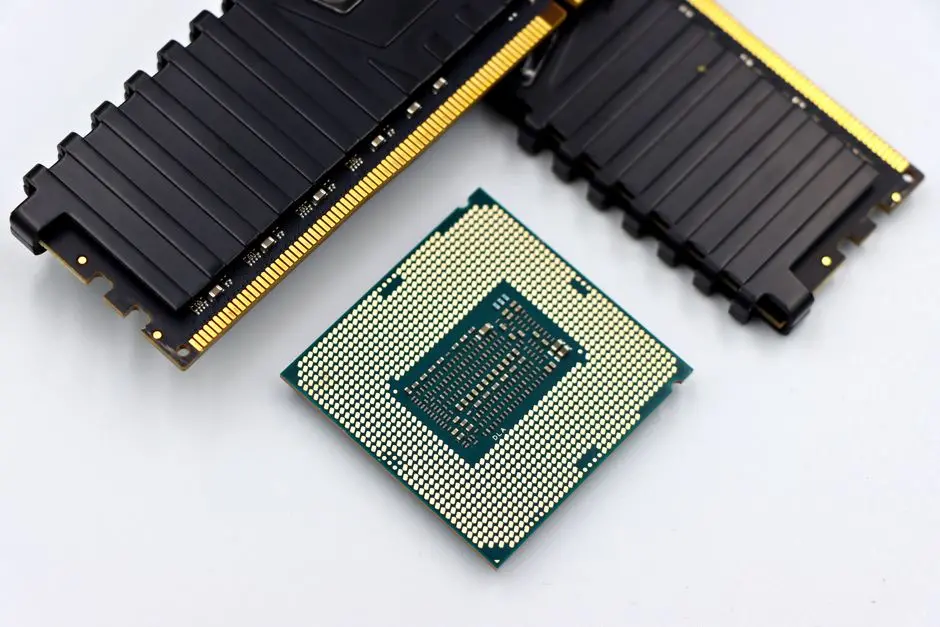
In the relentless pursuit of peak application performance, developers often confront computational bottlenecks in math-heavy algorithms. Traditional C# code, while highly optimized by the JIT compiler, can sometimes leave untapped potential on the table. The frontier of high-performance .NET programming beckons, revealing a powerful leverage point: Hardware Intrinsics. This deep dive empowers you to bypass generic CPU instruction paths, activating specialized processor capabilities like Single Instruction, Multiple Data (SIMD) and Advanced Vector Extensions (AVX) directly from your C# code. We decode the mechanisms, explore practical implementations, and chart a course for engineering algorithms that execute with unparalleled speed.
Understanding and applying these low-level optimizations is not merely about marginal gains; it represents a paradigm shift for applications demanding intensive data processing, scientific computing, or real-time simulations. By mastering hardware intrinsics, you transform your .NET applications into high-octane engines, capable of processing vast datasets with astonishing efficiency. This exploration is crucial for anyone dedicated to staying current with the latest C# language versions and trends, pushing the boundaries of what's possible in managed code and unlocking new dimensions of computational power.
Prepare to elevate your C# development strategies, transforming complex challenges into opportunities for surgical optimization and electrifying performance.
Decoding Hardware Intrinsics: The Foundation of C# Performance
We embark on a journey into the core of CPU architecture, where Hardware Intrinsics reside. These are specialized functions within C# that map directly to single, highly optimized CPU instructions, bypassing the general-purpose instruction path. This direct mapping grants us unprecedented control, allowing our C# code to leverage capabilities traditionally reserved for assembly language or highly optimized C/C++ libraries. The .NET platform, specifically modern versions of .NET Core and .NET 5+, has embraced this power through the System.Runtime.Intrinsics namespace, making these high-performance operations accessible and manageable within our C# projects.
The motivation for employing intrinsics is unequivocal: raw performance. When algorithms involve repetitive, data-parallel operations – think image processing, scientific simulations, cryptographic calculations, or large-scale financial modeling – scalar processing, where one operation processes one data element at a time, becomes a bottleneck. Intrinsics unlock vector processing units within the CPU, enabling a single instruction to operate on multiple data elements simultaneously. This is the essence of SIMD (Single Instruction, Multiple Data) and AVX (Advanced Vector Extensions).
Our strategy is clear: identify compute-bound sections of code, typically loops iterating over large arrays, and refactor them to harness these intrinsic capabilities. The C# JIT compiler plays a crucial role here, recognizing specific intrinsic patterns and translating them into the corresponding highly efficient machine code. However, relying solely on the JIT is insufficient; we must explicitly invoke the intrinsic APIs to activate this performance boost. This foundational understanding prepares us to activate these potent CPU instructions and transform our C# applications into formidable computational explorers.
using System;
using System.Diagnostics;

public class NonIntrinsicMath
{
    public static void AddArrays(float[] a, float[] b, float[] result)
    {
        // Standard, scalar loop for array addition
        for (int i = 0; i < a.Length; i++)
        {
            result[i] = a[i] + b[i];
        }
    }

    public static void Main()
    {
        const int Size = 1_000_000;
        float[] arrayA = new float[Size];
        float[] arrayB = new float[Size];
        float[] arrayResult = new float[Size];

        // Initialize arrays (e.g., with random values)
        Random rand = new Random();
        for (int i = 0; i < Size; i++)
        {
            arrayA[i] = (float)rand.NextDouble() * 100;
            arrayB[i] = (float)rand.NextDouble() * 100;
        }

        // Measure performance of the non-intrinsic approach
        Stopwatch sw = Stopwatch.StartNew();
        AddArrays(arrayA, arrayB, arrayResult);
        sw.Stop();
        Console.WriteLine($"Scalar addition took: {sw.ElapsedMilliseconds} ms");

        // For verification (optional)
        // Console.WriteLine($"First result: {arrayResult[0]}");
    }
}
Activate SIMD: Vectorizing C# Algorithms with System.Numerics.Vector<T>
With the foundations set, we activate SIMD (Single Instruction, Multiple Data) through C#’s System.Numerics.Vector<T> structure. This powerful type provides a generic way to represent a vector of numerical values, enabling us to perform operations on multiple elements concurrently. The <T> indicates that Vector can work with various primitive types like float, double, int, and others, dynamically adjusting its internal size based on the underlying CPU's SIMD capabilities (e.g., 128-bit, 256-bit). This abstraction is a crucial leverage point, as it allows us to write vector-optimized code that adapts to different hardware without explicit instruction set checks.
When we instantiate a Vector<T> from an array, we effectively load a chunk of data into a CPU register. Operations like addition, subtraction, multiplication, and division on these Vector<T> instances translate directly into single SIMD instructions. For instance, Vector<float> va + vb executes one CPU instruction to add all corresponding elements within va and vb simultaneously. This contrasts sharply with scalar loops, which require a separate instruction for each individual element addition.
We must engineer our loops to process data in blocks that match the Vector<T>.Count. This typically involves a vectorized loop that processes most of the data in chunks, followed by a scalar 'remainder' loop to handle any elements that don't perfectly fit into a vector. This pattern ensures maximum utilization of SIMD capabilities while guaranteeing correctness for arrays of any length. Activating SIMD with System.Numerics.Vector<T> is our first decisive step in transforming scalar-bound algorithms into high-velocity, parallelized operations within C#.
using System;
using System.Diagnostics;
using System.Numerics; // Required for Vector<T>

public class IntrinsicSIMDMath
{
    public static void AddArraysVectorized(float[] a, float[] b, float[] result)
    {
        // Determine how many elements fit into a single Vector<float>
        int vectorSize = Vector<float>.Count;
        int i = 0;

        // Process elements in chunks using SIMD vectors
        for (; i + vectorSize <= a.Length; i += vectorSize)
        {
            var va = new Vector<float>(a, i);
            var vb = new Vector<float>(b, i);
            var vResult = va + vb; // Vectorized addition
            vResult.CopyTo(result, i);
        }

        // Process remaining elements (if any) using scalar operations
        for (; i < a.Length; i++)
        {
            result[i] = a[i] + b[i];
        }
    }

    public static void Main()
    {
        const int Size = 1_000_000;
        float[] arrayA = new float[Size];
        float[] arrayB = new float[Size];
        float[] arrayResult = new float[Size];

        Random rand = new Random();
        for (int i = 0; i < Size; i++)
        {
            arrayA[i] = (float)rand.NextDouble() * 100;
            arrayB[i] = (float)rand.NextDouble() * 100;
        }

        // Ensure the JIT has warmed up if running multiple benchmarks
        AddArraysVectorized(arrayA, arrayB, arrayResult);

        Stopwatch sw = Stopwatch.StartNew();
        AddArraysVectorized(arrayA, arrayB, arrayResult);
        sw.Stop();
        Console.WriteLine($"SIMD vectorized addition took: {sw.ElapsedMilliseconds} ms");

        // Example comparison with scalar (from previous part, for full benchmark setup)
        // NonIntrinsicMath.AddArrays(arrayA, arrayB, arrayResult);
        // Console.WriteLine($"Scalar addition (for comparison): {sw.ElapsedMilliseconds} ms");
    }
}
Engineer AVX Power: Harnessing Advanced Vector Extensions in C#
We elevate our computational power by engineering AVX (Advanced Vector Extensions), moving beyond the generic Vector<T> abstraction to directly interact with specific instruction sets. While Vector<T> offers portability, explicit AVX intrinsics, found in namespaces like System.Runtime.Intrinsics.X86, unlock the full potential of modern Intel and AMD CPUs. AVX introduces 256-bit vector registers (Vector256<T>) and subsequent extensions like AVX2 and AVX-512 further expand this to 512-bit, allowing a single instruction to operate on 8 floats, 4 doubles, or more integers simultaneously. This is a significant leap from the 128-bit operations common in earlier SSE (Streaming SIMD Extensions) instruction sets, which are often the default for Vector<T> on some systems.
Direct AVX usage requires careful consideration of CPU capabilities. We must explicitly check if Avx.IsSupported (or Avx2.IsSupported, etc.) before attempting to use these instructions. This defensive programming ensures our application remains robust across various hardware environments, providing a scalar or Vector<T> fallback when advanced extensions are unavailable. This strategic fallback mechanism is a cornerstone of resilient high-performance code.
Working with explicit AVX intrinsics involves loading data into Vector256<T> registers using methods like Avx.LoadVector256, performing the vectorized operation (e.g., Avx.Multiply), and then storing the results back to memory with Avx.Store. This level of control demands a deeper understanding of memory alignment and data layout, as optimal performance often hinges on providing the CPU with naturally aligned data. Engineering with AVX transforms C# algorithms into true high-performance computing contenders, directly leveraging the most powerful vector units available.
using System;
using System.Diagnostics;
using System.Runtime.Intrinsics;
using System.Runtime.Intrinsics.X86; // For AVX and other X86 specific intrinsics

public class IntrinsicAVXMath
{
    public static void MultiplyArraysAVX(float[] a, float[] b, float[] result)
    {
        // Check if AVX is supported on the current CPU
        if (!Avx.IsSupported)
        {
            // Fallback to scalar or Vector<T> if AVX is not available
            Console.WriteLine("AVX not supported, falling back to scalar.");
            for (int i = 0; i < a.Length; i++)
            {
                result[i] = a[i] * b[i];
            }
            return;
        }

        // AVX Vector256<float> can hold 8 floats
        int vectorSize = Vector256<float>.Count; // This will be 8 for float
        int i = 0;

        // Process elements in 256-bit chunks using AVX
        for (; i + vectorSize <= a.Length; i += vectorSize)
        {
            // Load 8 floats into a 256-bit vector
            Vector256<float> va = Avx.LoadVector256(a, i);
            Vector256<float> vb = Avx.LoadVector256(b, i);

            // Perform vectorized multiplication (8 floats at once)
            Vector256<float> vResult = Avx.Multiply(va, vb);

            // Store the 8 results back into the array
            Avx.Store(result, i, vResult);
        }

        // Process remaining elements using scalar operations
        for (; i < a.Length; i++)
        {
            result[i] = a[i] * b[i];
        }
    }

    public static void Main()
    {
        const int Size = 1_000_000;
        float[] arrayA = new float[Size];
        float[] arrayB = new float[Size];
        float[] arrayResult = new float[Size];

        Random rand = new Random();
        for (int i = 0; i < Size; i++)
        {
            arrayA[i] = (float)rand.NextDouble() * 100;
            arrayB[i] = (float)rand.NextDouble() * 100;
        }

        // Ensure the JIT has warmed up
        MultiplyArraysAVX(arrayA, arrayB, arrayResult);

        Stopwatch sw = Stopwatch.StartNew();
        MultiplyArraysAVX(arrayA, arrayB, arrayResult);
        sw.Stop();
        Console.WriteLine($"AVX vectorized multiplication took: {sw.ElapsedMilliseconds} ms");

        // Example comparison with scalar/SIMD (if desired in a full benchmark suite)
    }
}
Optimize for Impact: Best Practices and Future Frontiers with Intrinsics
As we navigate the frontiers of C# performance, implementing hardware intrinsics demands more than just code; it requires a strategic approach to optimization and mastery. Our journey requires rigorous benchmarking, for 'measure, don't guess' is the golden rule. Tools like BenchmarkDotNet are indispensable for accurately comparing the performance gains achieved by scalar, Vector<T>, and explicit AVX implementations. This data-driven approach reveals the true impact of our optimizations and guides further refinements.
Key best practices emerge from the trenches of high-performance computing: data alignment and layout are paramount. CPUs prefer working with data that is aligned to cache line boundaries (often 64 bytes) and organized contiguously in memory. Misaligned access can negate the benefits of vectorization, leading to performance penalties. We must also be vigilant against common pitfalls, such as false sharing in multi-threaded scenarios, where distinct data elements residing in the same cache line cause contention. Engineering for optimal memory access patterns is as crucial as selecting the right intrinsic.
We also consider the cross-platform dimension. While X86 intrinsics (SSE, AVX, AVX2, AVX-512) dominate the desktop and server landscape, Arm-based processors (common in mobile, IoT, and increasingly servers) utilize NEON intrinsics. .NET's System.Runtime.Intrinsics.Arm namespace provides access to these. Writing truly portable high-performance code often involves multiple implementations selected at runtime based on IsSupported checks for the specific architecture. Looking ahead, the evolution of instruction sets like AVX-512 and Arm SVE promises even greater vectorization capabilities, pushing the boundaries of what C# can achieve. Mastering intrinsics is not a static skill; it's a dynamic exploration of computational leverage points.
using System;
using BenchmarkDotNet.Attributes;
using BenchmarkDotNet.Running;
using System.Numerics;
using System.Runtime.Intrinsics;
using System.Runtime.Intrinsics.X86;

public class IntrinsicBenchmark
{
    private const int Size = 1_000_000;
    private float[] arrayA;
    private float[] arrayB;
    private float[] arrayResult;

    [GlobalSetup]
    public void Setup()
    {
        arrayA = new float[Size];
        arrayB = new float[Size];
        arrayResult = new float[Size];

        Random rand = new Random();
        for (int i = 0; i < Size; i++)
        {
            arrayA[i] = (float)rand.NextDouble() * 100;
            arrayB[i] = (float)rand.NextDouble() * 100;
        }
    }

    [Benchmark(Baseline = true)]
    public void ScalarMultiply()
    {
        for (int i = 0; i < Size; i++)
        {
            arrayResult[i] = arrayA[i] * arrayB[i];
        }
    }

    [Benchmark]
    public void VectorTMultiply()
    {
        int vectorSize = Vector<float>.Count;
        int i = 0;
        for (; i + vectorSize <= Size; i += vectorSize)
        {
            var va = new Vector<float>(arrayA, i);
            var vb = new Vector<float>(arrayB, i);
            var vResult = va * vb;
            vResult.CopyTo(arrayResult, i);
        }
        for (; i < Size; i++)
        {
            arrayResult[i] = arrayA[i] * arrayB[i];
        }
    }

    [Benchmark]
    public void AvxMultiply()
    {
        if (!Avx.IsSupported)
        {
            // Fallback for benchmarking on unsupported CPUs
            ScalarMultiply(); // Or skip the benchmark
            return;
        }

        int vectorSize = Vector256<float>.Count;
        int i = 0;
        for (; i + vectorSize <= Size; i += vectorSize)
        {
            Vector256<float> va = Avx.LoadVector256(arrayA, i);
            Vector256<float> vb = Avx.LoadVector256(arrayB, i);
            Vector256<float> vResult = Avx.Multiply(va, vb);
            Avx.Store(arrayResult, i, vResult);
        }
        for (; i < Size; i++)
        {
            arrayResult[i] = arrayA[i] * arrayB[i];
        }
    }

    public static void Main(string[] args)
    {
        BenchmarkRunner.Run<IntrinsicBenchmark>();
    }
}
Key Takeaways
Leveraging Hardware Intrinsics for C# Performance
Hardware Intrinsics in C# enable direct access to specialized CPU instructions (like SIMD and AVX) for significant performance gains in math-heavy algorithms. This bypasses generic CPU paths, allowing a single instruction to operate on multiple data elements concurrently.
Key Components: SIMD (Vector<T>) vs. AVX (Vector256<T>)
System.Numerics.Vector<T>(SIMD): Provides a portable, generic way to vectorize operations. Its width adapts to the CPU's default SIMD capabilities (e.g., 128-bit). Excellent for common array processing tasks.System.Runtime.Intrinsics.X86.Avx(AVX): Offers explicit access to advanced instruction sets, leveraging wider registers (e.g., 256-bitVector256<T>). Delivers higher performance but requires explicit CPU support checks and careful data handling.
Implementation Strategy and Best Practices
- Identify Bottlenecks: Target compute-bound loops over large data arrays.
- Check CPU Support: Always use
IsSupportedchecks (e.g.,Avx.IsSupported) and provide scalar orVector<T>fallbacks. - Optimize Data Layout: Ensure data is contiguous and aligned in memory for optimal CPU cache utilization.
- Benchmark Rigorously: Use tools like
BenchmarkDotNetto measure actual performance improvements and guide further optimization. - Consider Cross-Platform: Plan for different architectures (X86, Arm NEON) by conditionally implementing relevant intrinsics.
Impact and Future
Mastering intrinsics transforms .NET applications into high-performance engines, critical for fields like scientific computing and real-time data processing. The continuous evolution of instruction sets (AVX-512, Arm SVE) ensures this remains a vital skill for C# developers pushing performance boundaries.
FAQ
-
What exactly are Hardware Intrinsics in C#?
Hardware Intrinsics are special C# methods that the .NET JIT compiler translates directly into highly optimized CPU instructions, often Single Instruction, Multiple Data (SIMD) or Advanced Vector Extensions (AVX) instructions. They allow C# code to leverage specific hardware features for parallel data processing, significantly boosting performance for math-heavy algorithms.
-
When should I use Hardware Intrinsics instead of regular C# code?
Employ intrinsics when your application faces computational bottlenecks in algorithms involving repetitive, data-parallel operations on large arrays or collections of numerical data. Examples include image processing, scientific simulations, cryptographic operations, or financial calculations. For simpler, non-intensive tasks, the overhead might outweigh the benefits, and regular C# code is sufficient.
-
What's the difference between SIMD (System.Numerics.Vector<T>) and AVX (Vector256<T>)?
SIMD, accessed via
System.Numerics.Vector<T>, provides a generic abstraction for vector operations. Its width adapts to the underlying hardware's default SIMD capabilities (e.g., 128-bit SSE). AVX (Advanced Vector Extensions), found in namespaces likeSystem.Runtime.Intrinsics.X86.Avx, offers explicit access to specific, often wider, instruction sets (e.g., 256-bitVector256<T>). AVX provides greater control and potential performance but requires explicit CPU capability checks and more careful memory management. -
How can I ensure my intrinsic-optimized code runs correctly on different CPUs?
Always implement runtime checks for CPU support using properties like
Avx.IsSupportedorSse2.IsSupported. Provide fallback implementations (e.g., scalar loops orSystem.Numerics.Vector<T>) for CPUs that do not support the advanced instruction sets. This ensures your application remains functional and performant across diverse hardware, gracefully degrading when specific intrinsics are unavailable.