
Engineer Dynamic Interfaces: Unlocking JavaScript's DOM and Browser API Power
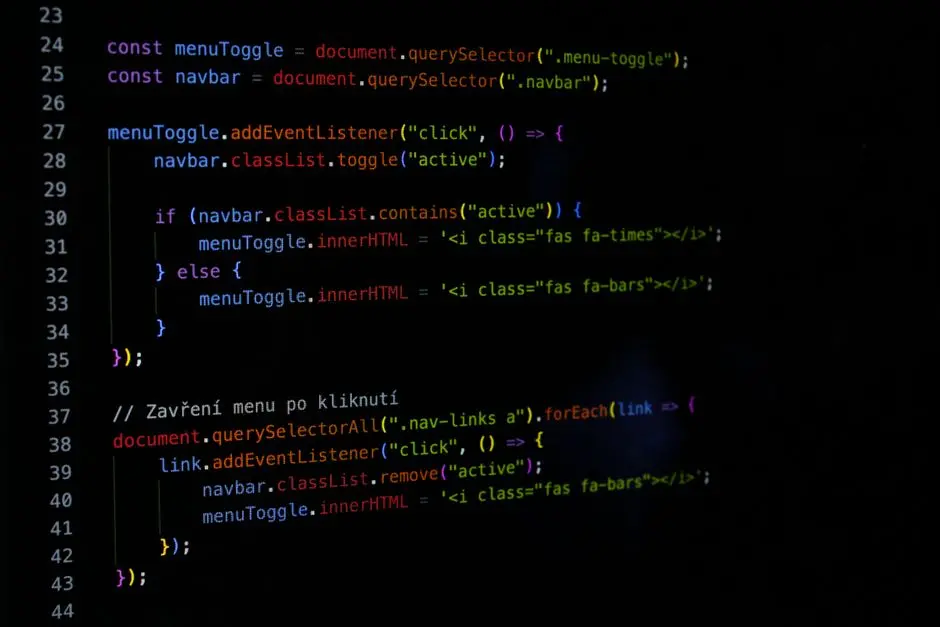
The web is a dynamic canvas, and JavaScript is the brush that brings it to life. At the core of every interactive web experience lies the Document Object Model (DOM) and an expansive suite of Browser APIs. These critical interfaces empower developers to not only read and modify the structure, style, and content of a web page but also to harness the full capabilities of the user's browser, from geolocation to persistent storage. Without a profound understanding of these foundational elements, crafting responsive, high-performance, and feature-rich web applications remains an elusive challenge.
This resource acts as your strategic playbook, guiding you through the essential techniques and advanced strategies for manipulating the DOM and leveraging modern Browser APIs. We decode the mechanisms that transform static HTML into vibrant, interactive user experiences. Prepare to forge mastery over the web's foundational building blocks, propelling your development prowess to new frontiers.
Activate the DOM: Core Selection and Manipulation Principles
We initiate our journey by establishing absolute command over element selection within the Document Object Model. The DOM represents a page as a structured tree of objects, allowing JavaScript to access and modify its content. Our first strategic imperative involves pinpointing specific elements with precision.
We deploy two primary methods for this critical task. The first, document.getElementById(), offers direct access when a unique id attribute is present. Its execution is swift and direct, ideal for single, known targets. Alternatively, we activate document.querySelector(), a more versatile and powerful instrument that accepts any CSS selector string. This enables us to select elements based on classes, tag names, attributes, or complex nested structures. While getElementById offers a slight performance edge for its specific use case, querySelector provides unparalleled flexibility. Understanding when to leverage one over the other defines an efficient approach to DOM interaction. A deeper dive into efficient selection strategies reveals why a nuanced understanding of choosing between querySelector and getElementById is paramount for optimizing initial load and interaction performance.
Once we secure our target elements, we proceed to fundamental manipulation. This encompasses modifying text content via element.textContent or element.innerHTML, adjusting attributes with element.setAttribute(), and even altering the tag name itself. We prioritize textContent for pure text modifications to prevent XSS vulnerabilities, reserving innerHTML for controlled insertion of known HTML structures. These initial maneuvers lay the groundwork for dynamic interface construction, forming the bedrock of all subsequent interactive processes.
Forge Dynamic Structures: Creating and Appending Elements Programmatically
Beyond modifying existing elements, the true power of DOM manipulation resides in our capacity to forge entirely new HTML structures on the fly. This capability is indispensable for rendering dynamic data, constructing complex components, or reacting to user input by generating new UI elements. We engineer new elements using document.createElement(), providing the desired tag name (e.g., 'div', 'p', 'li'). This command materializes the element in memory, detached from the visible document.
The next critical step involves integrating these newly created elements into the DOM tree. We employ parentNode.appendChild() to append a new element as the last child of a specified parent. For more precise placement, parentNode.insertBefore(newNode, referenceNode) allows us to insert an element before a particular existing child. Detaching elements is equally crucial for cleanup and performance optimization; element.remove() provides a direct method for removing an element from its parent. These operations must be executed efficiently, particularly when dealing with large collections or frequent updates. We systematically explore the precise mechanics of dynamically creating and appending elements to build complex UIs from scratch, ensuring optimal rendering cycles.
Consider a scenario where we fetch a list of items from an API. We iterate through the data, create a <li> element for each item, set its text content, and then append it to an existing <ul>. This systematic approach transforms raw data into visible, interactive components. Efficiently managing these operations, especially in high-frequency scenarios, mandates a deep understanding of browser rendering pipelines to prevent layout thrashing and maintain a fluid user experience.
Engineer Visual States: Managing Classes and Inline Styles
Visual feedback is paramount for intuitive user interfaces. JavaScript empowers us to dynamically control the appearance of elements, responding to user interactions, data changes, or application states. Our primary instrument for this control is the classList API. This robust interface provides methods like add(), remove(), toggle(), and contains(), allowing us to manipulate CSS classes on an element. By decoupling styling rules into distinct CSS classes, we maintain clean, maintainable, and performant visual logic. Toggling a 'selected' class on a list item, for instance, dramatically alters its visual presentation without requiring direct style manipulation.
While class manipulation is preferred for state-driven styling, direct inline style modifications are occasionally necessary for highly dynamic, calculated properties. The element.style object provides direct access to an element's inline styles. We set properties using camelCase (e.g., element.style.backgroundColor = 'blue'). However, we exercise caution with inline styles; excessive use can lead to CSS specificity issues and hinder maintainability. We delve into the specifics of how to proficiently modify HTML classes and inline styles with JavaScript, emphasizing best practices for responsive design.
A critical consideration here involves performance. Frequent, sequential style changes or class toggles can trigger browser reflows and repaints, degrading performance. We coalesce multiple style changes into single operations where possible, or strategically apply classes that encapsulate a set of visual changes. Understanding the browser's rendering process is key to preventing visual choppiness and ensuring a smooth user experience. This systematic approach guarantees fluid visual transitions and maintains high application responsiveness.
Optimize Interactions: Event Delegation and Control Flow
User interaction defines the web experience. JavaScript's event model provides the mechanism to react to these interactions, from clicks and hovers to form submissions and keypresses. While attaching event listeners directly to individual elements is straightforward, it becomes inefficient and problematic for dynamic lists or large numbers of similar elements. We activate the powerful pattern of event delegation.
Event delegation involves attaching a single event listener to a common parent element, rather than individual children. When an event (e.g., a click) occurs on a child element, it 'bubbles up' the DOM tree to its ancestors. The parent listener intercepts this event, and we use event.target to identify the specific child that originated the event. This strategy dramatically reduces memory consumption and improves performance, especially when adding or removing children dynamically. We mandate event delegation for lists, tables, and any dynamic collections of interactive elements. Uncover precisely why JavaScript event delegation offers superior performance characteristics compared to individual listener attachment.
Beyond delegation, we establish command over event propagation. The event object provides methods to control how an event moves through the DOM. event.preventDefault() stops the browser's default action for an event (e.g., preventing a link from navigating, or a form from submitting). event.stopPropagation() halts the event's bubbling phase, preventing it from reaching parent elements. A critical distinction exists between these two. We decode the fundamental difference between stopPropagation and preventDefault to ensure precise control over event flow and eliminate unwanted side effects in complex interactive systems. Master these controls, and you command the interactive landscape of your applications.
Enhance Responsiveness: Managing Input, Throttling, and Custom Events
Building highly responsive interfaces demands more than just reacting to events; it requires intelligent management of event frequency, especially for actions like user input, scrolling, or window resizing. Without control, rapid events can overload the browser's main thread, leading to janky animations and a poor user experience. We introduce two indispensable techniques: debouncing and throttling.
Debouncing ensures a function is only executed after a specified period of inactivity following the last event trigger. For example, a search input field should only trigger an API call after the user has stopped typing for a brief moment. This prevents a flood of requests. Throttling, conversely, guarantees a function executes at most once within a given time frame, regardless of how many times the event fires. This is ideal for scroll handlers or window resize events, ensuring updates occur smoothly without overwhelming the system. We precisely detail the strategies for implementing debouncing and throttling in JavaScript, transforming chaotic event streams into controlled, performant operations.
Moreover, we architect robust communication channels between distinct components using custom events. While native DOM events cover many scenarios, custom events empower us to define application-specific notifications. We create a CustomEvent object, dispatch it on a specific element, and listen for it elsewhere. This pattern decouples components, promoting modularity and maintainability. It's a strategic move for complex applications where direct coupling between components leads to brittle codebases. For instance, a 'data-updated' custom event dispatched from a data management module can notify multiple UI components to re-render. We explore how to leverage custom events for effective communication between components, elevating architectural flexibility. When integrating with reactive frameworks, understanding what the Virtual DOM signifies and its importance becomes crucial for efficient UI updates, complementing our direct DOM manipulation techniques.
Pervasive Storage Strategies: Client-Side Data Persistence
Modern web applications frequently necessitate client-side data persistence, allowing users to maintain state, preferences, or cached data even after closing the browser. We wield three primary browser storage mechanisms: LocalStorage, SessionStorage, and Cookies. Each serves distinct purposes based on data lifetime, size limits, and access patterns.
LocalStorage provides persistent storage for data that needs to remain available across browser sessions, with a typical capacity of 5-10MB. It's ideal for user preferences, application settings, or caching static assets. SessionStorage mirrors LocalStorage in API but limits data scope to the current browser session, clearing automatically when the tab or window closes. It suits temporary data, like form autofill or unsaved draft content. Cookies, the oldest mechanism, are primarily designed for server communication, carrying small amounts of data (around 4KB) with every HTTP request. They are essential for session management and user tracking but are less suited for general client-side data storage due to size constraints and performance implications. We decode the nuances of the distinctions between LocalStorage, SessionStorage, and Cookies, empowering you to select the optimal solution for your application's data needs.
Storing complex data types in LocalStorage or SessionStorage requires serialization. Since these APIs only support strings, we systematically employ JSON.stringify() to convert JavaScript objects into JSON strings before storage and JSON.parse() to reconstruct them upon retrieval. We detail the essential process of storing objects in LocalStorage using JSON, ensuring data integrity and usability. For handling significantly larger datasets (hundreds of MBs or even GBs), we elevate our strategy to IndexedDB, a powerful, client-side transactional database. We establish a workflow for efficiently working with IndexedDB for substantial client-side datasets, unlocking offline capabilities and rich data management. In the evolving landscape of privacy, understanding and potentially managing how to utilize the Storage Access API for cross-site cookies becomes a strategic necessity for embedded content and federated identity solutions.
Augmenting User Experience: Modern Browser APIs for Dynamic Interactions
The modern browser offers a rich tapestry of advanced APIs that transcend basic DOM manipulation, allowing us to engineer profoundly interactive and efficient user experiences. We activate the Intersection Observer API to efficiently detect when elements enter or exit the viewport. This is a game-changer for lazy loading images or components, infinite scrolling, triggering animations, or tracking element visibility without the performance overhead of traditional scroll event listeners. It delivers a streamlined, declarative approach to managing visibility-based interactions. We dissect the application of the Intersection Observer API for lazy loading and sophisticated scroll effects, enhancing perceived performance and resource utilization.
We also empower applications with real-world context using the Geolocation API. This API provides access to the user's current geographical location, enabling features like location-based services, proximity searches, or personalized content delivery. Obtaining user consent is paramount, and we manage potential errors gracefully. Understanding the precise methods for using the Geolocation API in JavaScript allows us to build context-aware applications that respond intelligently to their environment. This is a critical capability for mobile-first design and highly personalized web experiences.
Finally, we confront performance bottlenecks by offloading heavy computations from the main UI thread. The Web Workers API enables us to run JavaScript scripts in the background, parallel to the main script. This ensures that complex calculations, data processing, or intensive I/O operations do not block the user interface, maintaining application responsiveness. We engineer solutions that leverage the Web Workers API to offload intensive tasks from the UI thread, guaranteeing a consistently fluid and interactive user experience, even under heavy computational load.
Visualize and Create: Harnessing the Canvas API for Graphics
The web is not solely about text and images; it's a dynamic visual medium. We unlock advanced graphical capabilities through the Canvas API, a powerful drawing surface within the browser. This API allows us to render 2D shapes, complex graphics, images, and animations directly in the browser using JavaScript. Unlike SVG, which is vector-based and object-oriented, Canvas is a raster-based, pixel-level drawing API. This makes it ideal for games, data visualizations, photo editors, and real-time animation where precise pixel control and high-performance rendering are critical.
To initiate a Canvas operation, we first select the <canvas> element and obtain its 2D rendering context using canvas.getContext('2d'). This context object exposes a vast array of methods for drawing lines, arcs, rectangles, text, and images. We control properties like fill style, stroke style, line width, and font, allowing for highly customized visual output. Animating elements on the canvas involves repeatedly clearing the canvas and redrawing elements in new positions, often synchronized with requestAnimationFrame for optimal performance.
Mastering the intricacies of working with the Canvas API for JavaScript graphics transforms the browser into a powerful art studio, empowering developers to create rich, interactive visual experiences that were once confined to native applications. From complex data visualizations to interactive games, the Canvas API provides the raw power to sculpt pixels into immersive digital landscapes. We approach its utilization with algorithmic rigor, understanding that performance scales with careful management of drawing operations and animation loops, ensuring seamless visual execution.
Key Takeaways
Core DOM Interaction
Master element selection with getElementById() for unique IDs and querySelector() for flexible CSS selectors. Dynamically create elements using document.createElement() and manage their placement with appendChild() or insertBefore(). Control element visuals by manipulating CSS classes via classList or applying direct inline styles cautiously. Prioritize textContent for security, use innerHTML for controlled HTML.
Event Handling & Performance
Implement event delegation by attaching a single listener to a parent element, leveraging event bubbling and event.target for optimal performance and memory efficiency. Differentiate between preventDefault() to stop default browser actions and stopPropagation() to control event propagation through the DOM tree. Optimize event-driven performance with debouncing (execute after inactivity) and throttling (execute at most once per interval) for input, scroll, and resize events.
Client-Side Data & Advanced APIs
Choose client-side storage strategically: LocalStorage for persistent data, SessionStorage for session-bound data, and Cookies for server communication. Serialize objects for storage using JSON.stringify() and deserialize with JSON.parse(). Leverage IndexedDB for large client-side datasets and explore the Storage Access API for cross-site cookie management. Utilize modern APIs like Intersection Observer for efficient lazy loading and scroll effects, Geolocation API for location-aware features, and Web Workers to offload heavy computations, ensuring a responsive UI. Explore the Canvas API for advanced 2D graphics and animations, transforming visual content dynamically.
FAQ
-
What is the core difference between `querySelector` and `getElementById` for element selection?
document.getElementById()specifically targets an element by its uniqueidattribute. It is highly optimized for this singular purpose, returning the element directly.document.querySelector(), conversely, accepts any valid CSS selector string, allowing for much broader and more flexible selection based on classes, tags, attributes, or complex nested structures. It returns the first matching element. WhilegetElementByIdoffers a performance edge for its specific use case,querySelectorprovides unmatched versatility for modern, complex DOM selection. -
Why is event delegation considered a best practice for performance?
Event delegation dramatically improves performance and reduces memory footprint, especially for dynamic lists or large numbers of identical interactive elements. Instead of attaching a separate event listener to each child element, we attach a single listener to a common parent. When an event on a child bubbles up to the parent, the parent's listener catches it, and we identify the originating child using
event.target. This minimizes the number of listeners, simplifies event management for dynamically added/removed elements, and prevents memory leaks. -
When should I use `LocalStorage` versus `SessionStorage`?
Use
LocalStoragefor data that needs to persist indefinitely across browser sessions, such as user preferences, application settings, or cached content. It has a larger capacity (5-10MB). UseSessionStoragefor data that should only persist for the duration of the current browser session (i.e., until the tab or window is closed). It's ideal for temporary data like form input during a single user flow or unsaved drafts. -
How do `preventDefault()` and `stopPropagation()` differ in event handling?
event.preventDefault()prevents the browser's default action associated with an event. For example, clicking an<a>tag typically navigates to a new URL;preventDefault()stops this navigation. Submitting a form typically reloads the page;preventDefault()stops this reload.event.stopPropagation()prevents the event from 'bubbling up' (or 'capturing down') through the DOM tree to parent (or child) elements. It halts further propagation of the event. They serve distinct purposes: one stops default browser behavior, the other controls event flow. -
What problem do Web Workers solve?
Web Workers solve the problem of unresponsive user interfaces caused by intensive computations. JavaScript in the browser typically runs on a single main thread, which also handles UI rendering. If a complex calculation or heavy data processing task executes on this thread, it blocks the UI, making the page appear frozen or unresponsive. Web Workers allow us to run JavaScript scripts in a background thread, offloading these heavy tasks from the main thread and ensuring the user interface remains fluid and interactive.