
> JavaScript > DOM and Browser APIs > Forge Geolocation Power: Fetch User Location & Handle Permissions
Forge Geolocation Power: Fetch User Location & Handle Permissions
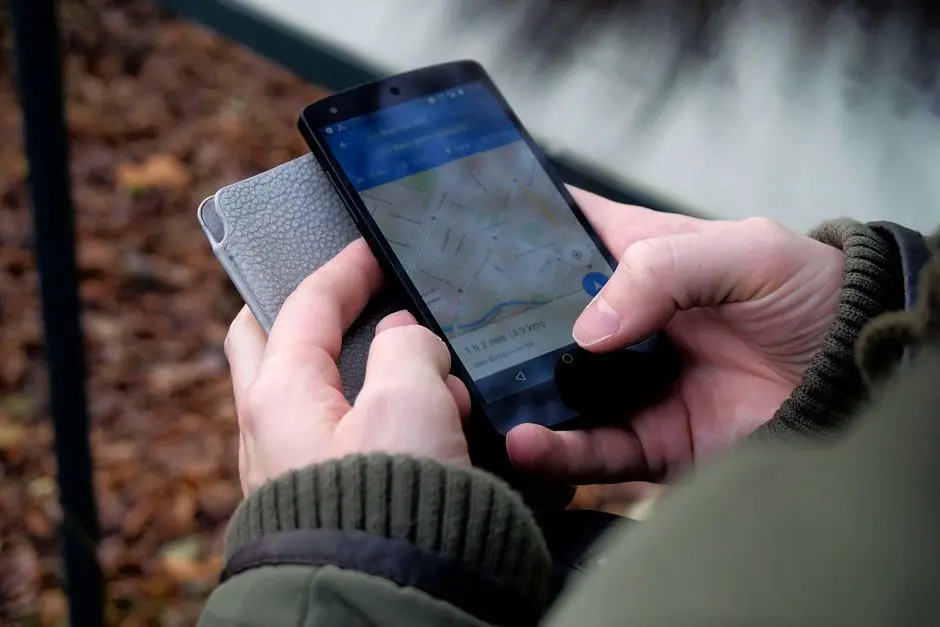
Embark on a critical exploration into location-aware web applications. We stand at the frontier of digital interaction, where understanding a user's geographical context unlocks unparalleled opportunities for personalized experiences, localized content, and enhanced service delivery. The Geolocation API in JavaScript empowers us to access this vital spatial data directly from the browser, transforming static web pages into dynamic, context-aware platforms.
This deep dive will guide you through the intricate mechanics of fetching user coordinates, decoding the various permission states, and engineering robust error-handling mechanisms that guarantee a seamless user journey. We will dissect the core functionalities of `getCurrentPosition` and `watchPosition`, equipping you with the expertise to implement both one-time location requests and continuous tracking. Mastering this API is not merely about pulling coordinates; it’s about crafting resilient, privacy-conscious solutions that elevate user trust and application utility.
As we navigate the complexities of browser interfaces and user interactions, consider how this capability integrates with the broader spectrum of manipulating the Document Object Model and browser interfaces, laying a foundational brick for truly interactive and intelligent web development. Prepare to activate a potent dimension of web development, where spatial intelligence becomes a strategic asset in your application's architecture.
Decoding the Geolocation API Core Principles
We initiate our exploration by decoding the fundamental architecture of the Geolocation API. This browser-native feature, accessible via the navigator.geolocation object, represents a standardized interface for web applications to retrieve the geographical position of a user's device. Its primary purpose revolves around enhancing user experience by providing location-specific data, enabling services like mapping, local search, and personalized content delivery.
At its core, the API operates on a user-centric permission model. Before any location data is exposed, the browser explicitly prompts the user for consent. This privacy-first design dictates that applications must always anticipate and gracefully handle various permission states: granted, denied, or prompt. Failure to engineer for these states will lead to brittle applications and a degraded user experience. The API estimates location using a combination of technologies, including GPS, Wi-Fi, and cellular triangulation, prioritizing accuracy where available. This multi-faceted approach ensures a reliable location estimate across diverse environments.
We activate this capability by first validating the API's presence within the user's browser environment. The 'geolocation' in navigator check serves as our initial gatekeeper, ensuring that any subsequent calls to geolocation methods are executed only where supported. This preemptive validation is a critical best practice, preventing runtime errors and providing clear feedback to the user if the feature is unavailable. Understand that this API primarily yields a Position object, containing a Coordinates object with latitude, longitude, and optional altitude, accuracy, and speed data. This foundational understanding constructs the bedrock for all subsequent location-based functionalities we will implement.
/*
 * Validate Geolocation API Availability
 * Always initiate feature detection before attempting to access geolocation services.
 * This guarantees a robust application that gracefully handles unsupported environments.
 */

function checkGeolocationSupport() {
  if ('geolocation' in navigator) {
    console.log('Geolocation API is available in this browser.');
    // Proceed to request location or enable UI elements related to location.
    return true;
  } else {
    console.warn('Geolocation API is not available in this browser.');
    // Disable location-dependent features or display a fallback message.
    alert('Your browser does not support Geolocation.');
    return false;
  }
}

// Execute the check when the script loads or on a specific event.
checkGeolocationSupport();
Engineering User Location Fetching: `getCurrentPosition`
We now transition to engineering the fundamental act of fetching a user's location using navigator.geolocation.getCurrentPosition(). This method stands as the cornerstone for any application requiring a one-time retrieval of geographical coordinates. It accepts up to three arguments: a mandatory success callback function, an optional error callback function, and an optional PositionOptions object. The success callback is invoked with a Position object when location data is successfully acquired, providing critical attributes like latitude, longitude, and accuracy within its coords property.
The error callback is equally vital; it executes if the location request fails, delivering a PositionError object that defines the specific reason for failure, such as permission denial or a timeout. Designing a comprehensive error handling strategy here is non-negotiable for a resilient user experience. We must explicitly inform the user about the issue and suggest actionable steps. Furthermore, the PositionOptions object grants us granular control over the request's behavior.
Set enableHighAccuracy: true to instruct the browser to prioritize the most precise location data, potentially utilizing GPS and consuming more power. Configure timeout to define the maximum time (in milliseconds) the application will wait for a location response before triggering the error callback. Utilize maximumAge: 0 to force the browser to obtain a fresh location reading, bypassing any cached positions. A larger maximumAge value would allow the browser to return a previously cached position, improving speed but potentially reducing accuracy. Actively managing these options enables us to balance precision, speed, and resource consumption, aligning with the application's specific requirements. This strategic configuration is key to optimizing the user's interaction with location services.
/*
 * Engineer One-Time User Location Fetching
 * Utilizes navigator.geolocation.getCurrentPosition for a single, immediate location request.
 * Includes comprehensive success and error handling, along with configuration options.
 */

function getUserLocation() {
  // 1. Check for Geolocation API support first.
  if (!('geolocation' in navigator)) {
    alert('Geolocation is not supported by your browser.');
    return;
  }

  // 2. Define success callback function.
  function successCallback(position) {
    const latitude = position.coords.latitude;
    const longitude = position.coords.longitude;
    const accuracy = position.coords.accuracy; // In meters

    console.log(`Latitude: ${latitude}, Longitude: ${longitude}`);
    console.log(`Accuracy: ${accuracy} meters`);

    // Display location to the user (e.g., update a UI element).
    const locationDisplay = document.getElementById('location-output');
    if (locationDisplay) {
      locationDisplay.innerHTML = `<strong>Your Location:</strong><br>Latitude: ${latitude}<br>Longitude: ${longitude}<br>Accuracy: ${accuracy}m`;
    }

    // Further processing: send to server, display on map, etc.
  }

  // 3. Define error callback function.
  function errorCallback(error) {
    let errorMessage = 'An unknown error occurred.';
    switch (error.code) {
      case error.PERMISSION_DENIED:
        errorMessage = 'Location access denied by the user.';
        // Prompt user to enable location services or provide alternative.
        break;
      case error.POSITION_UNAVAILABLE:
        errorMessage = 'Location information is unavailable.';
        // Suggest checking device settings or trying again.
        break;
      case error.TIMEOUT:
        errorMessage = 'The request to get user location timed out.';
        // Suggest improving signal or trying again.
        break;
      case error.UNKNOWN_ERROR:
        errorMessage = 'An unknown error occurred.';
        break;
    }
    console.error(`Geolocation Error (${error.code}): ${errorMessage}`);
    const locationDisplay = document.getElementById('location-output');
    if (locationDisplay) {
      locationDisplay.innerHTML = `<strong style="color:red;">Error:</strong> ${errorMessage}`; // Use inline style for example
    }
  }

  // 4. Define options for the geolocation request.
  const options = {
    enableHighAccuracy: true, // Request the best possible results
    timeout: 10000,           // Maximum time (ms) to wait for a location
    maximumAge: 0             // Don't use a cached position (0 means fresh position)
  };

  // 5. Execute the getCurrentPosition method.
  console.log('Requesting user location...');
  navigator.geolocation.getCurrentPosition(successCallback, errorCallback, options);
}

// Example of how to trigger this function, e.g., via a button click.
// Assuming there's an HTML element like: <div id="location-output"></div>
// And a button: <button onclick="getUserLocation()">Get My Location</button>
// document.getElementById('getLocationBtn').addEventListener('click', getUserLocation);

// Initial call to demonstrate.
// getUserLocation(); // Would require a user interaction or specific event.
Mastering Permission States and Robust Error Handling
We elevate our control by mastering permission states and implementing truly robust error handling. The Geolocation API, by design, necessitates explicit user consent, and understanding these states is paramount. The Permissions API, accessed via navigator.permissions.query({ name: 'geolocation' }), provides a proactive mechanism to ascertain the current permission status without triggering a prompt. This crucial step allows us to tailor the user experience before even requesting location data. We distinguish between 'granted', where access is permitted; 'prompt', indicating a future request will trigger a browser prompt; and 'denied', signifying that the user has blocked access. Monitoring changes to this state via the onchange event listener ensures dynamic adaptation of our application's UI.
Effective error handling is not merely a fallback; it's a critical component of user empathy and application resilience. The PositionError object, returned by the error callback, contains an error.code property that categorizes the failure. We must decode these codes and provide precise, actionable feedback to the user. A PERMISSION_DENIED (code: 1) error mandates guiding the user on how to enable location in their browser settings. A POSITION_UNAVAILABLE (code: 2) error, often due to network issues or device limitations, suggests checking internet connectivity or moving to a more open area. A TIMEOUT (code: 3) indicates the request took too long, prompting a retry or suggesting improved signal strength. An UNKNOWN_ERROR (code: 0) serves as a general catch-all. By meticulously handling each error type, we prevent user frustration, reinforce trust, and guide them towards resolution, transforming potential roadblocks into guided pathways. This granular approach to error management solidifies the user's perception of a professional and reliable application, even when location data is elusive.
/*
 * Master Geolocation Permissions and Robust Error Handling
 * Demonstrates how to query permission status and handle various Geolocation API errors.
 * Provides user-centric feedback for a superior user experience.
 */

// Helper function to display messages to the user
function displayStatus(message, isError = false) {
  const statusElement = document.getElementById('status-message');
  if (statusElement) {
    statusElement.innerHTML = `<strong style="${isError ? 'color:red;' : 'color:green;}">${message}</strong>`; // Inline for example
  }
}

// 1. Function to query current geolocation permission status
async function queryGeolocationPermission() {
  if (!('permissions' in navigator)) {
    console.warn('Permissions API not supported by this browser.');
    displayStatus('Permissions API not available, direct geolocation request will prompt.', true);
    return;
  }

  try {
    const permissionStatus = await navigator.permissions.query({ name: 'geolocation' });
    console.log(`Geolocation permission state: ${permissionStatus.state}`);

    permissionStatus.onchange = () => {
      console.log(`Geolocation permission state changed to: ${permissionStatus.state}`);
      displayStatus(`Permission status changed to: ${permissionStatus.state}`);
      // Re-evaluate UI or location features based on new state
    };

    switch (permissionStatus.state) {
      case 'granted':
        displayStatus('Geolocation access is granted.');
        // Enable all location-dependent features.
        break;
      case 'prompt':
        displayStatus('Geolocation access pending. User will be prompted on request.');
        // Prepare for the prompt, maybe show a custom 'request location' button.
        break;
      case 'denied':
        displayStatus('Geolocation access is denied. Please enable in browser settings.', true);
        // Disable location-dependent features, provide guidance.
        break;
    }
  } catch (error) {
    console.error('Error querying geolocation permission:', error);
    displayStatus('Failed to query permission status.', true);
  }
}

// 2. Enhanced error handler for getCurrentPosition/watchPosition
function handleGeolocationError(error) {
  let userMessage = 'Unable to retrieve your location. Please ensure location services are enabled.';
  switch (error.code) {
    case error.PERMISSION_DENIED:
      userMessage = 'You denied location access. Please grant permission in your browser settings to use this feature.';
      break;
    case error.POSITION_UNAVAILABLE:
      userMessage = 'Your location information is currently unavailable. Try again in a different area.';
      break;
    case error.TIMEOUT:
      userMessage = 'The request to get your location timed out. Please check your internet connection or try again.';
      break;
    case error.UNKNOWN_ERROR:
      userMessage = 'An unexpected error occurred while trying to get your location.';
      break;
  }
  console.error(`Geolocation Error ${error.code}: ${userMessage}`, error.message);
  displayStatus(userMessage, true);
}

// Example usage: Call this on page load or before requesting location
// queryGeolocationPermission();
// getUserLocation(handleGeolocationError); // Pass the robust error handler to previous function.

/* Assume 'getUserLocation' (from previous section) is modified to accept this handleGeolocationError */
/*
function getUserLocation(errorHandler) {
  // ... (previous getCurrentPosition setup)
  navigator.geolocation.getCurrentPosition(successCallback, errorHandler, options);
}
*/
Activating Real-Time Location Tracking: `watchPosition`
We expand our capabilities to activate real-time location tracking using navigator.geolocation.watchPosition(). While getCurrentPosition provides a snapshot, watchPosition initiates an ongoing process, invoking a callback function whenever the user's location changes or a more accurate reading becomes available. This functionality is indispensable for applications requiring continuous updates, such as navigation systems, fitness trackers, or live proximity services. Similar to getCurrentPosition, it accepts success and error callbacks, along with the PositionOptions object. The crucial distinction lies in its persistent nature; it does not stop after a single event.
Upon activation, watchPosition returns a unique watchId, a numerical identifier that is paramount for managing the tracking session. To prevent unnecessary resource consumption, particularly battery drain on mobile devices, we must always implement a mechanism to terminate the watch. The navigator.geolocation.clearWatch(watchId) method serves this purpose, stopping the continuous stream of location updates associated with the given watchId. Failure to clear watches can significantly degrade device performance and user experience. We engineer robust applications by ensuring that watches are explicitly stopped when they are no longer needed, such as when a user navigates away from a tracking screen or closes a specific feature.
Careful consideration of the PositionOptions is even more critical with watchPosition. While enableHighAccuracy and maximumAge function similarly, the timeout option now applies to each individual location update. Setting a judicious timeout prevents the application from hanging indefinitely if a single update takes too long. However, a very short timeout combined with high accuracy requests can lead to excessive battery usage. We must balance the need for frequent, precise updates with the imperative of resource conservation, crafting an intelligent tracking strategy that adapts to user intent and device capabilities.
/*
 * Activate Real-Time User Location Tracking
 * Implements navigator.geolocation.watchPosition for continuous location updates.
 * Demonstrates clearing the watch to conserve resources.
 */

let watchId; // Global variable to store the watch ID

function startWatchingLocation() {
  if (!('geolocation' in navigator)) {
    alert('Geolocation is not supported by your browser.');
    return;
  }

  // Reusing previously defined successCallback and handleGeolocationError
  // For simplicity, defining inline here. In a real app, reuse the functions.
  function successCallback(position) {
    const latitude = position.coords.latitude;
    const longitude = position.coords.longitude;
    const timestamp = new Date(position.timestamp).toLocaleTimeString();

    console.log(`[${timestamp}] Latitude: ${latitude}, Longitude: ${longitude}`);

    const locationDisplay = document.getElementById('location-output-watch');
    if (locationDisplay) {
      locationDisplay.innerHTML = `<strong>Live Location:</strong><br>Lat: ${latitude}<br>Lon: ${longitude}<br><em>Last updated: ${timestamp}</em>`;
    }
  }

  function errorCallback(error) {
    let errorMessage = 'Error watching location.';
    // ... (detailed error handling as in handleGeolocationError function from previous section)
    console.error(`Watch Position Error (${error.code}): ${errorMessage}`);
    const locationDisplay = document.getElementById('location-output-watch');
    if (locationDisplay) {
      locationDisplay.innerHTML = `<strong style="color:red;">Error:</strong> ${errorMessage}`; // Inline style for example
    }
  }

  const options = {
    enableHighAccuracy: true,
    timeout: 5000,          // Time to wait for each position update
    maximumAge: 0           // Always get a fresh position
  };

  // Start watching the position and store the watchId
  if (!watchId) { // Prevent starting multiple watchers
    watchId = navigator.geolocation.watchPosition(successCallback, errorCallback, options);
    console.log('Started watching user location. Watch ID:', watchId);
    const statusElement = document.getElementById('watch-status');
    if (statusElement) statusElement.innerText = 'Watching...';
  } else {
    console.log('Location watch already active.');
  }
}

function stopWatchingLocation() {
  if (watchId) {
    navigator.geolocation.clearWatch(watchId);
    console.log('Stopped watching user location. Watch ID:', watchId);
    watchId = null; // Clear the stored ID
    const statusElement = document.getElementById('watch-status');
    if (statusElement) statusElement.innerText = 'Stopped.';
    const locationDisplay = document.getElementById('location-output-watch');
    if (locationDisplay) locationDisplay.innerHTML = '<em>Location tracking stopped.</em>';
  } else {
    console.log('No active location watch to stop.');
  }
}

// Example HTML setup:
// <div id="location-output-watch"></div>
// <div id="watch-status">Stopped.</div>
// <button onclick="startWatchingLocation()">Start Live Tracking</button>
// <button onclick="stopWatchingLocation()">Stop Live Tracking</button>
Optimizing Performance and User Experience: Best Practices
We finalize our strategy by optimizing performance and user experience, transforming raw functionality into a polished, resilient system. A critical best practice involves implementing caching strategies for location data, particularly for getCurrentPosition requests. By setting a judicious maximumAge, we instruct the browser to reuse recently acquired, sufficiently accurate location data instead of initiating a new, potentially slower and more resource-intensive request. This minimizes battery drain and accelerates response times for repeated queries within a short period. However, for critical, real-time needs, maximumAge: 0 remains the directive, prioritizing freshness over speed.
UI/UX considerations for permission prompts demand proactive engagement. Instead of passively awaiting the browser's generic prompt, we forge a compelling rationale for location access within our application's interface. Pre-empting the browser prompt with a custom modal explaining why location is needed builds user trust and significantly increases the likelihood of consent. If permission is denied, provide clear, actionable guidance on how users can manually grant access through their browser settings. This transforms a potential dead-end into a guided recovery path. For mobile device optimization, be acutely aware of the power implications of enableHighAccuracy: true and frequent watchPosition calls. Design a system that intelligently scales its location requests based on foreground/background status, user interaction, and actual application need.
Crucially, security best practices dictate that all geolocation requests occur exclusively over HTTPS connections. Modern browsers enforce this, preventing man-in-the-middle attacks that could compromise sensitive location data. Attempting geolocation over HTTP will result in errors. Finally, engineer robust fallback mechanisms. If the Geolocation API is unsupported or permissions are denied, consider less precise alternatives like IP-based geolocation services. While not as accurate, they provide an approximate location that can still deliver value, ensuring a degraded but functional experience instead of a complete failure. These optimizations collectively forge a sophisticated, user-centric location experience, maximizing both performance and trust.
/*
 * Optimize Geolocation Performance and User Experience
 * Implements best practices for UI feedback, permission handling, and fallback mechanisms.
 * Focuses on security (HTTPS) and resource efficiency.
 */

// 1. Initial UI setup / State management
// (Assumes HTML elements like 'location-status', 'get-location-btn', 'permission-dialog' exist)
const locationStatusElement = document.getElementById('location-status');
const getLocationButton = document.getElementById('get-location-btn');

function updateUI(message, isError = false) {
  if (locationStatusElement) {
    locationStatusElement.innerHTML = `<p style="${isError ? 'color:red;' : 'color:black;'}">${message}</p>`;
  }
}

function showPermissionPromptUI() {
  // In a real app, display a custom modal or message instructing the user
  // on why location is needed and how to grant permission.
  console.log('Displaying custom UI for permission rationale...');
  updateUI('We need your location to enhance your experience. Please grant access when prompted.', false);
}

// 2. Proactive Permission Check and UI Adaptation
async function initializeLocationFeatures() {
  if (!('geolocation' in navigator)) {
    updateUI('Geolocation is not supported by your browser.', true);
    if (getLocationButton) getLocationButton.disabled = true;
    return;
  }

  if (!('permissions' in navigator)) {
    // If Permissions API isn't supported, we can only proceed by trying to get location
    // and relying on the browser's native prompt.
    updateUI('Permissions API not supported. Proceeding with direct request.', false);
    if (getLocationButton) getLocationButton.onclick = requestLocationWithFallback;
    return;
  }

  try {
    const permissionStatus = await navigator.permissions.query({ name: 'geolocation' });

    if (permissionStatus.state === 'granted') {
      updateUI('Location access granted. Ready to fetch location.', false);
      if (getLocationButton) getLocationButton.onclick = requestLocationWithFallback;
    } else if (permissionStatus.state === 'prompt') {
      showPermissionPromptUI(); // Inform user before browser prompt
      if (getLocationButton) getLocationButton.onclick = requestLocationWithFallback;
    } else if (permissionStatus.state === 'denied') {
      updateUI('Location access denied. Please enable in browser settings for full functionality.', true);
      if (getLocationButton) getLocationButton.disabled = true; // Disable until permission is re-granted
    }

    permissionStatus.onchange = () => {
      console.log('Permission state changed:', permissionStatus.state);
      initializeLocationFeatures(); // Re-evaluate UI state on change
    };

  } catch (error) {
    console.error('Error querying permission:', error);
    updateUI('Failed to check location permission status.', true);
    if (getLocationButton) getLocationButton.onclick = requestLocationWithFallback;
  }
}

// 3. Fallback mechanism (e.g., IP-based geolocation for less critical needs)
function getIpBasedLocation() {
  // This would typically involve making an API call to a service like ipinfo.io, geojs.io, etc.
  // Example (conceptual, requires actual API key/service):
  // fetch('https://ipinfo.io/json?token=YOUR_TOKEN')
  //   .then(response => response.json())
  //   .then(data => {
  //     console.log('IP-based location:', data.loc); // e.g., "34.123,-118.456"
  //     updateUI(`Approximate location (IP): ${data.city}, ${data.region}`, false);
  //   })
  //   .catch(error => {
  //     console.error('Failed to get IP-based location:', error);
  //     updateUI('Could not get approximate location via IP.', true);
  //   });
  updateUI('Attempting to get approximate location via IP...', false);
  console.log('Fallback: Fetching location via IP address...');
}

// 4. Combined Request (Preferred: browser API, Fallback: IP-based)
function requestLocationWithFallback() {
  // Using getUserLocation from Part 2 as the primary method
  function primaryLocationSuccess(position) {
    // Update UI with precise location
    const latitude = position.coords.latitude;
    const longitude = position.coords.longitude;
    updateUI(`Precise location: Lat ${latitude}, Lon ${longitude}`, false);
  }

  function primaryLocationError(error) {
    handleGeolocationError(error); // Use robust error handler
    // If browser API fails, attempt fallback
    if (error.code === error.PERMISSION_DENIED || error.code === error.POSITION_UNAVAILABLE) {
      getIpBasedLocation(); // Initiate IP-based fallback
    }
  }

  navigator.geolocation.getCurrentPosition(primaryLocationSuccess, primaryLocationError, {
    enableHighAccuracy: true,
    timeout: 10000,
    maximumAge: 0
  });
}

// Execute on page load (ensure DOM is ready if directly manipulating elements)
// document.addEventListener('DOMContentLoaded', initializeLocationFeatures);
Key Takeaways
Geolocation API Fundamentals
The Geolocation API, accessed via navigator.geolocation, provides user location data. It operates on a strict privacy model, requiring explicit user permission and functioning only over HTTPS. Always perform feature detection with 'geolocation' in navigator before use.
One-Time Location Fetching (`getCurrentPosition`)
Use getCurrentPosition(successCallback, errorCallback, options) for a single location snapshot. The options object (enableHighAccuracy, timeout, maximumAge) is crucial for balancing precision, speed, and resource use. Implement robust error handling for various PositionError codes.
Real-Time Tracking (`watchPosition`)
watchPosition(successCallback, errorCallback, options) provides continuous location updates. It returns a watchId, which is essential for stopping the tracking via navigator.geolocation.clearWatch(watchId). Be mindful of battery consumption with continuous high-accuracy tracking.
Permission Management and Error Handling
Proactively query permission status using navigator.permissions.query({ name: 'geolocation' }) to adapt UI. Handle PERMISSION_DENIED, POSITION_UNAVAILABLE, and TIMEOUT errors gracefully, providing clear user feedback and actionable guidance.
Optimization and Best Practices
Optimize by caching location data with maximumAge, designing user-centric permission prompts, and prioritizing mobile-friendly resource management. Ensure your application is served over HTTPS. Implement fallback mechanisms (e.g., IP-based geolocation) for scenarios where precise location is unavailable or denied.
FAQ
-
Why is Geolocation API not working over HTTP?
The Geolocation API is considered a 'powerful feature' by modern web standards and is therefore restricted to secure contexts (HTTPS). This security measure prevents malicious third parties from intercepting sensitive user location data. If your site is served over HTTP, the API will silently fail or return a permission error, even if the user has granted permission. Always ensure your application is served via HTTPS.
-
How accurate is the Geolocation API?
The accuracy varies significantly based on the user's device, environment, and the
enableHighAccuracyoption. Devices with GPS will offer the highest accuracy (often within meters), while those relying on Wi-Fi positioning or cellular triangulation might provide accuracy ranging from tens to hundreds of meters. Theposition.coords.accuracyproperty provides an estimated accuracy radius in meters for the given latitude and longitude, allowing you to gauge the reliability of the returned position. -
Does using the Geolocation API drain battery?
Yes, especially when using
enableHighAccuracy: trueor frequentwatchPositioncalls. Accessing GPS radios is energy-intensive. To mitigate battery drain, useenableHighAccuracy: falsefor less critical needs, set appropriatetimeoutandmaximumAgeoptions, and always callclearWatch()when continuous tracking is no longer required. Design your application to request location only when absolutely necessary. -
How do I handle users who deny location permissions?
When a user denies permission, the error callback will receive a
PERMISSION_DENIEDerror code. You must inform the user about the denial and, critically, explain why location is needed and how they can enable it in their browser/device settings if they change their mind. Consider providing a fallback experience (e.g., manual address input or IP-based approximate location) for users who choose not to share precise location data, ensuring the application remains functional. -
What is the difference between `getCurrentPosition` and `watchPosition`?
getCurrentPosition()fetches the user's location once and then stops. It is suitable for scenarios requiring a single location snapshot.watchPosition(), conversely, continuously monitors the user's location and invokes a callback function whenever the position changes or a more accurate reading is available. It is ideal for real-time tracking, but requires explicit termination usingclearWatch()to prevent resource drain.