
> JavaScript > DOM and Browser APIs > Forge Dynamic UIs: Master JavaScript Class & Style Manipulation
Forge Dynamic UIs: Master JavaScript Class & Style Manipulation
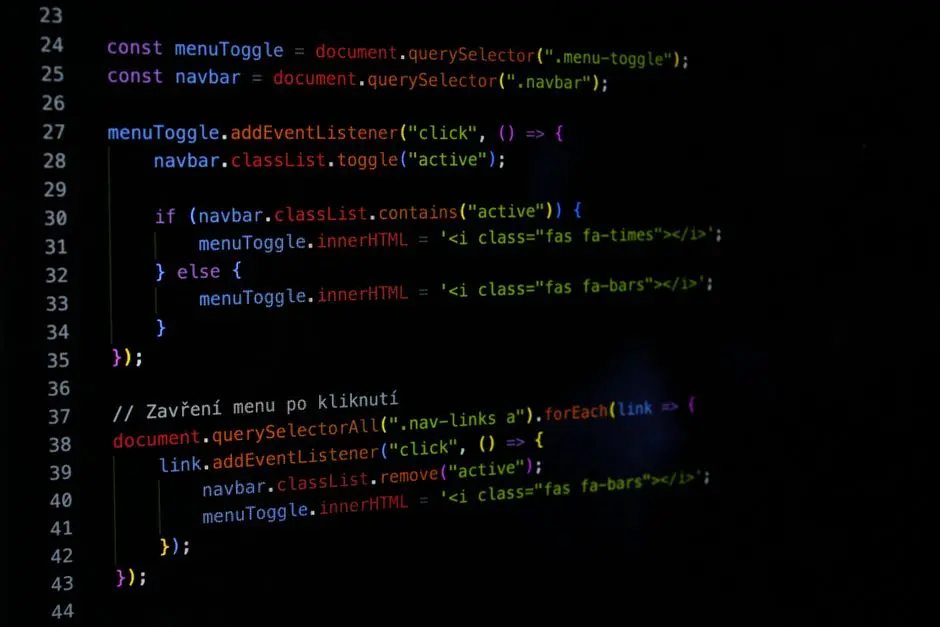
We stand at the frontier of interactive web development, where static content yields to dynamic, engaging user experiences. To sculpt interfaces that respond fluidly to user actions and application states, mastery over HTML classes and styles with JavaScript is not merely an advantage—it is a fundamental imperative. This guide unveils the strategic power of the classList API and the nuanced art of inline style manipulation. We will decode the core mechanisms that empower you to transform visual presentation on the fly, making your web applications come alive. Understanding these techniques is crucial for anyone venturing into the dynamic realm of DOM and browser interface manipulation, offering the leverage to build sophisticated, performant, and maintainable user interfaces. Prepare to engineer interactive elements, animate transitions, and craft responsive designs that elevate the user journey from passive observation to active engagement. Forge ahead as we dismantle complexity, empowering you to command the visual symphony of the web.
Activate Visual Command: Bridging HTML, CSS, and JavaScript
We initiate the journey by recognizing the Document Object Model (DOM) as the critical interface connecting JavaScript to the structural and stylistic fabric of our web pages. The DOM transforms a static HTML document into a dynamic, interactive object tree, where every element becomes a node accessible and mutable through JavaScript. While CSS meticulously defines the aesthetic rules, JavaScript serves as the conductor, orchestrating when and how those rules apply to bring our interfaces to life.
We forge dynamic UIs not merely by applying styles, but by strategically altering the classes and inline styles of elements in response to user actions, data changes, or application states. This empowers us to create captivating experiences: a navigation menu that expands on click, a form field that highlights on focus, or an entire theme that shifts at the user's command. The imperative for this dynamic control stems from the need to synchronize behavioral logic (JavaScript) with presentation logic (CSS). Static CSS, by its nature, cannot anticipate the myriad ways users will interact with our applications; JavaScript fills this gap with precision and power.
Our initial command involves element selection. We leverage methods like document.getElementById() for direct, high-performance targeting of unique elements, and document.querySelector() or document.querySelectorAll() for versatile, CSS-selector-based targeting. querySelector provides the flexibility to pinpoint elements based on complex CSS rules, ensuring we acquire the exact nodes we intend to manipulate. This foundational step is non-negotiable; we cannot command what we cannot precisely target.
Understanding the DOM's role as a live, mutable representation of our HTML is paramount. We are not just changing text; we are interacting with a structured data model that reflects the browser's current rendering state. Every modification we make through JavaScript has the potential to trigger recalculations in the browser's rendering engine, a concept we must respect to maintain performance. This section lays the groundwork for all subsequent style and class manipulations, establishing our ability to identify and prepare elements for dynamic visual transformation.
// We initiate selection: Acquiring elements to command.
// Utilize querySelector for flexible element targeting based on CSS selectors.
const myElement = document.querySelector('#dynamic-section');
const allButtons = document.querySelectorAll('.interactive-button');

// For specific scenarios, direct ID access offers performance leverage.
const headerElement = document.getElementById('mainHeader');

// Confirm our acquisition: Logging ensures command readiness.
// Ensure corresponding HTML elements (e.g., <div id="dynamic-section">) exist for code execution.
if (myElement) {
    console.log('Target element acquired:', myElement);
} else {
    console.warn('Target element #dynamic-section not found. Re-evaluate selector strategy.');
}

if (allButtons.length > 0) {
    console.log(`Commanding ${allButtons.length} interactive buttons.`);
    allButtons.forEach((button, index) => {
        console.log(`Button ${index + 1}:`, button);
    });
} else {
    console.warn('No elements with class .interactive-button found.');
}

if (headerElement) {
    console.log('Header element acquired:', headerElement);
} else {
    console.warn('Header element #mainHeader not found.');
}Engineer Semantic Control: The classList API Unleashed
We engineer semantic control over element presentation through the classList API, a sophisticated interface that empowers us to manage CSS classes with unparalleled precision and clarity. This API decisively replaces older, more cumbersome methods like directly manipulating element.className, which often led to errors when managing multiple classes or required complex string parsing. classList offers a collection of methods that treat classes as discrete tokens, enabling atomic operations.
add(className1, className2, ...): We activate this method to append one or more classes to an element's existing list. This is foundational for forging new states, such as adding an'is-active'class to a selected navigation item or a'has-error'class to an invalid form field.remove(className1, className2, ...): We deployremove()to strip one or more classes, effectively reverting an element from a specific state. This is crucial for deactivating elements or clearing temporary visual effects.toggle(className, force): This method is the workhorse of interactivity. If the specified class exists,toggle()removes it; otherwise, it adds it. The optionalforceargument (a boolean) allows us to conditionally add (true) or remove (false) a class, ensuring a specific state regardless of its current presence. We leveragetoggle()for features like light/dark mode switches, expanding/collapsing sections, or showing/hiding modals.contains(className): We utilizecontains()to query an element for the presence of a specific class. This returns a boolean, serving as a critical control point for conditional logic within our JavaScript. It allows us to build robust state machines that respond intelligently to current visual attributes.replace(oldClass, newClass): This method offers a surgical way to swap one class for another. It's ideal for evolving states, such as changing a'pending'status to a'completed'status, ensuring a smooth transition without intermediate states.
The strategic power of classList lies in its promotion of separation of concerns. CSS defines what an element looks like in a given state, and JavaScript dictates when an element assumes that state by manipulating its classes. We avoid the common pitfall of embedding styling logic directly in JavaScript; instead, we engineer a clean interface where JavaScript triggers CSS-defined visual transformations. This approach yields highly maintainable code, leverages the full power of CSS for transitions and animations, and makes our applications more performant by offloading visual rendering logic to the browser's optimized CSS engine.
// We activate the classList API: A surgical tool for semantic styling.
// Ensure an element with id="interactiveBox" exists in your HTML.
const targetElement = document.getElementById('interactiveBox');

if (targetElement) {
    // Step 1: Add a class - Forging initial state or new features.
    targetElement.classList.add('active-state', 'highlight-effect');
    console.log('Classes after add:', targetElement.classList); // Should include active-state, highlight-effect

    // Step 2: Remove a class - Reverting state or disabling features.
    targetElement.classList.remove('highlight-effect');
    console.log('Classes after remove:', targetElement.classList); // highlight-effect should be gone

    // Step 3: Toggle a class - The command for interactivity.
    // If 'hidden' is present, it removes it. If not, it adds it.
    targetElement.classList.toggle('hidden'); // Adds 'hidden'
    console.log('Classes after first toggle (added hidden):', targetElement.classList);

    targetElement.classList.toggle('hidden'); // Removes 'hidden'
    console.log('Classes after second toggle (removed hidden):', targetElement.classList);

    // Optional second argument for toggle: Force add (true) or remove (false).
    targetElement.classList.toggle('force-active', true); // Ensures 'force-active' is added
    console.log('Classes after forced add:', targetElement.classList);

    targetElement.classList.toggle('force-active', false); // Ensures 'force-active' is removed
    console.log('Classes after forced remove:', targetElement.classList);

    // Step 4: Check for existence - Guiding conditional logic.
    const isActive = targetElement.classList.contains('active-state');
    console.log('Contains "active-state"?', isActive); // Should be true

    // Step 5: Replace a class - Evolving visual states seamlessly.
    // Replaces 'active-state' with 'current-state'. If 'active-state' doesn't exist, no change occurs.
    targetElement.classList.replace('active-state', 'current-state');
    console.log('Classes after replace:', targetElement.classList); // active-state is replaced by current-state

    // Error handling consideration: Attempting to remove a non-existent class is safe and produces no error.
    targetElement.classList.remove('non-existent-class');
    console.log('Classes after removing non-existent class (no error):', targetElement.classList);
} else {
    console.error('Element #interactiveBox not found. Cannot proceed with classList operations. Ensure HTML element is present.');
}
Decode Direct Styling: Precision Control with the style Property
We decode direct style manipulation through the element.style property, which grants us granular, imperative control over an element's inline CSS. While classList champions semantic states via pre-defined CSS rules, element.style is our tool for precision overrides, dynamic positioning, or user-defined customizations where a specific, often calculated, style value is required directly on an element. This method operates on the style attribute of an HTML element, affording it high precedence over styles defined in external stylesheets or <style> blocks.
A critical concept to master here is the translation of CSS property names to their JavaScript counterparts. We transform kebab-case CSS properties (e.g., background-color, font-size) into camelCase in JavaScript (backgroundColor, fontSize). This convention is non-negotiable for correct property assignment. For example, to set an element's background color, we write element.style.backgroundColor = 'red', not element.style.background-color = 'red'.
When we set a style property using element.style, we are directly injecting an inline style into the element's style attribute in the HTML. To remove an inline style, we simply assign an empty string to the property (e.g., element.style.padding = ''). This action reverts the style declaration for that property, allowing any inherited or stylesheet-defined values to take effect.
For more advanced scenarios, especially when dealing with CSS custom properties (variables) or properties containing hyphens that aren't easily camelCased, we leverage element.style.setProperty(propertyName, value, priority) and element.style.removeProperty(propertyName). setProperty() allows us to set any CSS property with a value and an optional priority (e.g., 'important'). This is particularly potent for dynamically adjusting CSS variables defined on the :root element, allowing us to implement comprehensive theme switching with minimal code.
We must acknowledge the performance implications of frequent inline style manipulation. Each modification can potentially trigger browser reflows (recalculating element positions and sizes) and repaints (redrawing elements), which are computationally expensive. We engineer strategies to minimize these operations, often by batching changes or, as we will explore, by leveraging CSS transitions for smooth visual updates triggered by class changes.
// We decode direct styling: Commanding individual visual properties.
// Ensure an element with id="dynamicStyleBox" exists in your HTML.
const styledElement = document.getElementById('dynamicStyleBox');

if (styledElement) {
    // Step 1: Set individual inline styles using camelCase.
    // Note: CSS properties like 'background-color' become 'backgroundColor' in JavaScript.
    styledElement.style.backgroundColor = '#2c3e50'; // Dark background
    styledElement.style.color = '#ecf0f1'; // Light text
    styledElement.style.padding = '15px';
    styledElement.style.border = '2px solid #3498db'; // Blue border
    styledElement.style.borderRadius = '8px'; // Rounded corners
    styledElement.style.fontSize = '1.1em'; // Font size

    console.log('Inline styles set:', styledElement.style.cssText); // Displaying all inline styles as a string

    // Step 2: Remove an inline style - Reverting to CSS or default.
    // Setting a style property to an empty string effectively removes the inline style.
    styledElement.style.padding = '';
    console.log('Inline styles after padding removal:', styledElement.style.cssText);

    // Step 3: Using setProperty and removeProperty for granular control.
    // These methods are particularly robust for properties with hyphens and for CSS custom properties.
    styledElement.style.setProperty('font-weight', 'bold');
    console.log('Inline styles after setProperty (font-weight):', styledElement.style.cssText);

    styledElement.style.removeProperty('border-radius');
    console.log('Inline styles after removeProperty (border-radius):', styledElement.style.cssText);

    // Step 4: Accessing computed styles for read-only purposes.
    // getComputedStyle provides the *actual* style of an element after all CSS rules,
    // inline styles, and user-agent styles have been applied. It's read-only.
    const computedStyle = window.getComputedStyle(styledElement);
    console.log('Computed font size:', computedStyle.fontSize);
    console.log('Computed background color:', computedStyle.backgroundColor);

} else {
    console.error('Element #dynamicStyleBox not found. Cannot proceed with style manipulation. Ensure HTML element is present.');
}
Optimize Performance: Strategic Styling and Advanced Interactions
We move to optimize our command over visual interactions, transforming basic manipulations into sophisticated, performant experiences. The strategic choice between classList and direct element.style manipulation significantly impacts performance and maintainability. We prioritize a proactive approach to prevent browser bottlenecks like excessive reflows and repaints.
- Batching DOM Changes: We engineer for efficiency by batching multiple style changes. Instead of modifying individual style properties one by one in rapid succession, which can force the browser to recalculate layout after each change, we aim to apply a group of changes at once. For complex animations, we leverage
window.requestAnimationFrame(). This API instructs the browser to perform an animation before the next repaint, ensuring smoothness and synchronization with the browser's rendering cycle. By letting CSS handle transitions and animations, triggered by JavaScript class toggles, we offload complex rendering work to the browser's highly optimized engine. - Leveraging CSS Transitions and Animations: We activate CSS for declarative animations. Instead of manually interpolating style values with JavaScript, we apply a class (via
classList.toggle()) that triggers pre-defined CSS transitions or keyframe animations. This approach leverages the GPU for smoother animations, often resulting in superior performance compared to JavaScript-driven style interpolation. JavaScript becomes the orchestrator, initiating the animation, while CSS executes it fluidly. - Commanding CSS Custom Properties (Variables): We unlock a powerful lever for theme management and dynamic styling by manipulating CSS custom properties with JavaScript. By defining variables (e.g.,
--primary-color) at the:rootlevel in our CSS, we can change numerous related styles across the entire application by merely updating a single CSS variable's value viadocument.documentElement.style.setProperty('--primary-color', 'new-color'). This method provides centralized control and vastly simplifies complex theme switching or user-customizable interfaces, dramatically reducing the JavaScript code required for comprehensive style alterations.
We decode common pitfalls to avoid: over-reliance on direct element.style for every visual change, leading to bloated JavaScript and poor maintainability; and neglecting CSS for animations, resulting in choppy user experiences. Our strategic choice is clear: use classList for semantic, state-driven styling that leverages CSS's declarative power, and reserve element.style for truly unique, calculated, or single-instance overrides. This blend of algorithmic rigor and system thinking transforms complex visual challenges into actionable, high-performance solutions, pushing the frontiers of interactive web development.
// We optimize and strategize: Forging efficient, advanced visual interactions.
// Ensure HTML elements with ids 'animatedContainer' exist, and that CSS variables are defined on :root.
// Example HTML/CSS setup:
// <div id="animatedContainer" style="width:100px; height:100px; background-color:var(--primary-color);">Click Me</div>
// :root { --primary-color: #3498db; --text-color: #ecf0f1; --border-color: #e74c3c; }

const dynamicContainer = document.getElementById('animatedContainer');
const rootElement = document.documentElement; // Target for CSS custom properties

if (dynamicContainer && rootElement) {
    // Strategy 1: Batching DOM changes for performance.
    // We minimize reflows/repaints by applying multiple style changes in one go.
    function animateBox() {
        // Apply multiple style changes within a single operation for efficiency.
        // Leveraging CSS transitions for the visual smoothness.
        dynamicContainer.style.width = '200px';
        dynamicContainer.style.height = '200px';
        dynamicContainer.style.backgroundColor = '#e74c3c';
        dynamicContainer.style.transform = 'rotate(45deg)';
        dynamicContainer.style.transition = 'all 0.5s ease-in-out'; // Leverage CSS for transitions

        // After a delay, revert to original state.
        // Ensure the original background color respects the current theme if applicable.
        setTimeout(() => {
            dynamicContainer.style.width = '100px';
            dynamicContainer.style.height = '100px';
            // Fetch current CSS variable for consistency in themes.
            dynamicContainer.style.backgroundColor = getComputedStyle(rootElement).getPropertyValue('--primary-color');
            dynamicContainer.style.transform = 'rotate(0deg)';
        }, 1000);
    }

    // We activate animation on click. Attach event listener.
    dynamicContainer.addEventListener('click', animateBox);
    console.log('Click on the container to see batched style changes and CSS transition in action.');

    // Strategy 2: Commanding CSS Custom Properties (Variables) with JavaScript.
    // This empowers global theme changes or dynamic calculations efficiently.
    function setTheme(themeName) {
        if (themeName === 'dark') {
            rootElement.style.setProperty('--primary-color', '#2c3e50');
            rootElement.style.setProperty('--text-color', '#ecf0f1');
            rootElement.style.setProperty('--border-color', '#3498db');
            dynamicContainer.classList.add('dark-theme-active'); // Add a class for specific elements' overrides
            console.log('Theme set to Dark.');
        } else {
            rootElement.style.setProperty('--primary-color', '#ecf0f1');
            rootElement.style.setProperty('--text-color', '#2c3e50');
            rootElement.style.setProperty('--border-color', '#e74c3c');
            dynamicContainer.classList.remove('dark-theme-active');
            console.log('Theme set to Light.');
        }
        // We ensure the body background and text color also reflect the theme.
        document.body.style.backgroundColor = getComputedStyle(rootElement).getPropertyValue('--primary-color');
        document.body.style.color = getComputedStyle(rootElement).getPropertyValue('--text-color');
    }

    // We demonstrate theme switching at an interval.
    let isDark = false;
    setInterval(() => {
        isDark = !isDark;
        setTheme(isDark ? 'dark' : 'light');
    }, 3000); // Toggle theme every 3 seconds for demonstration

} else {
    console.error('Elements #animatedContainer or rootElement not found. Cannot proceed with advanced interactions. Ensure HTML elements are present.');
}
Key Takeaways
Mastering Dynamic Visuals: Core Principles
We have navigated the landscape of dynamic HTML class and style manipulation with JavaScript. To consolidate our command, remember these core principles:
- The DOM as Our Canvas: Understand the Document Object Model as the programmatic interface for every visual element. Our ability to select elements (
document.querySelector,document.getElementById) forms the bedrock of all interaction. classListfor Semantic States: Forge interactive experiences by leveraging theclassListAPI (add,remove,toggle,contains,replace). This method champions separation of concerns, mapping application states to CSS class definitions for clean, maintainable, and performant styling.element.stylefor Precision Overrides: Activate direct style manipulation (element.style.propertyName) for highly specific, calculated, or user-defined visual adjustments. Decode the necessity of camelCase for CSS property names and recognize the power ofsetPropertyfor advanced scenarios, including CSS custom properties.- Performance is Paramount: Optimize our implementations by batching DOM changes, minimizing reflows, and delegating complex animations to CSS transitions or
requestAnimationFrame. We engineer for speed and fluidity, ensuring our dynamic UIs remain responsive. - Strategic Integration: We choose the right tool for the job:
classListfor state-driven styling andelement.stylefor granular, often temporary, visual overrides. This strategic approach empowers us to build robust, engaging, and high-performance web applications.
FAQ
-
What is the primary difference between classList and element.style?
classListmanages CSS classes, enabling semantic control and leveraging pre-defined CSS rules for visual states. It promotes separation of concerns, keeping presentation logic in CSS.element.styledirectly manipulates inline CSS properties, offering granular control for specific, often calculated, or user-defined style overrides. We forge declarative styling withclassListand imperative styling withelement.style. -
When should we prioritize classList over direct element.style manipulation?
Prioritize
classListfor most interactive UI changes, theme switching, or state management (e.g., active/inactive, expanded/collapsed). It fosters cleaner code, better maintainability, and allows CSS to handle transitions and animations declaratively. We activateclassListwhen styling is primarily about defining states and behaviors through existing CSS rules. -
How can we minimize performance issues when dynamically modifying styles?
Engineer performance by batching DOM manipulations, reducing reflows and repaints. We leverage CSS transitions and animations for visual changes, triggering them via
classListtoggles rather than directly animating individual style properties with JavaScript. For complex animations, we utilizerequestAnimationFrame. We also command CSS custom properties to alter multiple related styles efficiently from a single JavaScript point.