
> Python > Python Testing and Debugging > Elevate Python: Static Analysis for Pre-Runtime Excellence
Elevate Python: Static Analysis for Pre-Runtime Excellence
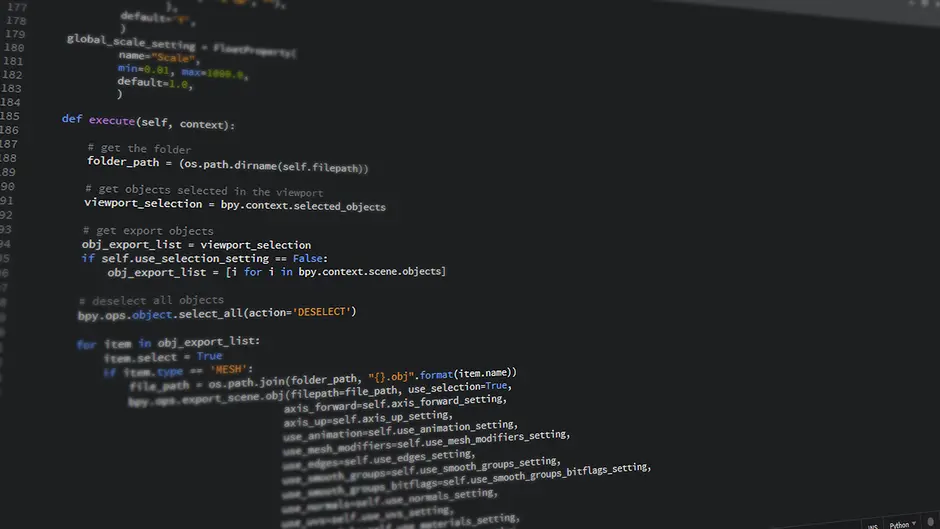
Imagine a world where your Python applications proactively identify defects, inconsistencies, and potential security vulnerabilities before a single line of code ever executes. This is not a futuristic vision; it's the tangible power of static code analysis. We embark on a critical expedition to master this indispensable discipline, architecting solutions that detect issues early, significantly enhance code quality, and dramatically reduce costly debugging cycles. Mastering static analysis for Python projects activates a transformative lever in your development process. It's an essential component of a robust strategy for maintaining high-quality code and effective debugging processes, building a resilient and maintainable codebase. This article decodes the core principles, equips you with the essential tools, and engineers a seamless integration strategy, empowering your team to forge a superior development workflow.
Unveil Code Flaws: Static Analysis Core Principles
Static code analysis represents a foundational pillar in the pursuit of software excellence. We define it as the systematic examination of source code without executing the program. This process rigorously scrutinizes your codebase for patterns indicative of potential bugs, stylistic inconsistencies, security vulnerabilities, and adherence to coding standards. Contrast this with dynamic analysis, which inspects code behavior during runtime; static analysis offers an invaluable proactive shield, detecting issues before they manifest as costly runtime failures or performance bottlenecks.
The benefits are profound and immediate. First, we secure early detection: identifying flaws at the development stage, where remediation costs are minimal. Second, we establish consistent code quality: ensuring all team members adhere to a unified set of guidelines, fostering readability and maintainability. Third, we elevate code maintainability: a clean, consistent codebase is inherently easier to understand, debug, and extend. Fourth, we strengthen security: specific analyzers target common vulnerabilities, preemptively closing potential exploits. Engineers typically utilize abstract syntax trees (ASTs) to represent the code structure, then apply pattern matching, data flow analysis, and control flow analysis algorithms to identify deviations from defined rules or known problematic constructs. This systematic rigor transforms the development process, shifting from reactive bug-fixing to proactive quality assurance.
# Example: A Python script with common linting issues
# Save this as 'bad_code.py'

import os # Unused import

def calculate_area(length, width): # Missing docstring, variable shadowing
    area = length * width
    # Another variable named 'area' in the same scope - potential shadowing or redefinition
    area = int(area)
    print(f"The area is {area}") # Missing f-string literal prefix
    return area

def unused_function(): # Unused function
    pass

PI = 3.14159 # Global constant should be in UPPER_SNAKE_CASE by convention

def main():
    l = 10 # Short variable name, not descriptive
    w = 5  # Short variable name, not descriptive
    result = calculate_area(l, w)
    if result > 0: print("Area calculated successfully.") # Multiple statements on one line

if __name__ == "__main__":
    main()

# To run a linter against this code (e.g., Flake8):
# 1. Install Flake8: pip install flake8
# 2. Run: flake8 bad_code.py
# You will observe various warnings and errors reported by Flake8.
Activate Your Toolkit: Key Python Static Analyzers
A robust static analysis strategy hinges upon deploying the correct tools for specific objectives. We engineer our Python development environment with a curated selection of powerful analyzers, each serving a distinct purpose in elevating code quality. Flake8 emerges as a foundational standard, consolidating three critical components: Pyflakes for unused imports and undefined names, pycodestyle (formerly pep8) for PEP 8 compliance, and McCabe for cyclomatic complexity checks. It's lightweight, fast, and highly effective for initial linting.
For deeper, more opinionated analysis, we activate Pylint. This tool performs extensive checks, covering everything from coding standard violations and potential errors to code smells and refactoring opportunities. Pylint often requires more configuration to tailor its verbosity to a project's needs, but its depth uncovers subtle issues Flake8 might miss. To enforce type consistency and catch type-related errors before runtime, Mypy is indispensable. It performs static type checking based on type hints (PEP 484), providing a crucial layer of safety for larger, more complex codebases. Furthermore, for security-centric projects, Bandit steps forward as a specialized tool designed to find common security issues in Python code. While not strictly static analysis in the same vein, tools like Black (an uncompromising code formatter) and isort (an import sorter) complement the suite by enforcing consistent formatting, reducing cognitive load during code reviews and preventing entire classes of stylistic arguments. We select our tools strategically, building a comprehensive shield against defects.
# Example: pyproject.toml configuration for Flake8, Pylint, and Black
# This file should be placed in your project's root directory.

# Install the tools first:
# pip install flake8 pylint black mypy isort bandit pre-commit

[tool.flake8]
max-line-length = 120
ignore = ["E203", "W503"] # E203: Whitespace before ':', W503: Line break before binary operator
exclude = [".git", "__pycache__", "venv", "env", "docs", "*/migrations/*"]
max-complexity = 10 # McCabe complexity check

[tool.pylint."MESSAGES CONTROL"]
disable = [
    "missing-module-docstring",
    "missing-function-docstring",
    "redefined-outer-name", # Example of a common disable
    "line-too-long" # Handled by flake8 or black
]

[tool.black]
line-length = 120
target-version = ['py38', 'py39', 'py310', 'py311', 'py312']
incl = "\\.pyi?$"
skip-string-normalization = true

[tool.mypy]
python_version = "3.10"
warn_unused_ignores = true
show_error_codes = true
ignore_missing_imports = true # Temporarily ignore until all deps are typed
plugins = "pydantic.mypy"

[tool.isort]
profile = "black"
multi_line_output = 3
include_trailing_comma = true
force_grid_wrap = 0
use_parentheses = true
ensure_newline_before_comments = true
line_length = 120

# Example of running these tools from the command line:
# flake8 path/to/your/project
# pylint path/to/your/project
# black path/to/your/project --check --diff
# mypy path/to/your/project
# isort path/to/your/project --check --diff
# bandit -r path/to/your/project
Engineer Seamless Checks: CI/CD Integration
Integrating static analysis seamlessly into your development workflow transforms it into a powerful, automated quality gate. We initiate this integration at two critical junctures: local development environments and continuous integration/continuous deployment (CI/CD) pipelines. Locally, pre-commit hooks represent an immediate enforcement mechanism. Tools like pre-commit allow developers to define a suite of checks that run automatically before each commit, preventing problematic code from even reaching the version control system. This immediate feedback loop empowers developers to self-correct issues instantaneously, reducing the burden on reviewers and maintaining a clean commit history.
Extending this vigilance, we embed static analysis directly into our CI/CD pipelines. Platforms like GitHub Actions, GitLab CI, or Jenkins execute these checks automatically on every push or pull request. This ensures that only code conforming to project standards and free of detectable issues can merge into main branches. We forge robust configurations within our CI/CD setups, defining strict rulesets, establishing acceptable thresholds for warnings, and leveraging baseline analysis to track new issues versus inherited technical debt. A critical best practice involves making these checks non-blocking for warnings but blocking for errors, allowing minor stylistic suggestions to surface without halting development, while critical issues prevent code progression. We meticulously manage false positives by carefully configuring tool exclusions and understanding their limitations, ensuring that the analysis augments, rather than impedes, developer productivity. This dual-layered integration guarantees unwavering code quality across the entire development lifecycle.
# Example: .pre-commit-config.yaml for local hooks
# Install pre-commit: pip install pre-commit
# Initialize in your repo: pre-commit install
# Save this as '.pre-commit-config.yaml' in your project root

repos:
  - repo: https://github.com/pre-commit/pre-commit-hooks
    rev: v4.5.0
    hooks:
      - id: check-yaml
      - id: end-of-file-fixer
      - id: trailing-whitespace
      - id: debug-statements

  - repo: https://github.com/PyCQA/flake8
    rev: 6.1.0
    hooks:
      - id: flake8
        additional_dependencies: ["pycodestyle==2.11.1", "pyflakes==3.1.0"]

  - repo: https://github.com/psf/black
    rev: 23.12.1 # Use a fixed version
    hooks:
      - id: black
        language_version: python3.11 # Or your project's Python version

  - repo: https://github.com/PyCQA/isort
    rev: 5.12.0
    hooks:
      - id: isort
        args: ["--profile", "black"]

# Example: .github/workflows/python-ci.yml for GitHub Actions
# This workflow runs linters on every push and pull request

name: Python CI/CD

on:
  push:
    branches: [ "main", "develop" ]
  pull_request:
    branches: [ "main", "develop" ]

jobs:
  lint_and_test:
    runs-on: ubuntu-latest
    steps:
    - uses: actions/checkout@v4
    - name: Set up Python
      uses: actions/setup-python@v5
      with:
        python-version: '3.10'
    - name: Install dependencies
      run: |
        python -m pip install --upgrade pip
        pip install flake8 pylint black mypy isort bandit
        pip install -r requirements.txt # If you have a requirements.txt
    - name: Run Flake8
      run: |
        flake8 . --count --select=E9,F63,F7,F82 --show-source --statistics
        flake8 . --count --exit-zero --max-complexity=10 --max-line-length=120 --statistics
    - name: Run Pylint
      run: pylint $(find . -name "*.py" -not -path "./.venv/*")
    - name: Run Black (check only)
      run: black . --check --diff
    - name: Run Mypy
      run: mypy .
    - name: Run Bandit
      run: bandit -r . -ll -iii
    # Add your unit/integration tests here
    - name: Run tests
      run: pytest # Example, assuming you use pytest
Optimize & Master: Advanced Strategies for Code Quality
Mastering static analysis extends beyond basic tool activation; it demands strategic optimization and a deep understanding of its nuances. We unlock advanced capabilities by finely tuning tool configurations. This includes crafting custom rules or extending existing ones where tools like Pylint offer plugin architectures, allowing us to enforce project-specific conventions that standard linters might miss. Furthermore, we implement baseline analysis, a critical strategy for brownfield projects. This involves running an initial analysis and treating the existing issues as a 'baseline,' then configuring the CI/CD pipeline to only fail on *new* issues introduced after the baseline, preventing analysis paralysis on legacy code while still enforcing quality for new contributions.
We decode common pitfalls to avoid them. Over-configuration, where developers spend excessive time fine-tuning rulesets that yield marginal benefits, can be counterproductive. Equally detrimental is the blanket suppression of warnings or, conversely, ignoring valid feedback from the tools. A surgical approach demands understanding *why* an issue is flagged and addressing its root cause, rather than merely silencing the warning. We integrate static analysis into mentorship and code review processes, transforming it into an educational instrument. Senior developers leverage its output to guide junior team members on best practices, while code reviews become more focused on architectural design and business logic, offloading stylistic and basic error checks to automation. Embracing future trends, we anticipate the role of AI-powered analysis platforms that promise even deeper semantic understanding and predictive defect identification. By proactively mastering these advanced strategies, we elevate our code quality from good to exceptional, forging a resilient and high-performing software ecosystem.
# Example: Advanced Pylint configuration demonstrating custom messages and checker disabling
# This can be part of your pyproject.toml or a dedicated .pylintrc file

# To apply Pylint with a custom configuration:
# pylint --rcfile=./.pylintrc path/to/your/module

# For pyproject.toml, it would be under [tool.pylint]

[tool.pylint.MASTER]
# List of categories to load, leave empty to load all. Default: 'all'
load-plugins = [
    'pylint.extensions.typing',
    'pylint.extensions.full_import_mode'
]

[tool.pylint.DESIGN]
# Maximum number of arguments for function or method (default: 5).
max-args=7

# Minimum number of public methods for a class (default: 2)
min-public-methods=1

[tool.pylint.FORMAT]
# Maximum line length (default: 100).
max-line-length=120

[tool.pylint."MESSAGES CONTROL"]
# Disable specific checks globally or for specific files/functions.
# Example: disable a specific warning 'missing-function-docstring' but enable a specific error 'unused-variable'
disable=missing-module-docstring, no-self-use
enable=unused-variable

# If you have custom checkers, they can be configured here too.

# Example of a simple custom check (conceptual, requires more setup than a snippet)
# Let's say we want to enforce a specific function naming convention for utility functions.
# This would typically involve writing a custom Pylint plugin.
# For illustrative purposes, imagine a checker that flags functions not starting with 'util_' in 'utils.py'
# This is more complex and involves creating a Python module for the checker.

# To achieve custom rules without full plugin development, sometimes specific tools (like SonarQube or linters
# with AST-based rule engines) offer more direct configuration options for complex patterns.

# For most projects, careful configuration of existing linters (like the comprehensive example above)
# and type checkers provides immense value without the overhead of custom plugin development.
Key Takeaways
Core Benefits of Static Analysis
Static analysis proactively identifies code issues before execution, leading to early defect detection, reduced debugging costs, enhanced code quality consistency, improved maintainability, and stronger security posture. It analyzes source code structure, patterns, and adherence to standards.
Essential Python Static Analysis Tools
Flake8 provides basic linting (style, unused vars, complexity). Pylint offers deeper, more opinionated semantic analysis. Mypy enforces static type checking. Bandit focuses on security vulnerabilities. Black and isort maintain consistent code formatting, complementing analysis.
Seamless Integration into Development Workflow
Integrate static analysis via local pre-commit hooks (e.g., using `pre-commit` framework) for immediate feedback. Embed checks into CI/CD pipelines (e.g., GitHub Actions) to automate quality gates on every push/PR. Configure checks to be non-blocking for warnings but blocking for critical errors.
Advanced Strategies for Mastery
Optimize configurations, implement baseline analysis for legacy projects, and actively manage false positives. Leverage static analysis output as a mentorship and code review tool. Avoid over-configuration and passive suppression; address root causes of flagged issues. Explore future AI-powered analysis.
FAQ
-
What is the fundamental difference between static and dynamic code analysis?
Static analysis rigorously examines your source code without executing it, identifying potential issues like syntax errors, coding standard violations, and security vulnerabilities based on patterns and rules. It's a 'pre-runtime' check. Dynamic analysis, conversely, scrutinizes code behavior during its execution. It reveals issues that only emerge at runtime, such as memory leaks, performance bottlenecks, or race conditions. Both are crucial for comprehensive code quality, but static analysis offers earlier detection and prevention.
-
Is static analysis sufficient to guarantee bug-free code?
No, static analysis is a powerful tool but not a silver bullet. It excels at finding a wide range of issues, especially stylistic inconsistencies, common errors, and potential vulnerabilities. However, it cannot guarantee complete bug freedom. Complex logical errors, runtime-dependent issues, or subtle integration problems often require dynamic analysis, unit testing, integration testing, and thorough manual testing to uncover. We recommend combining static analysis with a robust testing strategy for maximum effectiveness.
-
How do I choose the right static analysis tool for my Python project?
Selecting the optimal tool involves evaluating several factors: your project's size and complexity, the specific types of issues you aim to detect (e.g., style, type errors, security), team familiarity, and integration capabilities (CI/CD, IDEs). For a strong baseline, Flake8 is often a great starting point due to its balance of speed and utility. For deeper semantic analysis and type checking, Pylint and Mypy are indispensable. Security-focused projects demand Bandit. We recommend starting with a core set and expanding as your project's needs evolve, always prioritizing tools that integrate seamlessly into your workflow.
-
How can we effectively manage false positives generated by static analysis tools?
False positives are inevitable but manageable. Effective strategies include: fine-tuning tool configurations to disable irrelevant checks or adjust thresholds; using inline comments or directives (e.g.,
# noqafor Flake8,# pylint: disable=...for Pylint) judiciously for specific, unavoidable instances; and, crucially, understanding the tool's rationale behind a flag. We prioritize addressing the root cause when a real issue is identified, and selectively suppress only when confident it's a false positive, maintaining a balance between strictness and developer productivity.