
Engineer Swift Onboarding: YARD and README Mastery in Ruby
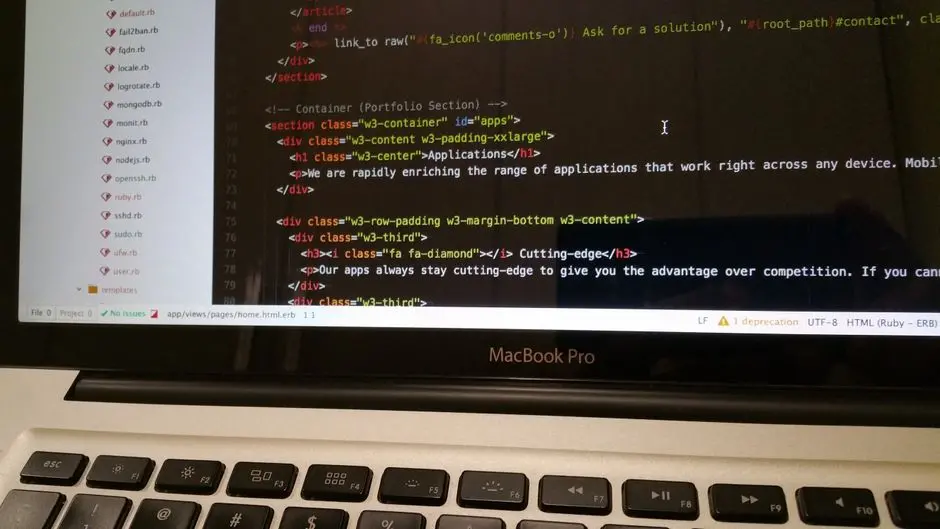
Unlock the power of pristine documentation to transform developer onboarding and amplify team productivity. Undocumented or poorly documented Ruby codebases erect formidable barriers, slowing down new hires and escalating maintenance costs. This guide dissects the definitive strategies for crafting superior documentation, leveraging the robust capabilities of YARD and the foundational clarity of well-structured READMEs.
We activate a methodology that not only clarifies your codebase but also solidifies institutional knowledge, ensuring every new developer integrates seamlessly and contributes rapidly. Embrace these techniques to cultivate an environment where knowledge transfer is efficient, code understanding is immediate, and project velocity soars. Mastering these documentation practices is a critical component for those targeting true career growth and advanced engineering within the Ruby ecosystem, driving both individual expertise and collective project success. Prepare to forge a documentation strategy that empowers your team and elevates your software development process.
Forge a Documentation Foundation: YARD's Core Power
Effective documentation is not merely an afterthought; it is a strategic investment that pays dividends in team velocity and codebase stability. For Ruby projects, YARD emerges as the unparalleled standard, enabling developers to embed rich, structured documentation directly within the code. This approach ensures that documentation lives alongside the source, reducing discrepancies and simplifying maintenance. YARD parses your Ruby code and its embedded comments, transforming them into comprehensive, navigable HTML documentation, similar to JavaDoc or RDoc but with enhanced flexibility and power.
To activate YARD's capabilities, initiate its integration into your project's development dependencies. We mandate YARD inclusion in the Gemfile to standardize its use across the team. Once integrated, YARD empowers you to document classes, modules, and methods with specific tags that convey crucial information: types, return values, parameters, and more. Understanding basic YARD tags is the entry point. The @param tag clarifies method arguments, specifying type and purpose. The @return tag declares the expected output. We use @example to provide concrete usage scenarios, which are invaluable for new developers. These initial steps are not just about adding comments; they represent a conscious act of knowledge transfer, meticulously encoding the 'why' and 'how' directly into the codebase. This method transforms the code itself into a self-documenting asset, significantly reducing the cognitive load for anyone new to the project.
# Gemfile
# Add YARD to your development dependencies
gem 'yard', '~> 0.9.30', :group => :development

# app/models/user.rb
# Documenting a basic Ruby class and method with YARD

# @author [John Doe] <john.doe@example.com>
# @version 1.0.0
# @abstract
# Represents a user within the system.
# Provides functionalities for user authentication and profile management.
class User
  # @return [String] The user's full name.
  attr_accessor :full_name

  # Initializes a new User instance.
  # @param full_name [String] The full name of the user.
  # @raise [ArgumentError] If full_name is nil or empty.
  def initialize(full_name)
    raise ArgumentError, 'Full name cannot be empty' if full_name.nil? || full_name.strip.empty?
    @full_name = full_name
  end

  # Generates a greeting message for the user.
  # @return [String] A personalized greeting.
  # @example
  #   user = User.new("Alice Wonderland")
  #   user.greet # => "Hello, Alice Wonderland! Welcome to the system."
  def greet
    "Hello, #{full_name}! Welcome to the system."
  end

  # Authenticates the user based on a provided password.
  # This is a placeholder for actual authentication logic.
  # @param password [String] The password to authenticate with.
  # @return [Boolean] true if authentication is successful, false otherwise.
  # @note For a production system, implement secure password hashing and comparison.
  def authenticate(password)
    # Placeholder: In a real app, compare hashed passwords.
    password == 'secret123' # This is insecure for demonstration purposes only
  end
end

# console (bash/zsh)
# First, ensure YARD is installed:
# bundle install

# Generate YARD documentation:
# yard doc

# To view the generated documentation in your browser:
# yard server --browser
Activate Advanced YARD: Elevating Documentation Depth
Move beyond basic annotations and leverage YARD's full spectrum of capabilities to construct truly comprehensive documentation. Mastering advanced YARD techniques ensures every facet of your Ruby codebase, from intricate module interactions to dynamic metaprogramming patterns, is explicitly documented. We integrate specialized tags such as @note for critical advisories, @see for cross-referencing related components, and @api to explicitly declare public interfaces, guiding consumers on intended usage patterns. These tags add layers of context that are indispensable for complex systems.
Documenting attribute accessors requires a specific syntax with @!attribute, allowing you to detail read/write permissions and expected types. Furthermore, for methods that accept blocks, the @yield, @yieldparam, and @yieldreturn tags precisely describe the block's behavior, parameters, and return value. This level of detail eliminates guesswork, empowering new developers to interact with sophisticated APIs confidently. We also engineer YARD into continuous integration (CI) pipelines. Configure your CI to run yard doc on every push to automatically detect documentation syntax errors or generate and publish updated documentation, maintaining a living, always-current reference. This automation strategy prevents documentation drift and reinforces a culture of documentation rigor, ensuring that every codebase evolution is reflected in its documentation. This proactive approach cements documentation as an integral part of the development lifecycle, not an optional add-on.
# app/services/reporting_service.rb
# Demonstrating advanced YARD features including custom tags, yields, and attributes

# @author [Jane Doe]
# @version 1.1.0
# @note This service aggregates various reporting metrics.
#   Consider performance implications for large datasets.
# @see User An example of a related class for context.
module ReportingService
  # @!attribute [r] report_data
  #   @return [Hash] The raw data for the generated report.
  attr_reader :report_data

  # @yield [report] Gives the generated report data to a block.
  # @yieldparam report [Hash] The report data processed by the block.
  # @yieldreturn [void] This block does not return a value.
  # @api public
  # Generates a comprehensive report based on specified criteria.
  # @param start_date [Date] The beginning of the reporting period.
  # @param end_date [Date] The end of the reporting period.
  # @option options [Symbol] :format (:csv) The output format for the report.
  # @option options [Boolean] :include_details (false) Whether to include granular details.
  # @return [String] A path to the generated report file.
  # @raise [ArgumentError] If start_date is after end_date.
  def self.generate_report(start_date, end_date, options = {}, &block)
    raise ArgumentError, 'Start date cannot be after end date' if start_date > end_date

    # Default options
    options = { format: :csv, include_details: false }.merge(options)

    # Simulate report data generation
    report = {
      period: "#{start_date} to #{end_date}",
      format: options[:format],
      details_included: options[:include_details],
      metrics: { sales: 1000, users: 500 }
    }
    @report_data = report # For demonstration, normally an instance var

    if block_given?
      yield(report)
      puts "Block processed report with format: #{options[:format]}" # Example of block usage
    end

    # Simulate saving report to a file
    report_file_path = "reports/report_#{Time.now.to_i}.#{options[:format]}"
    File.open(report_file_path, 'w') { |f| f.write(report.to_json) } # Using JSON for simplicity
    report_file_path
  end
end

# console (bash/zsh)
# Generate documentation again to include new definitions:
# yard doc

# Example of using the service in irb or a script:
# require 'date'
# require 'json'
# require './app/services/reporting_service.rb'
#
# ReportingService.generate_report(Date.today - 7, Date.today, format: :json, include_details: true) do |report|
#   puts "Report generated: #{report[:period]}"
#   puts "Sales: #{report[:metrics][:sales]}, Users: #{report[:metrics][:users]}"
# end

# You can also document attributes directly:
# class MyClass
#   # @!attribute [rw] my_attribute
#   #   @return [String] The description of my_attribute.
#   attr_accessor :my_attribute
# end
Engineer Effective READMEs: The Project's First Impression
The README.md file stands as the front door to any Ruby project, serving as the initial touchpoint for new developers, potential contributors, and even seasoned team members revisiting the codebase. A compelling README is not just a summary; it is an onboarding accelerant, a quick-start guide, and a living reference. We mandate a structured approach to README construction, ensuring critical information is immediately accessible and actionable.
Initiate your README with a clear, concise project overview that states the project's purpose and core value proposition. Follow this with a comprehensive Setup and Installation section. This is a crucial leverage point for rapid onboarding. Deconstruct the setup process into logical, numbered steps: cloning the repository, installing dependencies, configuring the database, and launching the application. Include all necessary commands and specify prerequisites like Ruby version or database systems. Any omissions here generate immediate friction for new developers. Develop a dedicated Usage section that provides simple, real-world examples of how to interact with the application or library. Include code snippets or command-line instructions. Forge a Contributing section that outlines how others can contribute, linking to more detailed guidelines if necessary. Finally, include sections for Testing, License, and Contact information. These elements collectively transform a simple Markdown file into a comprehensive resource, significantly reducing the learning curve and enabling new team members to achieve operational readiness with unprecedented speed.
# README.md
# Example of a well-structured README file using Markdown

# Project Name

## Overview
<p><strong>Project X</strong> is a robust Ruby on Rails application designed to streamline customer relationship management. It features a modular architecture, leveraging modern Ruby paradigms to deliver a scalable and maintainable solution.</p>
<p>We aim to provide a comprehensive toolset for sales, marketing, and support teams to manage customer interactions efficiently. This repository contains the source code, documentation, and configuration files necessary to deploy and run Project X.</p>

## Features
<ul>
  <li><strong>Customer Management:</strong> Create, read, update, and delete customer profiles.</li>
  <li><strong>Interaction Tracking:</strong> Log calls, emails, and meetings.</li>
  <li><strong>Reporting:</strong> Generate insights on customer engagement and sales performance.</li>
  <li><strong>User Authentication:</strong> Secure user login and authorization via Devise.</li>
</ul>

## Setup and Installation
<p>To get Project X running locally, follow these steps:</p>

<ol>
  <li><strong>Clone the repository:</strong><br>
    <code>git clone https://github.com/your-org/project-x.git</code><br>
    <code>cd project-x</code>
  </li>
  <li><strong>Install dependencies:</strong><br>
    <p>Ensure you have Ruby 3.2.x and Bundler installed.</p>
    <code>bundle install</code>
  </li>
  <li><strong>Database setup:</strong><br>
    <p>Project X uses PostgreSQL. Configure your <code>database.yml</code>:</p>
    <code>cp config/database.yml.example config/database.yml</code><br>
    <code>rails db:create db:migrate db:seed</code>
  </li>
  <li><strong>Run tests:</strong> (Optional but recommended)<br>
    <code>bundle exec rspec</code><br>
    <code>bundle exec cucumber</code>
  </li>
  <li><strong>Start the server:</strong><br>
    <code>rails s</code>
  </li>
</ol>
<p>Access the application at <code>http://localhost:3000</code>.</p>

## Usage
<p>Upon successful installation, navigate to the application in your browser. New users can register, or you can log in with default credentials (check <code>db/seeds.rb</code> for details). Explore the customer management and interaction tracking modules. Consult the YARD documentation for detailed API usage: <br>
<a href="doc/index.html">View API Documentation</a></p>

## Contributing
<p>We welcome contributions! Please review our <a href="CONTRIBUTING.md">Contribution Guidelines</a> before submitting pull requests.</p>
<ul>
  <li>Fork the repository.</li>
  <li>Create your feature branch (<code>git checkout -b feature/AmazingFeature</code>).</li>
  <li>Commit your changes (<code>git commit -m 'Add some AmazingFeature'</code>).</li>
  <li>Push to the branch (<code>git push origin feature/AmazingFeature</code>).</li>
  <li>Open a Pull Request.</li>
</ul>

## Testing
<p>Project X employs RSpec for unit and integration testing, and Cucumber for behavior-driven development.</p>
<ul>
  <li>Run all tests: <code>bundle exec rake</code></li>
  <li>Run RSpec tests: <code>bundle exec rspec</code></li>
  <li>Run Cucumber features: <code>bundle exec cucumber</code></li>
</ul>

## License
<p>Distributed under the MIT License. See <code>LICENSE</code> for more information.</p>

## Contact
<p>Project Maintainer - <a href="mailto:maintainer@example.com">maintainer@example.com</a></p>
<p>Project Link: <a href="https://github.com/your-org/project-x">https://github.com/your-org/project-x</a></p>
Optimize Documentation Workflow: Synthesizing YARD and READMEs
Synthesizing YARD and READMEs creates a powerful, synergistic documentation ecosystem. While YARD generates deep, API-level references, the README provides the essential, high-level project narrative and operational instructions. The critical bridge between these two assets is the README's strategic inclusion of a direct link to the YARD-generated documentation, typically residing in a doc/index.html file within the project. This establishes a seamless navigation path, guiding developers from the project overview to the granular details of every class and method.
We optimize this workflow by integrating documentation generation into the project's Rake tasks or CI/CD pipeline. Configure a Rake task, for instance, to execute yard doc automatically. This ensures that the generated documentation is always fresh and reflects the latest codebase. Furthermore, activate CI checks that validate documentation quality, such as YARD's yard stats --list-undoc command, which identifies undocumented code elements. This rigorous validation mechanism enforces documentation standards and prevents knowledge gaps from emerging. Common pitfalls include failing to update READMEs after major architectural changes or neglecting YARD annotations for new features. We conquer these challenges by embedding documentation review into pull request workflows and by fostering a team culture where documentation is co-developed with code. This proactive and integrated strategy elevates the overall developer experience, minimizing friction and maximizing clarity for every contributor, new or old. Embrace living documentation as a continuous process, not a one-time event, to sustain a high-performing development frontier.
# Rakefile
# Integrate YARD documentation generation into your Rake tasks

require 'yard'

# Define a Rake task to generate documentation
desc 'Generate YARD documentation'
task :doc do
  # Ensure the doc directory exists
  FileUtils.mkdir_p('doc') unless File.directory?('doc')

  # Run YARD command to generate HTML documentation
  # -o doc: specifies the output directory
  # -q: suppresses warnings (optional, good for CI if warnings are non-critical)
  # --no-api-private: excludes private methods from public docs
  # app/**/*.rb: specifies which files to parse
  sh 'yard doc -o doc -q --no-api-private app/**/*.rb'
  puts "\nYARD documentation generated successfully in the 'doc' directory."
  puts "Open 'doc/index.html' in your browser to view it."
end

# Define a Rake task to serve documentation locally
desc 'Serve YARD documentation locally'
task :doc_server do
  # Ensure documentation is generated before serving
  Rake::Task['doc'].invoke

  puts "Starting YARD documentation server..."
  puts "Access at http://localhost:8808 (default YARD server port)"
  sh 'yard server --browser'
end

# Example of integrating documentation checks into CI
# .github/workflows/ci.yml (for GitHub Actions)
#
# name: Ruby CI
# on:
#   push:
#     branches: [ main ]
#   pull_request:
#     branches: [ main ]
# jobs:
#   build:
#     runs-on: ubuntu-latest
#     steps:
#     - uses: actions/checkout@v3
#     - name: Set up Ruby
#       uses: ruby/setup-ruby@v1
#       with:
#         ruby-version: '3.2'
#         bundler-cache: true
#     - name: Install YARD
#       run: bundle exec gem install yard # Ensure yard is available for `yard stats`
#     - name: Check YARD documentation coverage
#       # Fails if coverage is below 100% (or a configured threshold)
#       # We can customize the threshold with --fail-level and --fail-threshold
#       run: yard stats --list-undoc --fail-level=tag --fail-threshold=0
#     - name: Generate YARD Documentation (for deployment/review)
#       run: bundle exec rake doc
#     - name: Deploy documentation (example)
#       # You might upload the 'doc' folder to a static site host here
#       run: echo "Documentation built, ready for deployment!" # Placeholder

# console (bash/zsh)
# Run the documentation generation task:
# bundle exec rake doc

# Start the documentation server:
# bundle exec rake doc_server
Key Takeaways
YARD: The Ruby Documentation Standard
YARD (Yet Another Ruby Documentation tool) is the foundational tool for embedding rich, structured documentation directly within your Ruby code. It parses special comments (@param, @return, @example, @note, @see, @api, @yield) to generate comprehensive, navigable HTML documentation. This approach ensures documentation lives alongside the source, minimizing discrepancies and simplifying maintenance. Implement YARD in your Gemfile as a development dependency and use yard doc to generate documentation. For advanced usage, document attribute accessors with @!attribute and define custom tags. Integrate YARD into CI/CD pipelines to automatically validate and publish documentation, ensuring it remains current and accurate.
READMEs: The Project's Strategic Gateway
The README.md serves as the primary entry point for any Ruby project, acting as a critical onboarding accelerant. A well-structured README must include a clear Overview, detailed Setup and Installation steps (with commands and prerequisites), a practical Usage section (with code snippets), Contributing Guidelines, Testing instructions, License information, and Contact details. Leverage Markdown for clarity and scannability. The README guides new developers to the project's purpose and initial interaction, providing the high-level context before they dive into code. Crucially, it must link directly to the YARD-generated API documentation (e.g., doc/index.html) to create a seamless knowledge transfer pathway.
Synergy and Automation: Maintaining Documentation Excellence
Combine YARD and READMEs for a powerful documentation ecosystem. Use Rake tasks or CI/CD pipelines to automate YARD documentation generation and integrate documentation quality checks (e.g., yard stats) to enforce standards and prevent documentation drift. This automation ensures that documentation is always current and reflects the latest codebase. Common pitfalls, such as outdated information or insufficient detail, are mitigated by making documentation a mandatory part of pull request reviews and fostering a culture where documentation is co-developed with code. Embrace documentation as a continuous, living process, not a one-time task, to empower your team and streamline developer onboarding.
FAQ
-
What is YARD and why is it superior to RDoc for Ruby documentation?
YARD (Yet Another Ruby Documentation tool) is a powerful system for generating comprehensive documentation from Ruby source code. It surpasses RDoc by offering enhanced features such as custom tags (e.g.,
@note,@see,@api), support for documenting attribute accessors with@!attribute, and the ability to describe block parameters via@yield,@yieldparam, and@yieldreturn. Its extensible plugin architecture also allows developers to tailor documentation generation to specific project needs, providing a richer, more detailed, and more navigable documentation experience. -
How do READMEs and YARD documentation complement each other in a Ruby project?
READMEs and YARD documentation serve distinct but complementary roles. A README provides a high-level overview, quick-start instructions, project setup, and contribution guidelines—the essential 'front door' for any new developer. YARD, on the other hand, generates detailed API documentation directly from the source code, offering granular insights into classes, modules, and methods, including their parameters, return types, and examples. The README guides a developer to the project's context, while YARD provides the deep dive into its internal mechanics, together forming a complete knowledge resource.
-
What are common pitfalls in Ruby codebase documentation and how can they be avoided?
- Outdated Documentation: This is a primary pitfall. Avoid it by integrating documentation generation and validation into CI/CD pipelines, making documentation updates a mandatory part of code review, and performing regular documentation audits.
- Insufficient Detail: Generic or sparse documentation fails to provide value. Overcome this by utilizing YARD's full range of tags (
@param,@return,@example,@note) and providing clear, executable code examples. - Inconsistent Style: Varying documentation styles reduce readability and comprehension. Establish clear documentation guidelines and enforce them through automated linters or code review processes.
- Separation of Code and Docs: Maintaining documentation in external documents frequently leads to discrepancies. Embed documentation directly within the code using YARD to ensure it evolves with the codebase.
-
How can we ensure documentation stays up-to-date and relevant as the codebase evolves?
We integrate documentation as a first-class citizen in the development process. First, activate CI/CD integration: Automate YARD documentation generation and run documentation coverage checks (e.g.,
yard stats) as part of your build process. Fail builds that fall below a defined documentation threshold. Second, enforce pull request reviews: Mandate that documentation updates accompany code changes, especially for new features or API modifications. Third, develop clear guidelines: Establish a style guide for YARD comments and README structure. Fourth, conduct regular audits: Periodically review existing documentation to identify areas for improvement or outdated information. This holistic strategy transforms documentation into a living asset.